



Best Time Tracking Apps for iPhone
By App Store Tracker Editorial · Updated — live App Store data verified
The short version
The best time tracking app for iPhone in 2026 is Hours Tracker — a 4.77-star average across 54,702 U.S. ratings, by far the largest tested sample on this list, with pay calculation, breaks, mileage, and 16 years of continuous development. Toggl Track is the runner-up at 4.77 for cross-platform freelancers, and Timery leads as the polished Toggl companion at 4.85 stars. Clockify wins for unlimited free team tracking, while Justworks Terminal targets on-site shift workers. Most picks install free.
Jump to a pick↓
Picking a time tracking app for iPhone in 2026 means choosing whether you're tracking hours for pay, billing clients, building a team timesheet, or just learning where your day goes. Among the 10 time tracking apps on this list, three lead on hourly-pay calculation (Hours Tracker, atWork, Timelines), three lead on cross-platform consulting and freelance workflows (Toggl Track, Clockify, Timery), two target team and shift management (Justworks Terminal, Hubstaff), one is built around long-term skill mastery (iHour, the '10,000 hour' tracker), and one is a personal-time tracker (ATracker). The data backs the order: Hours Tracker holds a 4.77 average from 54,702 U.S. ratings — by far the largest tested user base — and has shipped since 2009. Tracking friction, pay-rate flexibility, billable-hour exports, and how each app behaves at week 12 of daily use shaped every cut. Treat the picks as starting points; the tracker you actually open every morning is the one worth keeping.
- 1Get on App Store
#1Hours Tracker: Time TrackingBest Overall
Cribasoft, LLC
Hourly work and pay calculator
- Rating
- 4.8
- Reviews
- 55.2K
- Price
- Free
- 90-day trend
- —
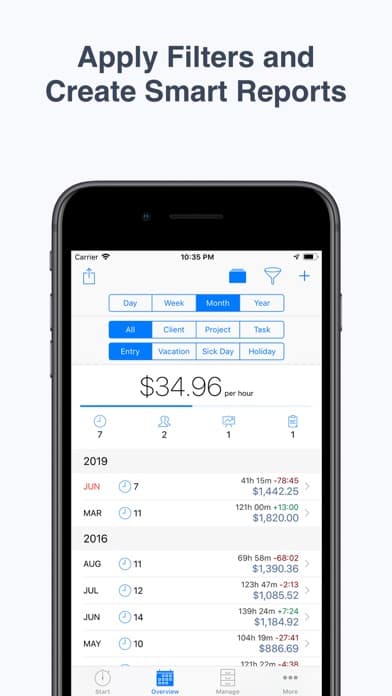
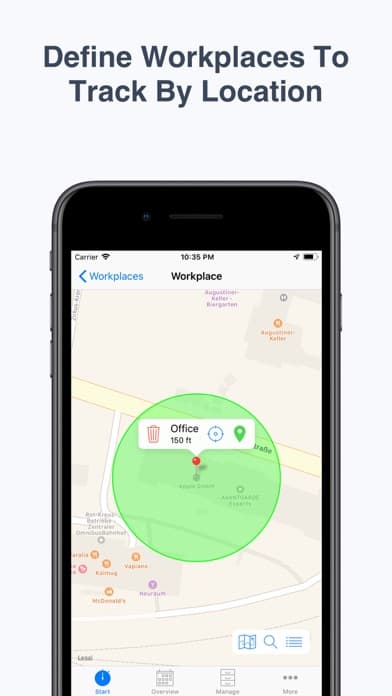
Hours Tracker is the best time tracking app for iPhone users who get paid by the hour — pay rates, overtime, breaks, tips, and mileage all calculate inside the app, with exports ready for invoicing. The 4.77 average across 54,702 U.S. ratings is by far the largest tested user base on this list, and it reflects a product that has shipped since 2009 and continues to update — the current version landed in May 2026. Hours Tracker differs from Toggl Track by leading hourly-pay-and-paycheck-first rather than project-time-first, and from Justworks Terminal by being individual-tracker rather than shared-device. A real scenario: you're a contractor with three job sites, two pay rates, and overtime after 8 hours — Hours Tracker tracks every minute, calculates the pay including overtime, exports a weekly timesheet, and reminds you when you near overtime thresholds. Geofencing auto-clocks at job locations. The tradeoff is the UI is utilitarian and dated relative to newer entrants like Timelines, and the Premium tier is required for some advanced exports. For most hourly workers in 2026, this is the right default — the largest user base and 16-year track record matter.
Pros
- Largest tested user base on this list at 54,702 U.S. ratings with 4.77 average
- Pay calculation with overtime, breaks, tips, and mileage built directly into tracking
- 16 years of continuous development since 2009 with active 2026 updates
Cons
- Utilitarian interface feels dated relative to newer entrants like Timelines
- Advanced exports and reporting require a Premium subscription
- 2Get on App Store
#2Toggl Track: Hours & Time LogBest for Freelancers
Toggl OÜ
Tracking & Hours Management
- Rating
- 4.8
- Reviews
- 9.5K
- Price
- Paid
- 90-day trend
- —
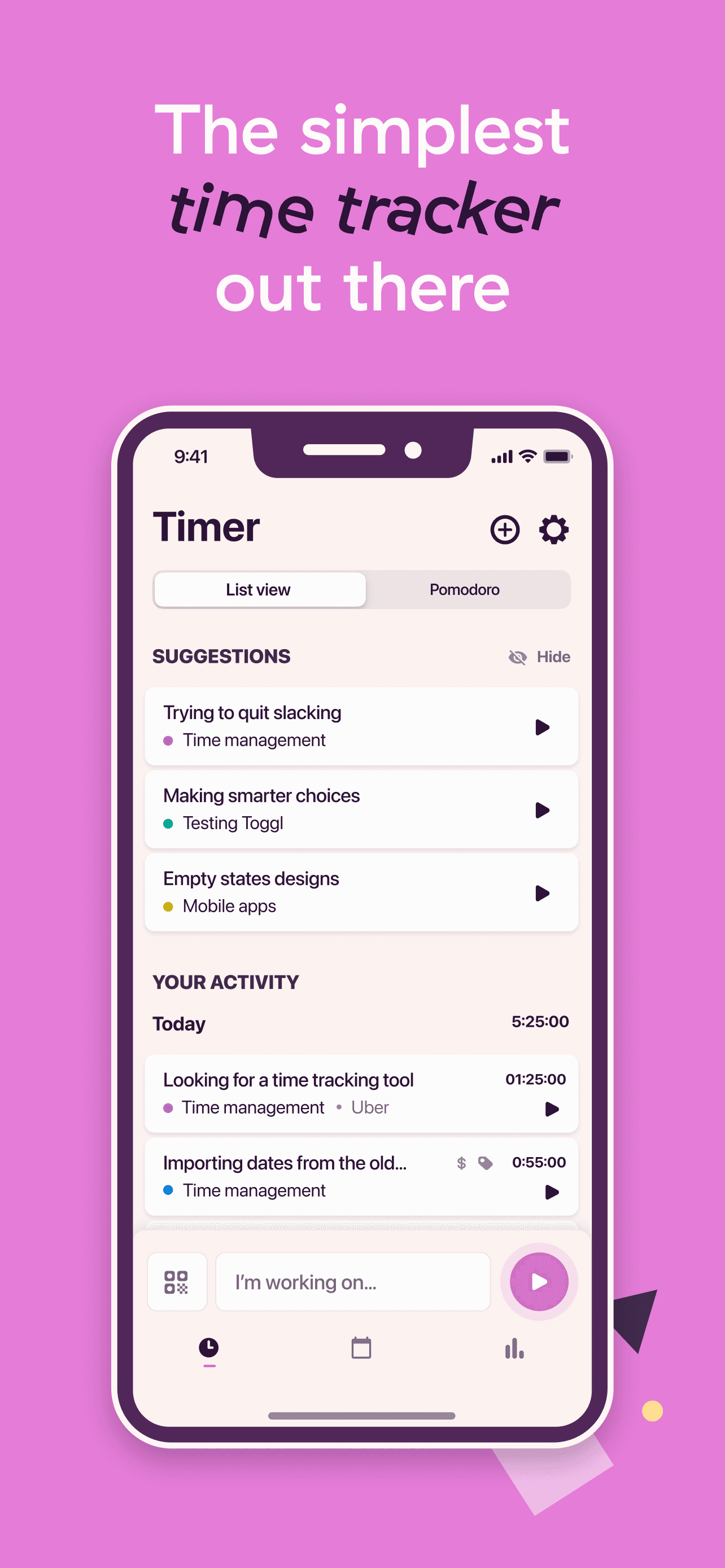
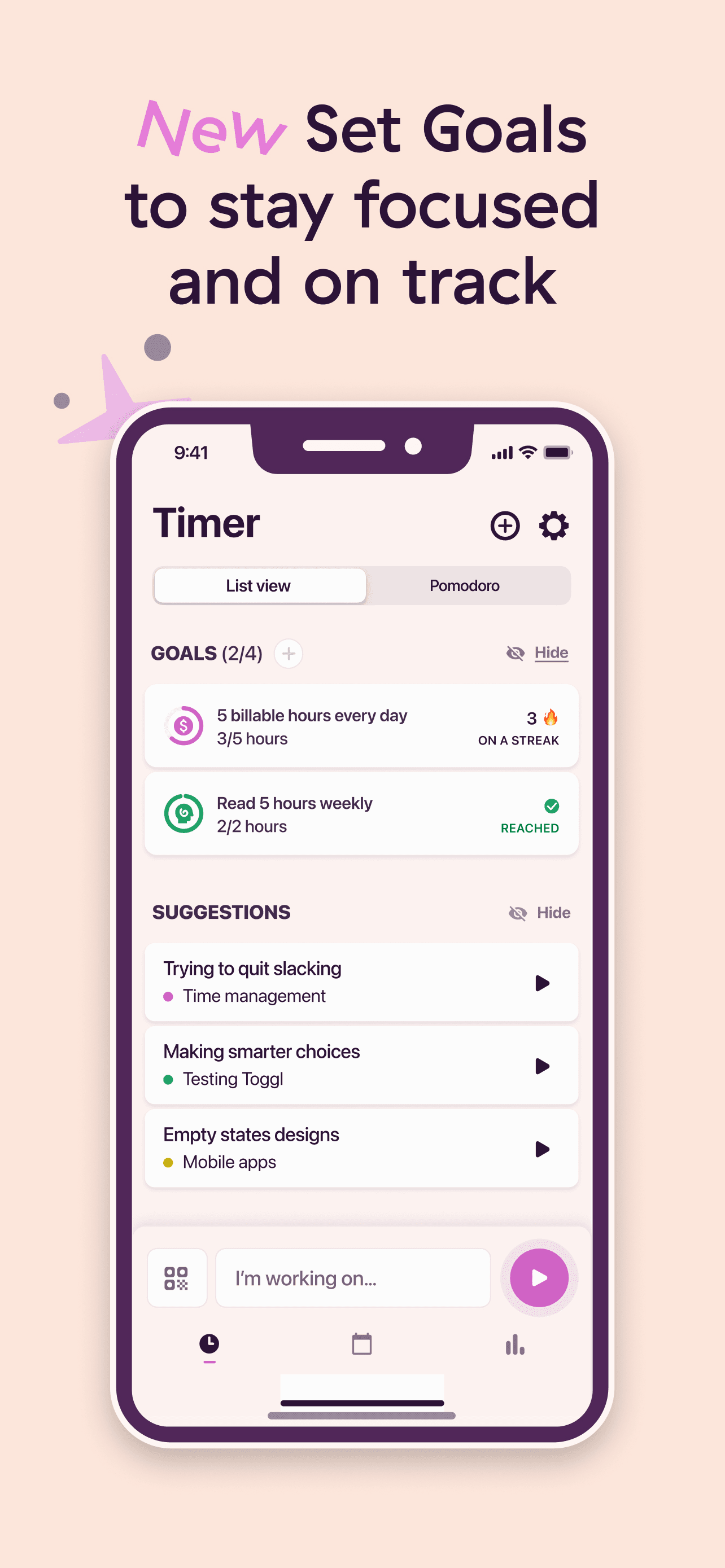
Toggl Track is the best time tracking app for iPhone users who freelance or consult and need true cross-platform parity across iPhone, Mac, Windows, web, and Apple Watch. The 4.77 average across 9,363 U.S. ratings reflects a mobile audience that uses Toggl as a phone companion to desktop tracking — start a timer in a browser, stop it on your phone, sync handles the rest. Toggl Track differs from Hours Tracker by leading project-and-client-first rather than pay-and-overtime-first, and from Timery by being the official first-party app rather than a third-party wrapper. A real scenario: you have eight clients across three project types — Toggl tracks billable hours per project with client tags, a one-tap timer on Apple Watch, and CSV export for invoicing. The free tier covers personal use entirely. The tradeoff is the iOS app is functional but not the most polished Apple-ecosystem experience — Timery is more iPhone-and-Watch-native. The desktop and web apps lead. Best for freelancers and consultants who track time across many devices and want first-party reliability.
Pros
- Free for personal use across iPhone, Mac, Windows, and web with no time limits
- Cross-platform parity lets you start a timer in a browser and stop it on phone
- Reliable Apple Watch app with one-tap timer for hands-free tracking
Cons
- iOS app is functional but trails Timery on Apple-ecosystem polish and features
- Team plan pricing escalates quickly versus Clockify's free unlimited members
- 3Get on App Store
#3atWork Hours & Pay TrackerBest for Billable Hours
Sergej Steinbach
Time Clock & Timesheet Log
- Rating
- 4.8
- Reviews
- 3.8K
- Price
- Free
- 90-day trend
- —
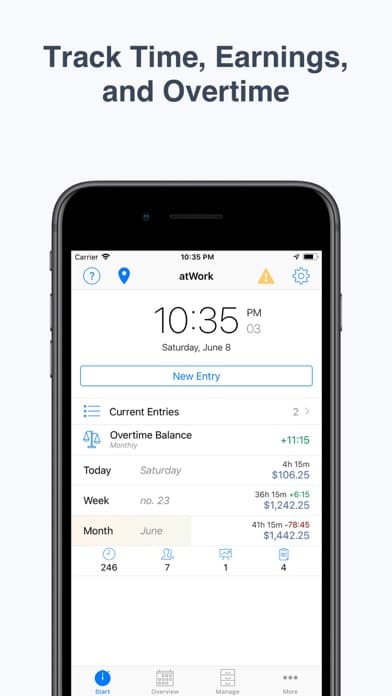
atWork is the best time tracking app for iPhone users who want a simple hourly-pay tracker without the breadth of Hours Tracker. The 4.75 average across 3,760 U.S. ratings reflects an audience that has chosen atWork for the cleaner interface and shorter learning curve. atWork differs from Hours Tracker by leading simplicity-first rather than feature-completeness-first, and from Toggl Track by being hourly-pay-focused rather than project-time-focused. A real scenario: you're an hourly employee or contractor with one or two pay rates, a regular workweek, and occasional overtime — atWork tracks shifts, calculates pay, and exports timesheets without the deeper customization Hours Tracker offers. The tradeoff is the smaller user base and shorter track record mean fewer integrations and slower feature velocity than Hours Tracker, and users with complex pay structures (multiple rates, tips, mileage) may outgrow it. Free tier covers core tracking; Premium unlocks advanced exports. Best for hourly workers with simple pay structures who find Hours Tracker overbuilt.
Pros
- Simple hourly-pay tracker with a shorter learning curve than Hours Tracker
- Free tier covers core hourly tracking and timesheet export reliably
- Active development with the current version landing in December 2025
Cons
- Smaller user base than Hours Tracker means fewer integrations and slower velocity
- Users with complex pay structures with tips and mileage may outgrow the feature set
- Rating
- 4.7
- Reviews
- 3.2K
- Price
- Free
- 90-day trend
- —
ATracker is the best time tracking app for iPhone users who track personal time across daily habits, projects, and goals rather than billable work hours. The 4.69 average across 3,144 U.S. ratings reflects an audience using ATracker for life-tracking — meditation minutes, exercise time, language-learning practice, reading — rather than work invoicing. ATracker differs from Toggl Track by being personal-life-tracker rather than client-billing-tracker, and from iHour by leading multi-category-and-flexible rather than 10,000-hour-skill-focused. A real scenario: you want to know how you spend 168 hours each week across sleep, work, exercise, reading, and time with family — ATracker tracks each category with one-tap timers and produces weekly reports. The tradeoff is the product is not designed for hourly pay or client billing — choose Hours Tracker or Toggl Track for those use cases. The free tier covers personal use; Premium unlocks more categories and sync. Best for users curious about their time use and willing to track it weekly to learn from the data.
Pros
- Built for personal time-life tracking across habits, projects, and goal categories
- One-tap timers make daily tracking low-friction across many categories at once
- Free tier covers personal use with optional Premium for advanced sync and reports
Cons
- Not designed for hourly pay or client billing — choose Hours Tracker or Toggl instead
- Visualization and design trail Timelines for users wanting beautiful charts
- Rating
- 4.6
- Reviews
- 3.9K
- Price
- Free
- 90-day trend
- —
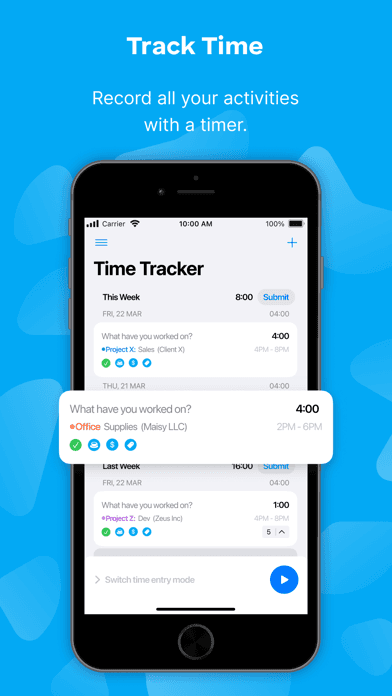
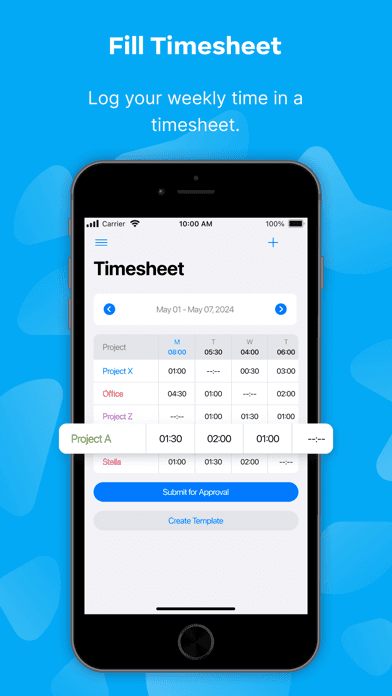
Clockify is the best time tracking app for iPhone users who run small agencies or teams and want unlimited free members, projects, and workspaces. The 4.57 average across 3,376 U.S. ratings reflects a team-focused product that has explicitly positioned around free team tracking — Clockify's pitch is 'absolutely free' for any team size on the basic plan. Clockify differs from Toggl Track by leading team-and-free-first rather than personal-and-cross-platform-first, and from Hubstaff by being more general-purpose rather than GPS-and-monitoring-first. A real scenario: a small agency with 12 team members tracks time across 30 client projects — Clockify handles all of it on the free tier with no per-seat cost. The tradeoff is the iOS app feels like a phone companion to the web product rather than a primary tracker (one of the lower iOS ratings on this list at 4.57), and advanced reporting requires the web version. Best for agencies and small teams where free team tracking is the priority and most reporting happens on desktop.
Pros
- Free for unlimited team members, projects, and workspaces with no per-seat cost
- Strong pick for small agencies and teams who want zero-cost team tracking
- Active development with the current version landing in April 2026
Cons
- iOS app is a phone companion to the web product — advanced reporting needs desktop
- 4.57-star rating reflects mixed mobile reception versus the stronger web product
- Rating
- 4.5
- Reviews
- 2.7K
- Price
- Free
- 90-day trend
- —
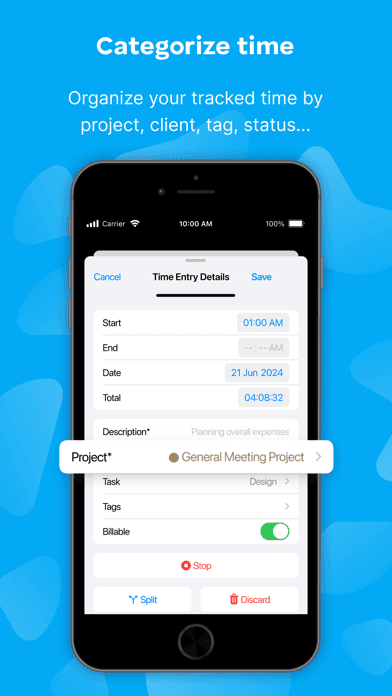
Justworks Terminal is the best time tracking app for iPhone users running on-site shift teams — retail, restaurants, salons, warehouses where every employee clocks in at a shared device. The 4.54 average across 2,707 U.S. ratings reflects a product targeting a specific operational model rather than competing on general features. Justworks Terminal differs from Hours Tracker by being shared-device-and-PIN rather than personal-tracker, and from Hubstaff by being on-site-fixed rather than GPS-and-distributed. A real scenario: a coffee shop runs an iPad as a clock-in terminal — employees enter their PIN, the terminal logs the shift, and the manager sees who's working, on break, or done for the day in real time. The tradeoff is the product is specifically for Justworks payroll customers — if you don't already use Justworks, it's irrelevant. The audience is narrow but well-served. Best for businesses on the Justworks payroll platform who run on-site shifts and need a shared clock-in device.
Pros
- Built specifically for on-site shift teams with shared-device PIN clock-in
- Real-time manager visibility into who's working, on break, or done for the day
- Integrates directly with Justworks payroll for customers on the platform
Cons
- Only relevant for businesses already using Justworks payroll — narrow audience
- Not designed for personal time tracking, freelance billing, or knowledge work
- 7
 Get on App Store
#7Timelines Time TrackingBest Apple-Native
Lukas Petr
Personal & Work Hours Tracker
- Rating
- 4.8
- Reviews
- 1.5K
- Price
- Paid
- 90-day trend
- —
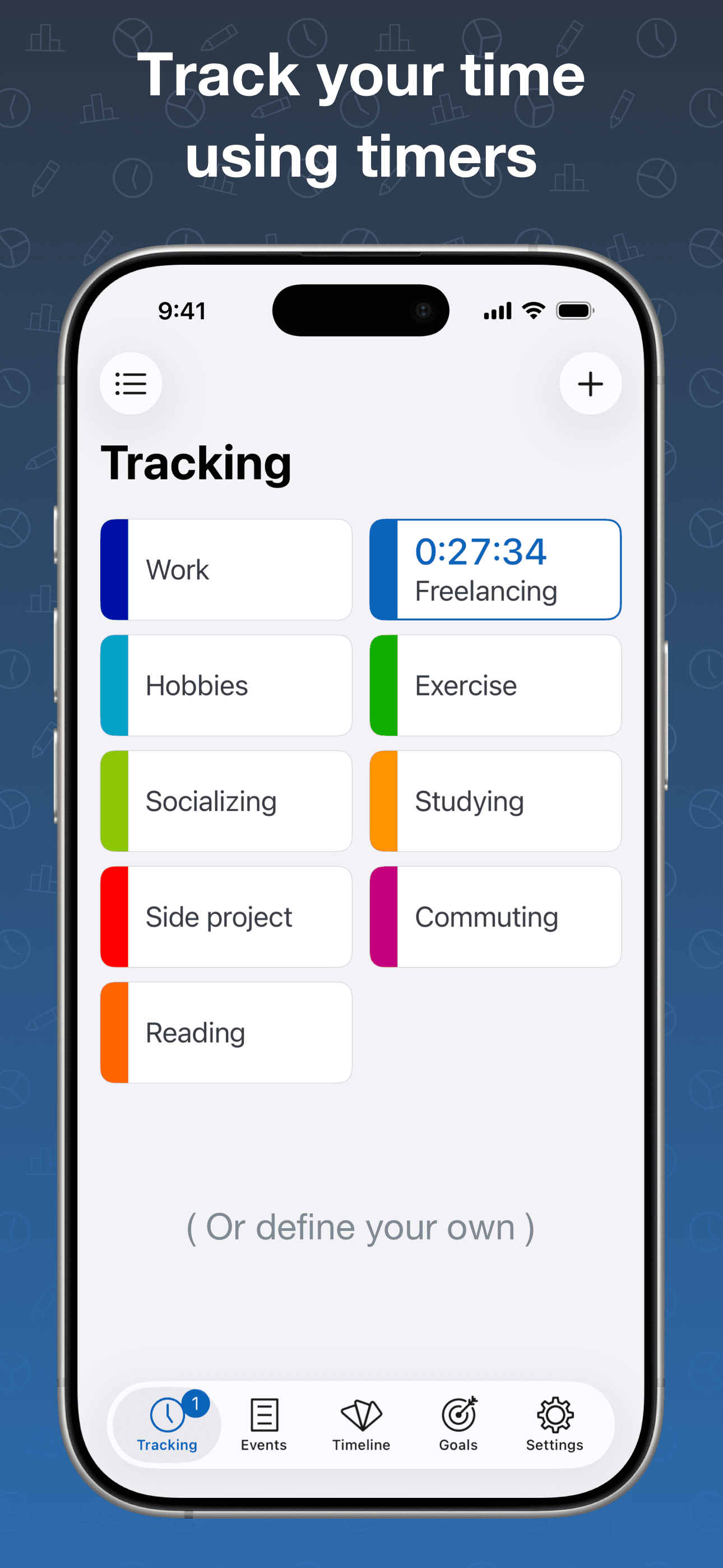
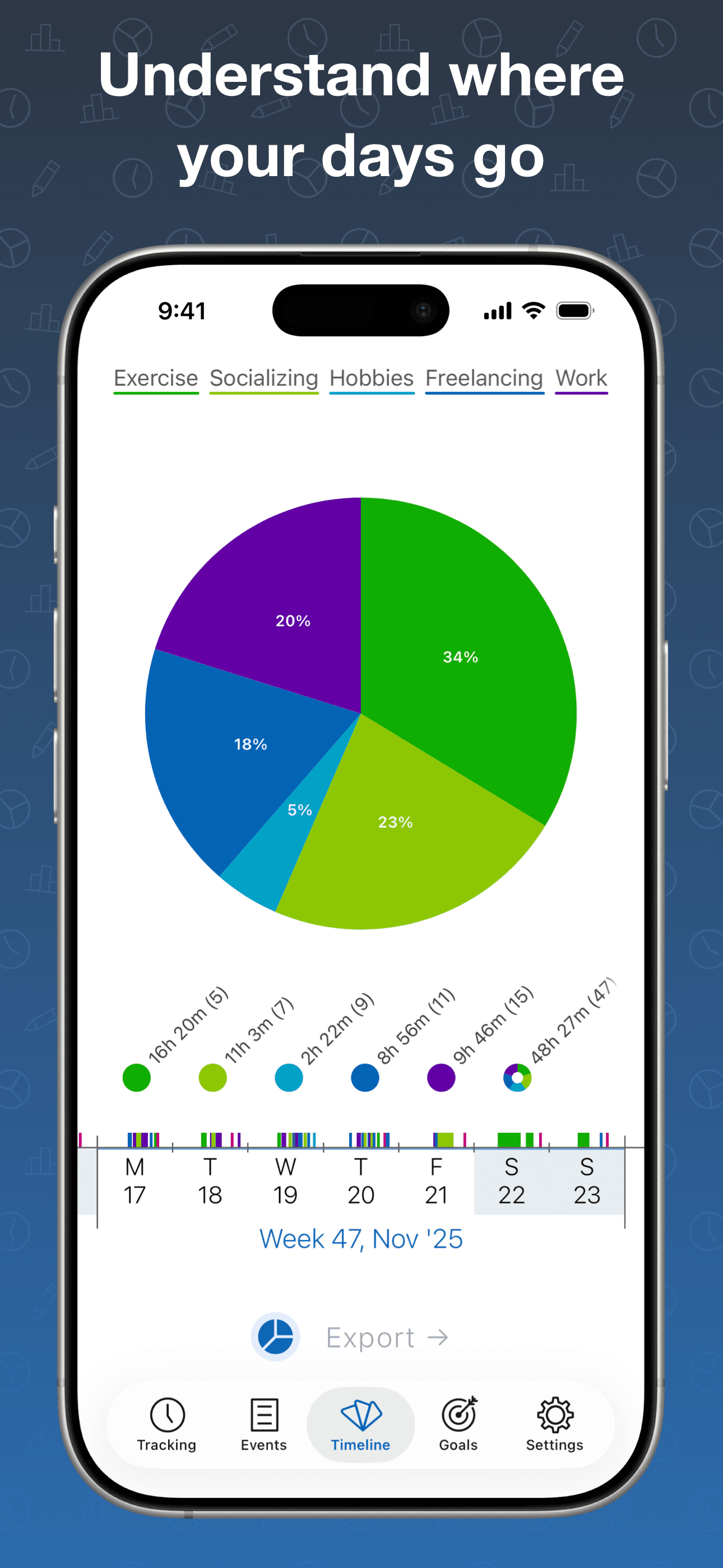
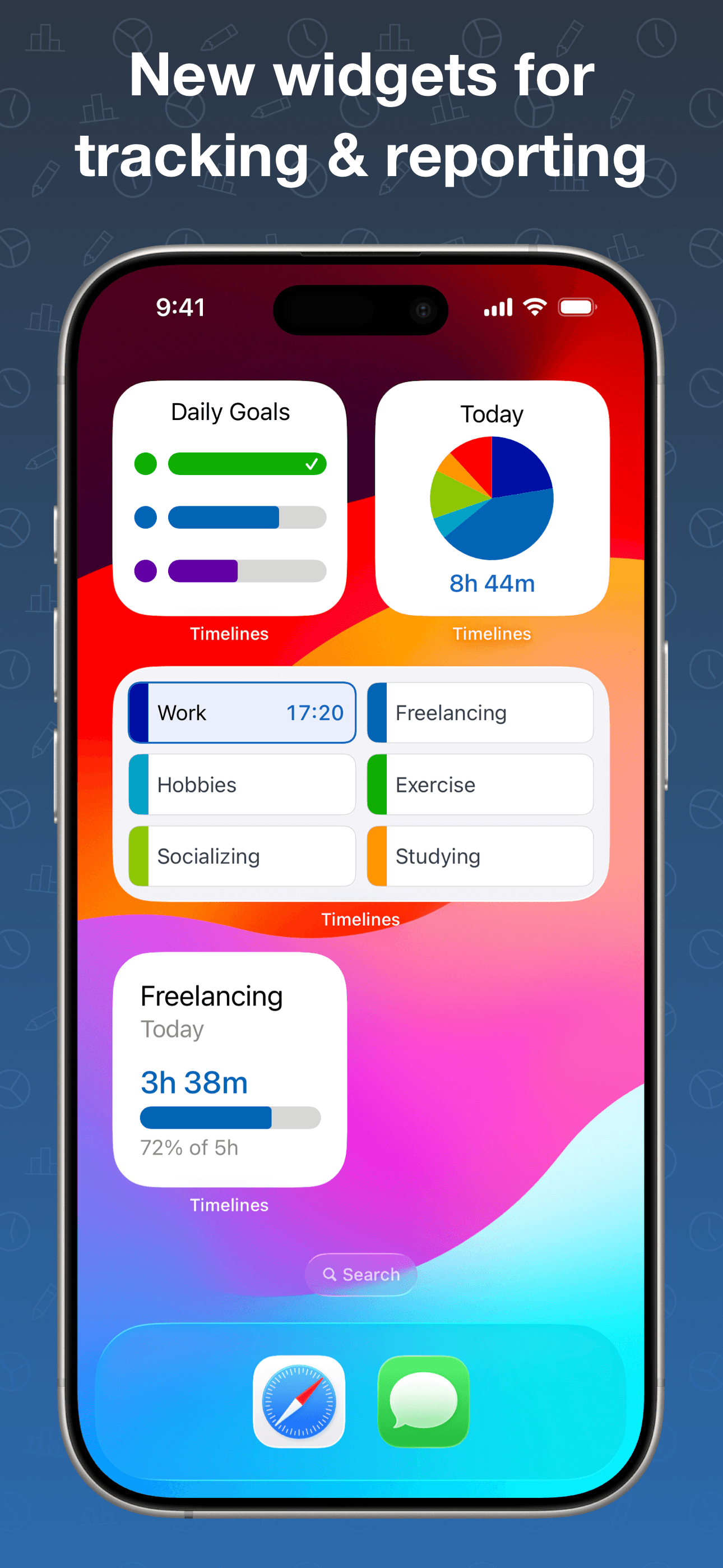
Timelines is the best time tracking app for iPhone users who want a beautifully designed personal time tracker focused on understanding their day rather than billing. The 4.79 average across 1,484 U.S. ratings reflects an indie product that has earned a reputation for visual polish — interactive timelines, charts, and visualization that go beyond what mainstream trackers offer. Timelines differs from ATracker by leading visualization-and-design-first rather than category-tracking-first, and from Toggl Track by being personal rather than client-focused. A real scenario: you want to see how your day breaks down visually — Timelines tracks activities and renders them as a colored timeline with daily and weekly summaries, helping you spot patterns and shift habits. Active development with the current version landing in April 2026. The tradeoff is the smaller user base (1,484 ratings) limits long-term roadmap visibility, and the product is personal-focused — for billable hours, choose Hours Tracker or Toggl Track. Best for users who want a beautifully visualized personal time tracker and have outgrown ATracker's simpler design.
Pros
- Beautifully visualized personal time tracker with interactive timelines and charts
- Polished design with weekly and daily pattern recognition for habit improvement
- Active development with the current version landing in April 2026
Cons
- Smaller user base of 1,484 ratings limits long-term roadmap visibility
- Personal-focused — not suited for hourly billing or client invoicing workflows
- 8
 Get on App Store
#8Timery: Time TrackerBest Toggl Integration
Joseph Hribar
Easy time tracking with Toggl
- Rating
- 4.8
- Reviews
- 1.1K
- Price
- Free
- 90-day trend
- —
Timery is the best time tracking app for iPhone users who already use Toggl Track and want a more polished iOS-and-Apple-Watch experience. The 4.85 average across 1,110 U.S. ratings is the highest rating on this list among trackers with a meaningful sample, and it reflects an audience that has self-selected for Apple-ecosystem polish and iOS-native features like widgets, Shortcuts, and a refined Apple Watch app. Timery differs from Toggl Track by being a third-party wrapper rather than the official app, and from every other pick by being explicitly tied to a Toggl account (your data lives in Toggl). A real scenario: you start a Toggl timer from an Apple Watch complication, edit time entries with one tap on iPhone, and view reports as a daily widget on the Home Screen — all using your existing Toggl free or paid account. The tradeoff is you need a Toggl account, and the Premium tier is required for some power features. Best for Toggl Track users who want a more iOS-native experience than the first-party Toggl app delivers.
Pros
- Highest rating on this list at 4.85 stars across 1,110 U.S. ratings
- iOS, iPad, Mac, and Apple Watch apps with widgets and Shortcuts actions
- Polished wrapper around Toggl Track with deeper Apple-ecosystem integration
Cons
- Requires a Toggl Track account — not a standalone tracker on its own
- Some Premium features sit behind a separate subscription on top of Toggl
- 9
 Get on App Store
#9Hubstaff Time TrackerBest for Consultants
NETSOFT HOLDINGS LLC
Work hours & GPS logs
- Rating
- 4.5
- Reviews
- 1.5K
- Price
- Paid
- 90-day trend
- —
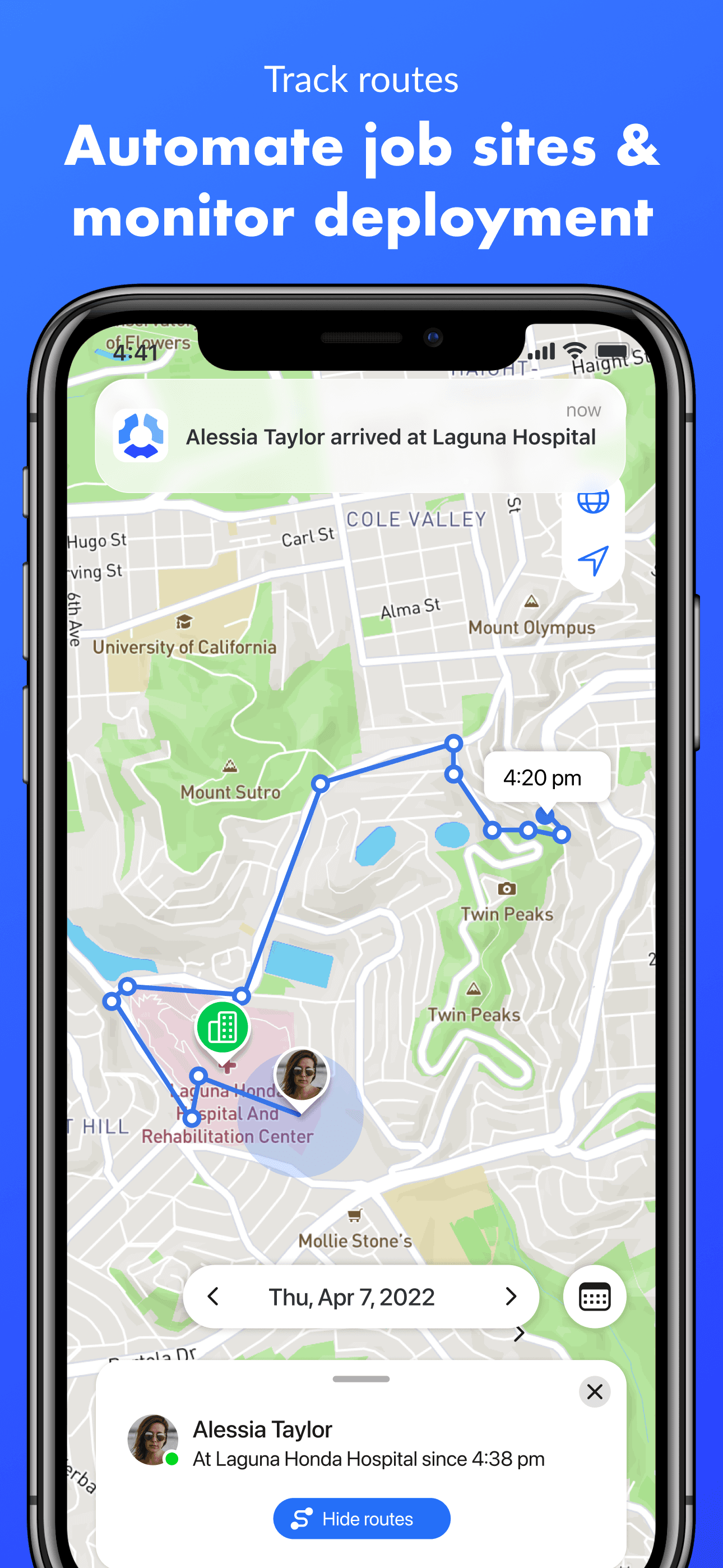
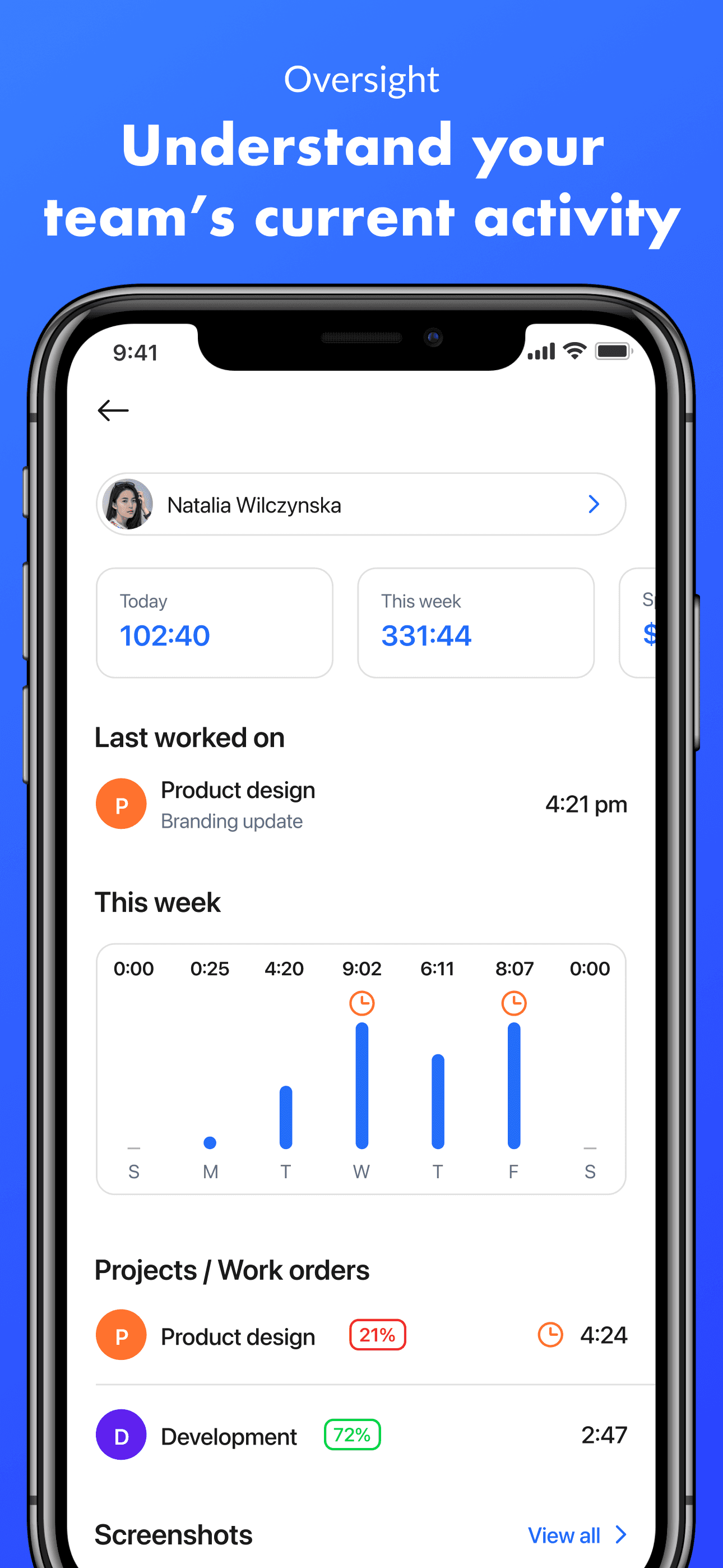
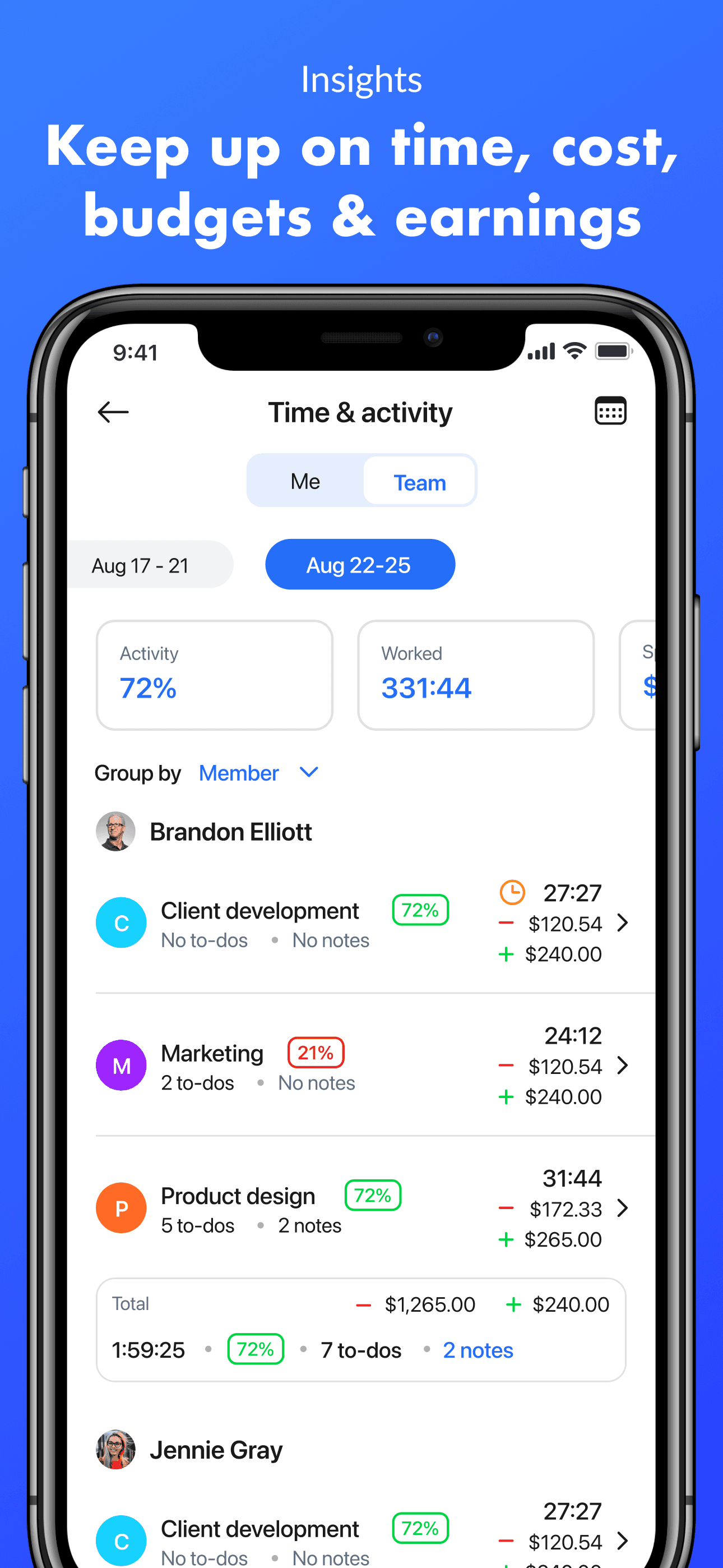
Hubstaff is the best time tracking app for iPhone users running distributed or field teams that need GPS tracking, geofencing, and routes alongside hours. The 4.53 average across 1,475 U.S. ratings reflects a product targeting a specific operational model — service teams, field technicians, mobile workforces — rather than office knowledge workers. Hubstaff differs from Clockify by leading GPS-and-monitoring-first rather than free-team-tracking-first, and from Justworks Terminal by being mobile-and-distributed rather than on-site-fixed. A real scenario: a plumbing company has 15 technicians driving between job sites — Hubstaff tracks hours per job, logs GPS routes, geofences job sites to auto-clock arrival and departure, and exports a weekly payroll-ready report. The tradeoff is GPS tracking can feel intrusive to employees if not transparently communicated, and the iOS app prioritizes the field-tracking flow over the office-tracking flow. Free tier covers basic use; paid plans unlock advanced GPS and reporting. Best for distributed field teams; for office knowledge workers, Toggl or Clockify is the better fit.
Pros
- GPS tracking, geofencing, and route logs for distributed and field-service teams
- Auto clock-in and clock-out at job sites reduces missed time-on-task entries
- Free tier covers basic use with paid plans for advanced GPS and reporting
Cons
- GPS tracking can feel intrusive if not transparently communicated to team members
- iOS app prioritizes field-tracking flow over office-tracking workflows
- 10
 Get on App Store
#10iHour - Focus Time TrackerBest Cross-Platform
iDaily Corp.
Focus 10k Hours Master Skill
- Rating
- 4.8
- Reviews
- 812
- Price
- Free
- 90-day trend
- —
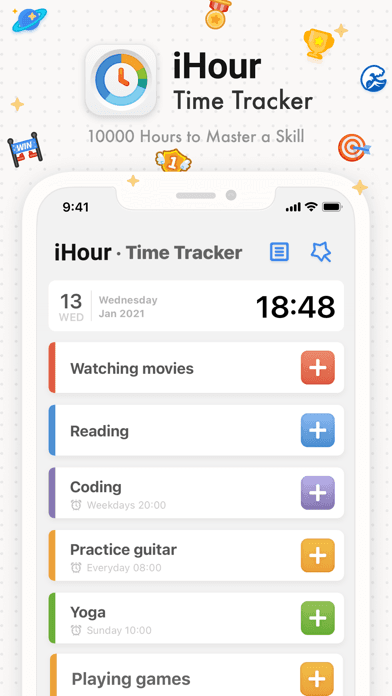
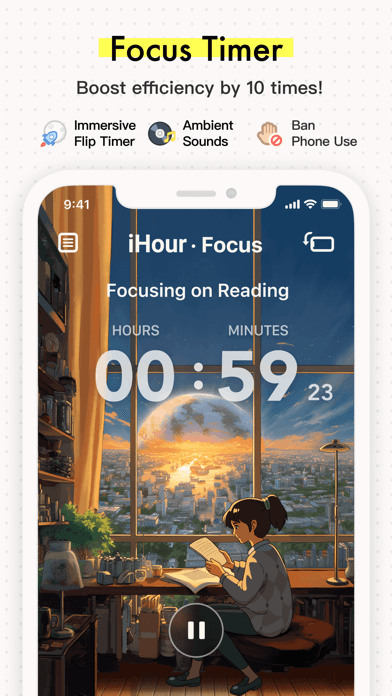
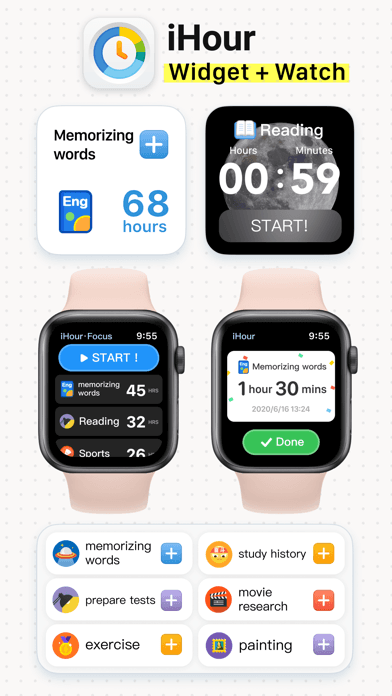
iHour is the best time tracking app for iPhone users committed to the 10,000-hours-to-mastery framework — the product is explicitly built around tracking time spent on specific skills over years. The 4.8 average across 807 U.S. ratings reflects an audience that has chosen iHour because of the long-term-mastery framing rather than weekly invoicing. iHour differs from ATracker by leading long-term-skill-mastery-first rather than general-habit-tracking-first, and from Toggl Track by being personal-mastery-focused rather than client-billing-focused. A real scenario: you're learning guitar, coding, or a foreign language and you want to see your hours accumulate toward a personal mastery goal — iHour shows total hours per skill with achievement milestones and a 10-year planning horizon. The tradeoff is the product is niche-specific to long-term skill tracking and does not handle billable hours or team workflows, and the small user base (807 ratings) limits long-term confidence. Free with cloud sync. Best for users explicitly working toward skill mastery and willing to track time across years.
Pros
- Built explicitly around the 10,000-hours-to-mastery framework for skill tracking
- Long-term planning horizon of up to 10 years with milestone achievements
- Free with cloud sync — no subscription required for core skill tracking
Cons
- Niche-specific to long-term skill mastery — not for hourly billing or team work
- Small user base of 807 ratings limits long-term confidence in roadmap velocity


How we picked
### Data sources We combine live App Store data (ratings, recent reviews, version cadence, pricing, screenshot history) with our own ranking tracker, which logs U.S. Business and Productivity positions daily for every app. Review themes come from the most recent U.S. reviews per app, weighted toward the last 90 days.
### How we score Four weighted axes: tracking friction (how fast you start, stop, and switch between timers), pay and billing fidelity (rates, overtime, breaks, mileage, tax exports for hourly workers and contractors), team capability (shared workspaces, member-level reporting, manager exports), and longevity (do users stay 12+ months or churn off when payroll season ends). We did not run formal billing-tool benchmarks; we relied on consistent themes in user reviews.
### Refresh cadence The top-10 set is re-scored quarterly. Ratings, ranks, and review-theme analysis refresh daily. When a vendor releases a major redesign, changes pricing, or removes a feature that drove its placement, it gets re-evaluated within the week. Time tracking pricing models shift annually around tax season — we re-check in March every year.
### What we exclude Apps with an average below 4.4 stars on the current version, fewer than five hundred ratings, or no update in twelve months. We dropped pure activity-monitoring apps that track app usage rather than your work, and time trackers that lock CSV export behind enterprise plans, since freelancers genuinely need export for invoicing. We also dropped apps with billing miscalculations flagged consistently in reviews.
### What we don't do No affiliate-driven ordering. Referral commissions do not bump apps. We don't take sponsorship or paid placement from listed apps. If a pick shifts, it's because the data shifted — pricing, ratings, review themes, or feature changes.