



Best Budgeting Apps for iPhone
By App Store Tracker Editorial · Updated — live App Store data verified
The short version
The best budgeting app for iPhone in 2026 is Albert — a banking-plus-budgeting hybrid that consolidates your spend, savings, and on-demand cash assistance into one app. Monarch is the runner-up at a remarkable 4.89 stars across 90,207 U.S. ratings — the highest-rated pick on this list. Among these 10 budgeting apps, Monarch and Copilot lead on craft and review sentiment, YNAB leads on behavior change, Rocket Money leads on subscription cancellation, and Albert and Cleo lead on chat-style coaching.
Jump to a pick↓
Picking a budgeting app for iPhone in 2026 means choosing a relationship with your money, not just a dashboard. Among the 10 budgeting apps on this list — pulled from the U.S. App Store's Finance category — five lean automated and five lean manual. We weighted apps people actually open weekly over apps with the prettiest charts. The data backs the order: Monarch holds a 4.89 average from over 59,000 ratings, Copilot sits at 4.76 across 23,800, and the long tail spans from chat-driven AI tools to traditional double-entry trackers. Bank-sync quality, couple-friendly sharing, free-tier usefulness, and how each app handles the moment you go over budget all factored into the cuts. Treat the picks as starting points; the app you'll open at 8 PM on a Tuesday is the one worth subscribing to.
- Rating
- 4.7
- Reviews
- 335.5K
- Price
- Paid
- 90-day trend
- —
Albert is the best budgeting app for iPhone users who want their checking, savings, and spending plan to live in one place. Built by Albert Corporation, the app pairs a Plaid-style account aggregator with a partner-bank checking account, instant cash-advance features, and a 'Genius' human-plus-AI advice channel that answers money questions in chat. Albert differs from Monarch and Copilot by being a bank-plus-budget rather than a pure budget overlay — your paycheck can land directly inside Albert, and the app will categorize spend, surface bills, and route round-ups to savings buckets automatically. A real scenario: your paycheck deposits Friday, Albert flags $87 in low-priority spend you can shift to a vacation savings bucket before the weekend, and you tap once to move it. The tradeoff is reviewer-flagged friction around withdrawals — multiple recent reviews describe slow customer support during off-boarding and document requests when closing the account. Useful headlines like instant cash require ongoing direct deposit volume. Best for users who want one app to manage and hold money, not just track it.
Pros
- Bundles budgeting, checking, savings buckets, and cash advances in one app
- Genius advice channel answers real-money questions in chat-style format
- Round-up savings and direct-deposit features automate consistent saving
Cons
- Withdrawals and account closures involve slow document review per recent reviews
- Customer support is messenger-only with no phone number for urgent issues
- Rating
- 4.7
- Reviews
- 264.2K
- Price
- Paid
- 90-day trend
- —
Cleo AI is the best budgeting app for iPhone users who'd rather chat with their money than navigate a dashboard. The app's core is a conversational AI that answers questions like 'how much did I spend on takeout this month?' or 'what's left in my budget?' in plain English, with a signature 'roast me' mode that calls out spending patterns directly. Cleo connects to your bank via Plaid in read-only mode, tracks recurring bills, and breaks down weekly spend on demand. Cleo differs from every other pick by leading with the chat surface — there are no spreadsheets to maintain, just questions to ask. A real scenario: you ask Cleo at 11 PM 'can I afford a $90 dinner this weekend?' and the app subtracts upcoming bills from your current balance and answers in one line. The tradeoff is reviewer-flagged friction around the cash-advance side of the product — slow ACH withdrawals (multi-business-day waits) and complaints about feature changes are the dominant negative theme. Free to use; cash-advance subscription is separate.
Pros
- Chat interface answers 'what did I spend on X' questions in plain English
- Plaid read-only connection keeps your bank credentials with the aggregator
- Free tier supports core budget and bill tracking without subscription
Cons
- Cash-advance withdrawals take three business days excluding Fridays per reviewers
- Currency, bank-account duplication, and budget-edit reset bugs flagged by users
- Rating
- 4.5
- Reviews
- 395.5K
- Price
- Paid
- 90-day trend
- —
Rocket Money is the best budgeting app for people who suspect they're bleeding cash on forgotten recurring charges. Formerly Truebill, the app's standout feature scans your transaction history and flags every subscription it finds — then offers to cancel or negotiate the ones you don't want. The budgeting layer (categories, custom budgets, shared partner access, split transactions) is mature and well-reviewed; users specifically praise being able to split purchases, create custom categories, and share budgets with a spouse. Rocket Money differs from Monarch and Copilot by leading with the cancellation feature, which delivers a one-time payoff often larger than any budget change. A real scenario: you connect your card, Rocket Money flags eight active subscriptions (you remembered four), and three taps save $42 a month. The tradeoff is the pricing screen — multiple recent reviewers describe being routed into a paid trial after connecting accounts and finding the in-app cancellation flow harder than expected. Pay-what-you-want Premium is real, but the upsell is constant.
Pros
- Subscription scanner finds forgotten recurring charges within minutes of bank connection
- Split transactions, custom categories, and partner sharing rated highly in reviews
- Pay-what-you-want Premium pricing from $3 to $12 monthly is genuinely flexible
Cons
- Pending-transaction categorization resets daily until the charge fully posts
- Onboarding routes users into auto-renewing trial before pricing is fully visible
- Rating
- 4.9
- Reviews
- 112.8K
- Price
- Paid
- 90-day trend
- —
Monarch is the best budgeting app for couples and households that want full financial transparency in a single app. With a 4.89 average across 90,207 U.S. ratings, it's the highest-rated pick on this list — and reviewer comments explain why: better-than-Mint cash-flow tracking, robust account connections (including Fidelity, which other apps struggle with), customizable categories, and goal tracking that ties transactions back to specific savings goals. Monarch differs from YNAB by being a tracker rather than an enforcer — it shows you the picture and lets you act, rather than forcing zero-based assignment. A real scenario: you and your partner hold a 20-minute monthly money meeting on a tablet, look at the cash-flow Sankey diagram, and agree on a $200 cut to dining out before the new month starts. The tradeoff is goal-tracking still has rough edges — reviewers note that earmarking transactions against a savings goal is awkward, and the budgeting layer is softer than YNAB's. $99.99/year is steep but justifiable for households.
Pros
- Highest-rated pick on this list at 4.89 stars across 90,207 U.S. ratings
- Connects accounts other budgeters struggle with, including Fidelity investment positions
- Custom rules with simple if-then logic make recurring categorization fast
Cons
- Earmarking transactions against a savings goal is awkward per recent reviews
- $99.99 yearly subscription is the highest fixed cost among top picks
- Rating
- 4.7
- Reviews
- 84.1K
- Price
- Paid
- 90-day trend
- —
EveryDollar is the best budgeting app for Dave Ramsey followers and anyone who wants strict zero-based budgeting without YNAB's learning curve. Built by Ramsey Solutions, the app is unapologetically opinionated toward debt payoff and emergency-fund building — exactly aligned with the Ramsey Baby Steps plan. The free tier supports manual zero-based budgeting (every dollar assigned before the month starts); Premium adds bank sync, paycheck planning, and the financial roadmap. EveryDollar differs from YNAB by being simpler and more rule-driven, which is the right call for people who want a system to follow rather than a methodology to learn. A real scenario: you set a $400 grocery line at month-start, log purchases as they happen, and watch the bar shrink to zero by the 28th. The tradeoff is reviewer-flagged friction around bank sync — multiple recent reviews describe banks dropping their connection and the app's response defaulting to 'do it manually,' which negates Premium's main value. The Apple Design feel of newer competitors isn't here yet.
Pros
- Free tier supports real zero-based budgeting with manual transaction entry
- Baby Steps tracker and financial roadmap keep Ramsey followers on plan
- Splits transactions across line items and shares household budgets across spouses
Cons
- Bank sync requires Premium and reviewers report repeated connection drops
- UI redesigns repeatedly break progress bars and workflow muscle memory
- Rating
- 4.8
- Reviews
- 61.7K
- Price
- Paid
- 90-day trend
- —
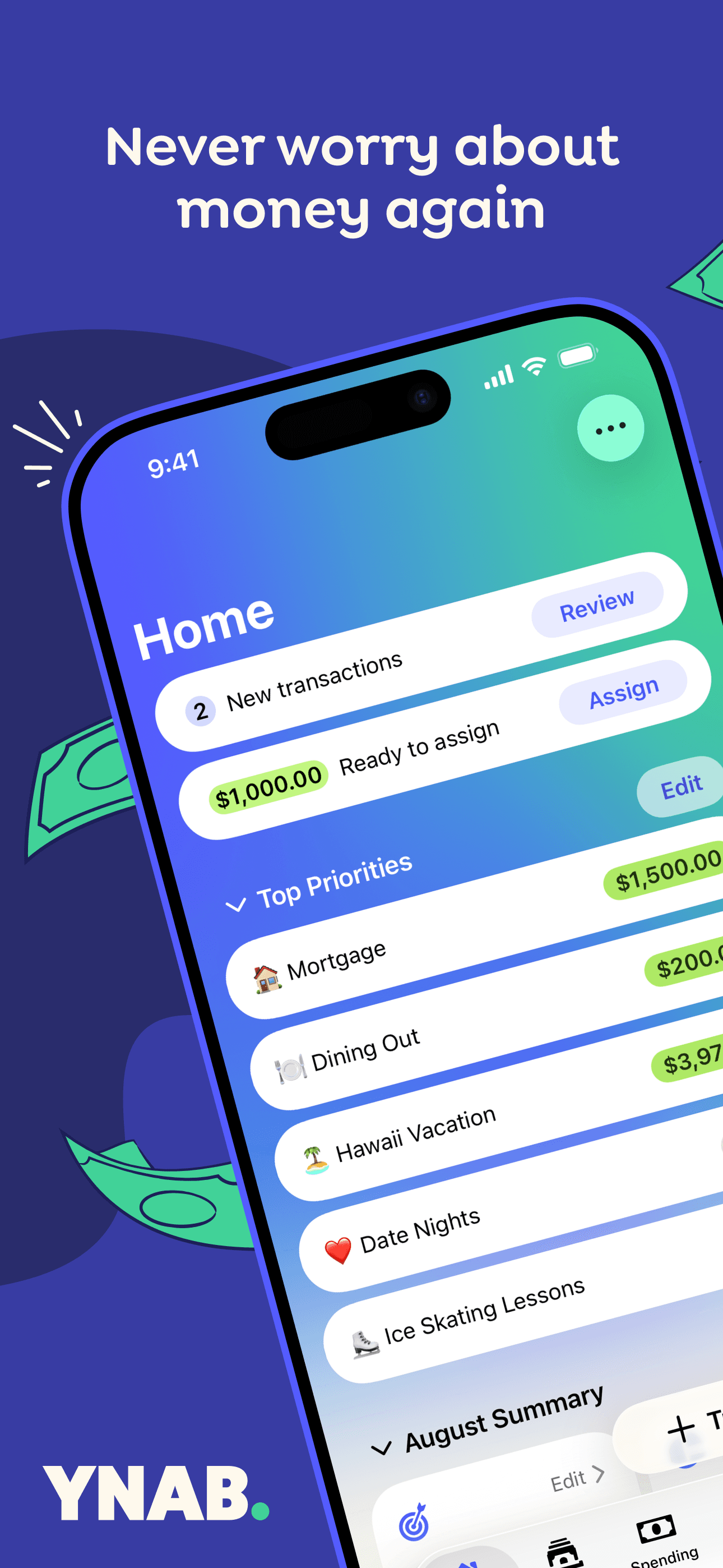
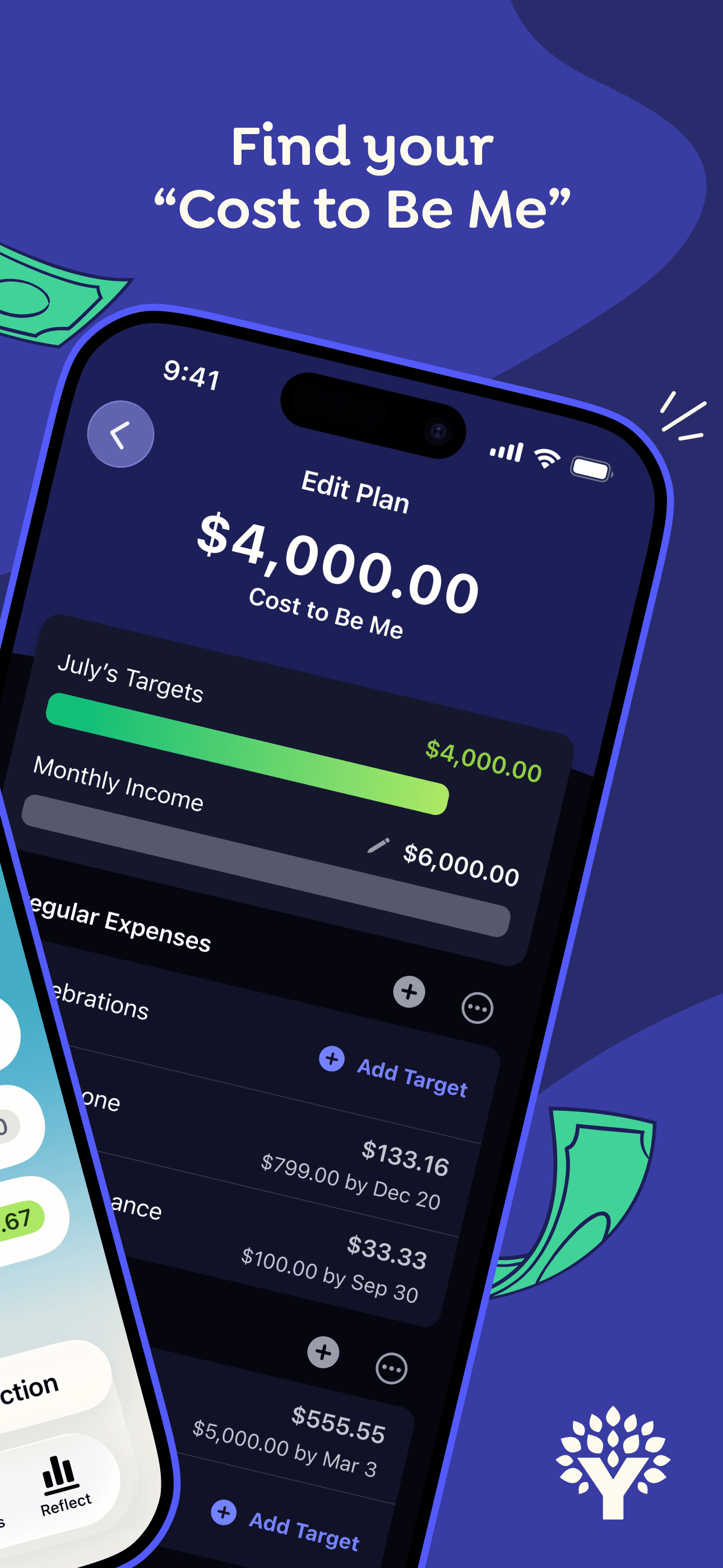
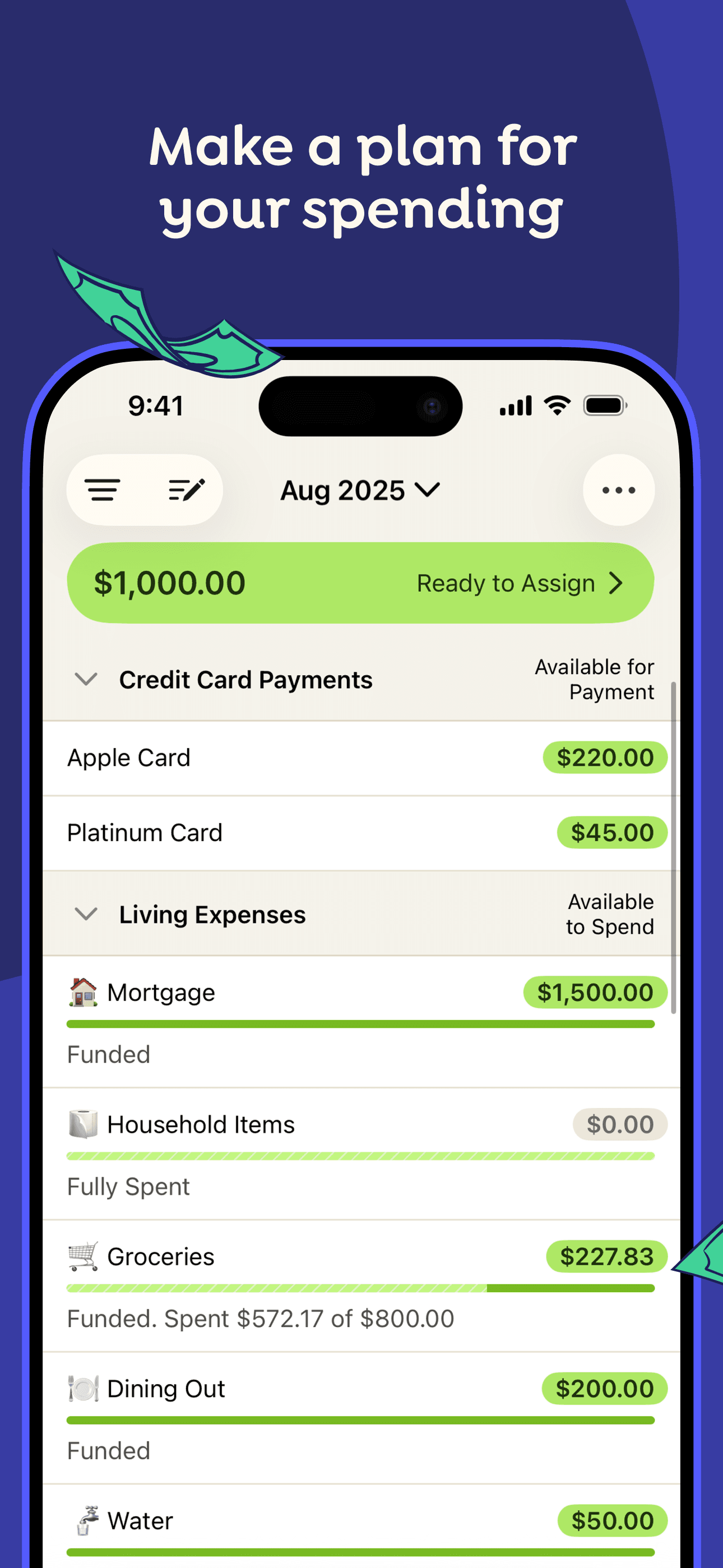
YNAB is the best budgeting app for people who keep blowing past their budget because it forces you to decide where every dollar goes before you can spend it. The zero-based method (income minus assignments equals zero) sounds tedious — and the first month is — but it's the only system on this list that actively prevents overspending instead of just reporting it. With a 4.79 average across 59,918 U.S. ratings, YNAB attracts a committed user base that uses behavior-change language in reviews. The 'age of money' metric quietly pushes you toward a one-month buffer, which is the real outcome most people want. A real scenario: an unexpected $300 car repair lands; you 'move money' from your dining-out category to your auto-maintenance category in 10 seconds, and the rest of the month re-balances without panic. The tradeoff is price ($14.99/month or $99/year after a 34-day trial) and a two-week learning curve. Couples share one login. The system rewards discipline more than design.
Pros
- Zero-based assignment forces every dollar to have an explicit job
- Age-of-money metric quietly pushes you toward a one-month income buffer
- Real partner support — both spouses share single login and unified budget
Cons
- Two-week learning curve before the zero-based system clicks for new users
- No permanent free tier — $14.99 monthly or $99 yearly after 34-day trial
- Rating
- 4.8
- Reviews
- 30.5K
- Price
- Paid
- 90-day trend
- —
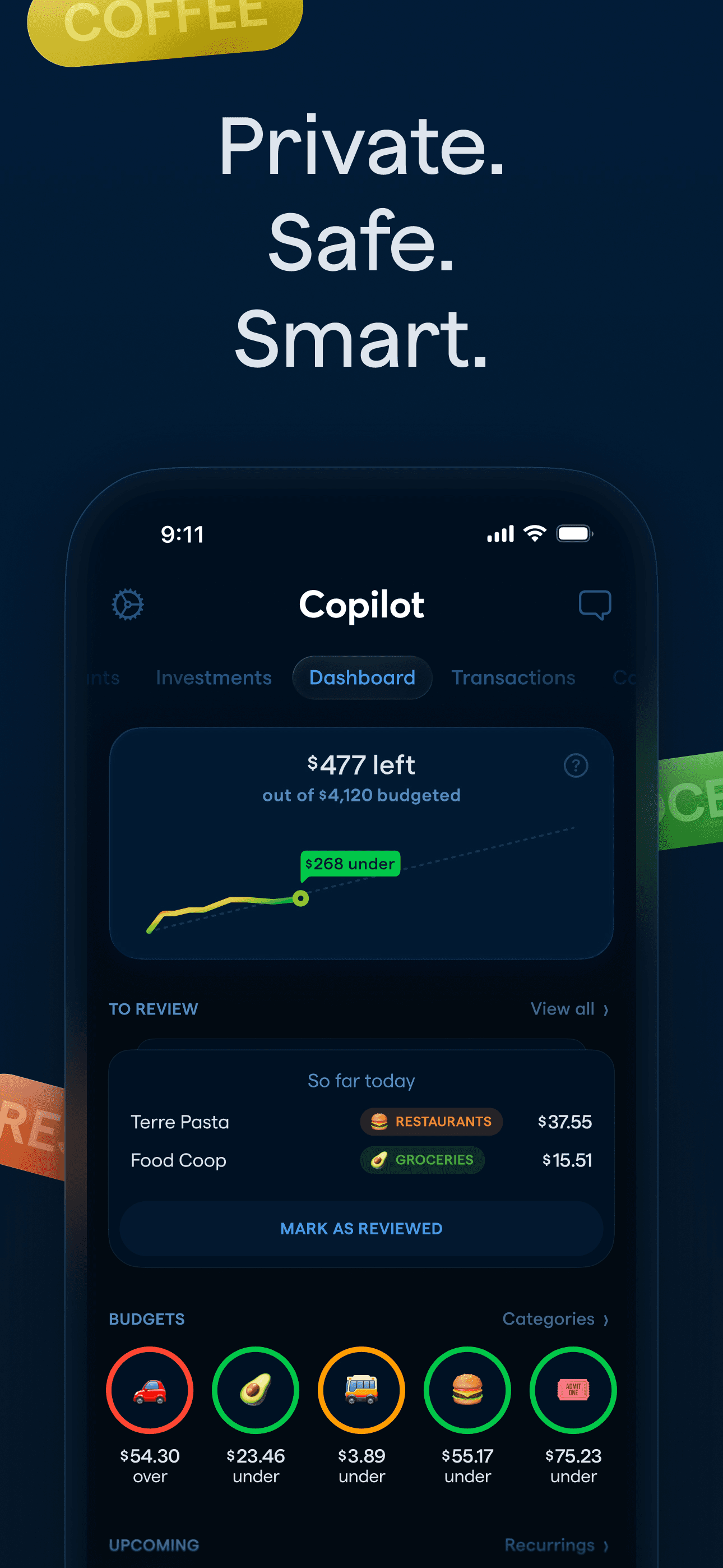
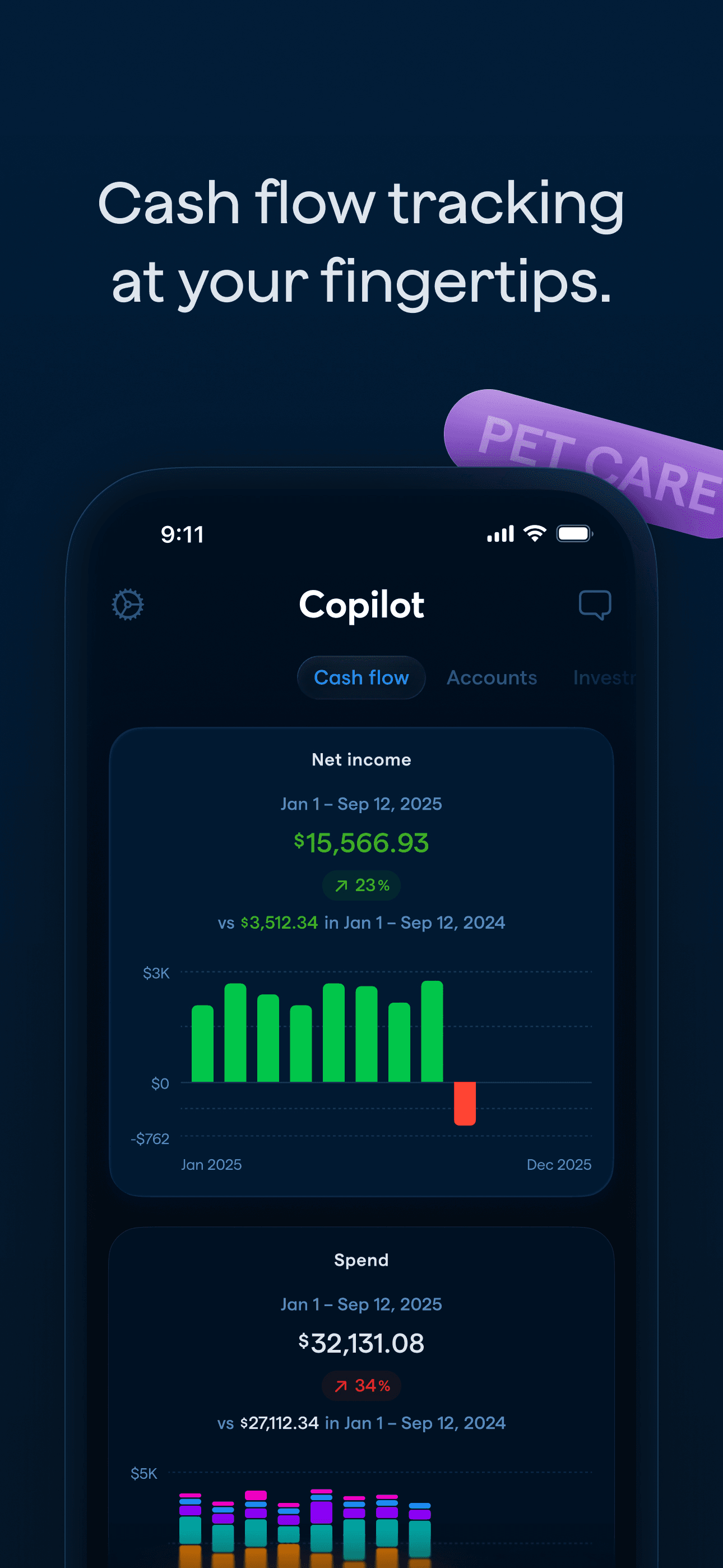
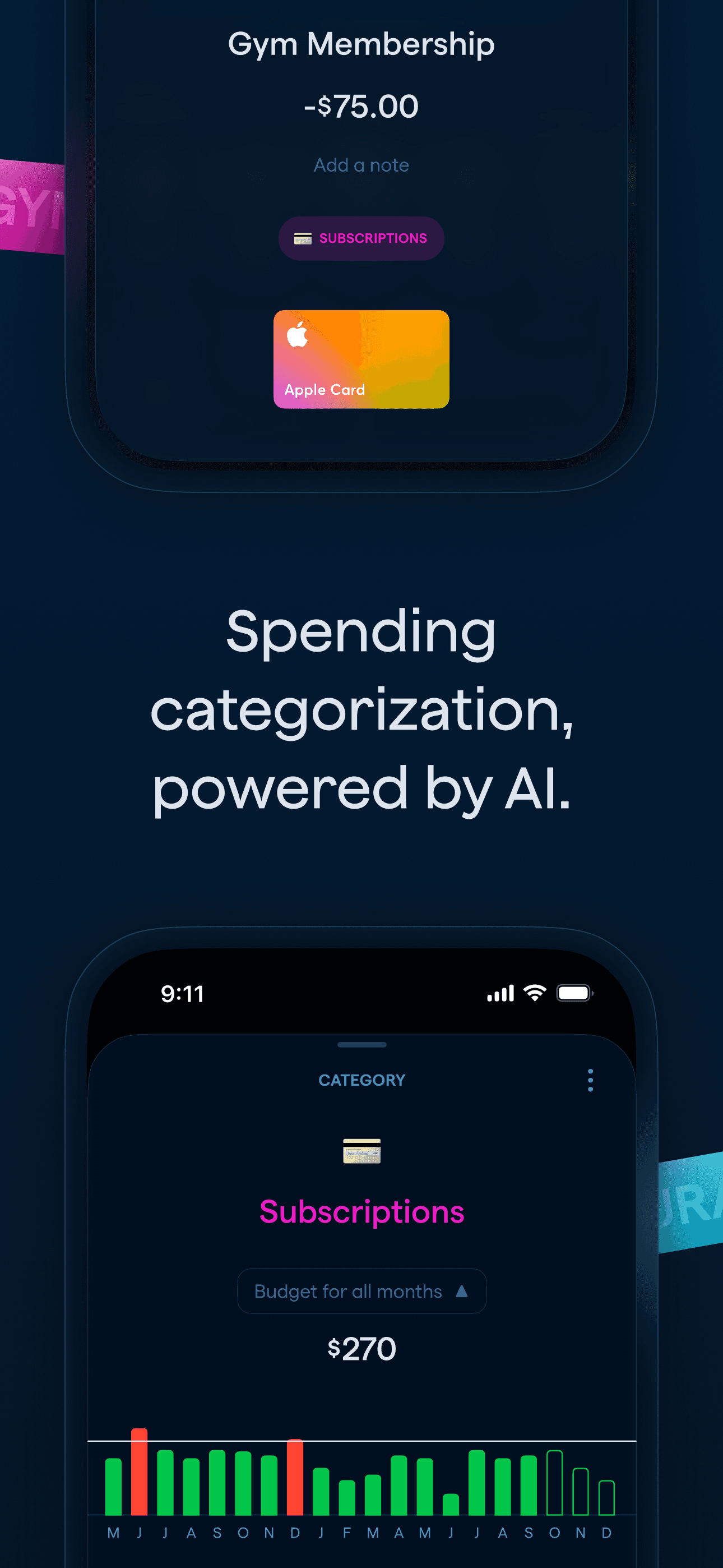
Copilot is the best budgeting app for design-conscious iPhone users who want the most polished tracker on iOS. A 2024 Apple Design Award Finalist, it carries the highest design polish on this list — categories auto-learn from your transactions, recurring bills surface automatically, and the charts feel native to iOS rather than ported from a 2015 web app. Copilot's 4.76 average across 28,830 U.S. ratings reflects sustained craft — reviewers consistently highlight the adaptive budgets, AI categorization, and subscription tracker. It differs from YNAB by tracking rather than enforcing, and from Monarch by being iPhone/Mac-first (no Android, no web). A real scenario: you check Copilot once a week, see that 'subscriptions' crept from $85 to $134 over three months, and cancel two before they renew. The tradeoff is platform reach — if your partner uses Android, Copilot is a non-starter — and the $13/month or $95/year price tag with a one-month free trial. Best for solo Apple-ecosystem users who care about craft.
Pros
- 2024 Apple Design Award Finalist with the most polished iOS interface here
- Adaptive budgets and AI categorization adjust to your spending habits over time
- Investment tracking benchmarks portfolio performance against market indexes
Cons
- iPhone, iPad, and Mac only — no Android or web companion at all
- Subscription runs $13 monthly or $95 yearly with a one-month free trial
- 8
 Get on App Store
#8Money Manager Expense & BudgetBest Free
Realbyte Inc.
20M+DN,Budget&Expense Tracker
- Rating
- 4.8
- Reviews
- 19.4K
- Price
- Paid
- 90-day trend
- —
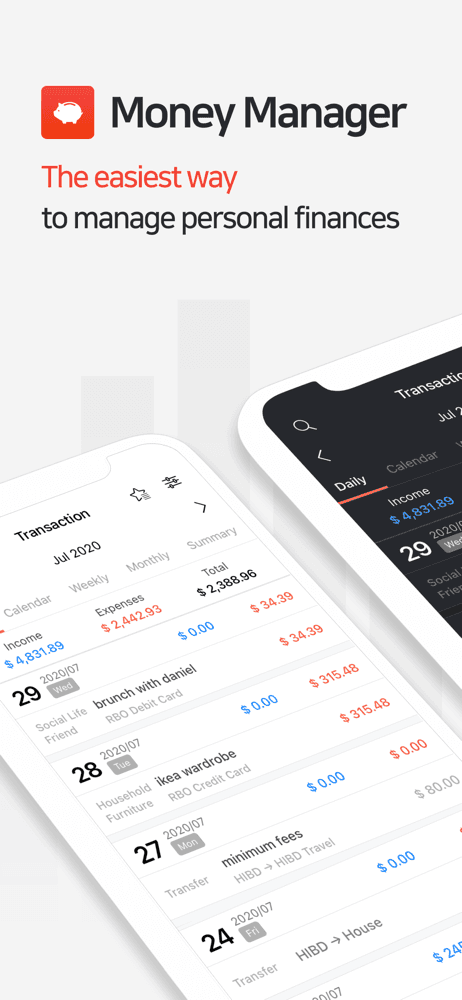
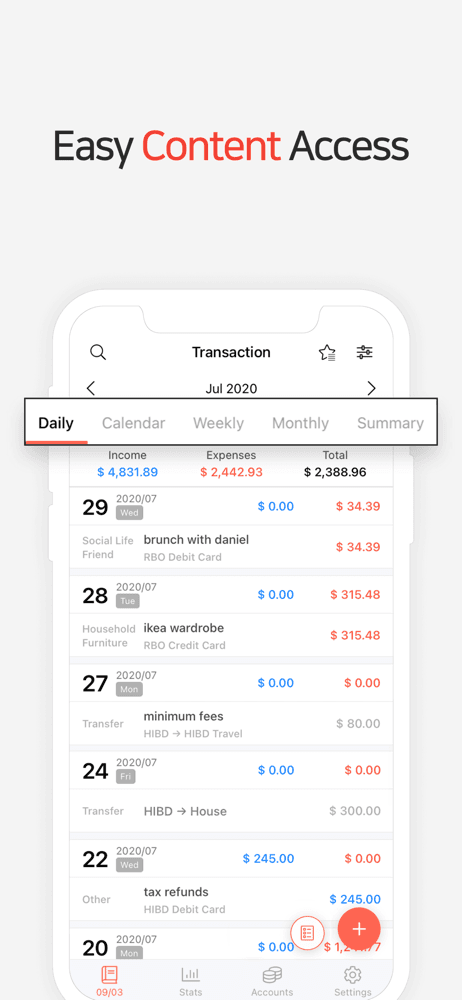
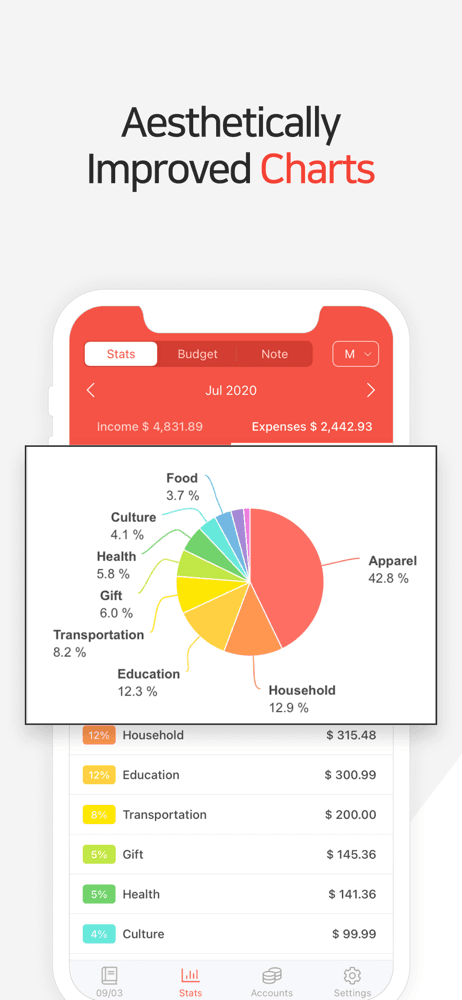
Money Manager by Realbyte is the best budgeting app for people who want serious double-entry bookkeeping in their pocket without linking a bank. The app applies actual double-entry accounting under the hood (debits balance credits), supports multiple currencies, lets you split categories into sub-categories, and includes a calendar view and Wi-Fi PC sync. Money Manager differs from every other pick here by leaning fully manual — you enter every transaction yourself — and by treating budgeting as accounting rather than as a behavior nudge. A real scenario: you log a $58 grocery run in 10 seconds with a saved 'Whole Foods' payment profile, the expense hits the Groceries sub-category under Food, and your monthly bar updates instantly. The tradeoff is the manual-entry tax (5-10 minutes a day), an interface that feels closer to 2018 than 2026, and reviewer complaints about ad density on the free tier. Premium runs $2.49/month or $19.99/year — by far the cheapest paid tier on this list. Best for spreadsheet-minded users who don't want bank credentials in an aggregator.
Pros
- Double-entry bookkeeping under the hood keeps debits and credits balanced
- Multi-currency support and Wi-Fi PC sync work without any cloud account
- Manual-only design keeps every bank credential off third-party aggregators
Cons
- Free tier ad density is heavy enough that users actively seek alternatives
- Interface feels closer to 2018 than 2026 versus design-led competitors
- 9
 Get on App Store
#9Budget app - spending trackerBest Rising
Inner Grow Limited
Budget planner & money tracker
- Rating
- 4.7
- Reviews
- 16.1K
- Price
- Free
- 90-day trend
- —
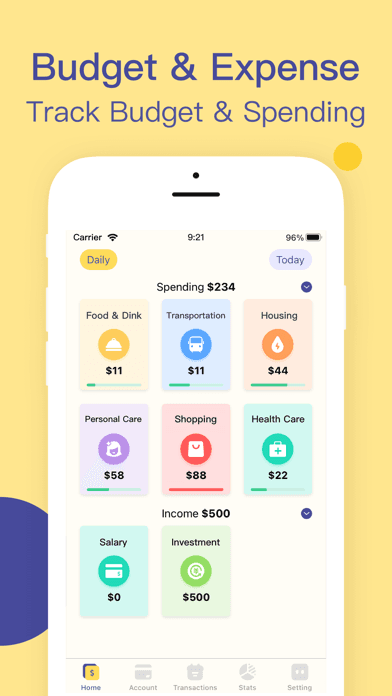
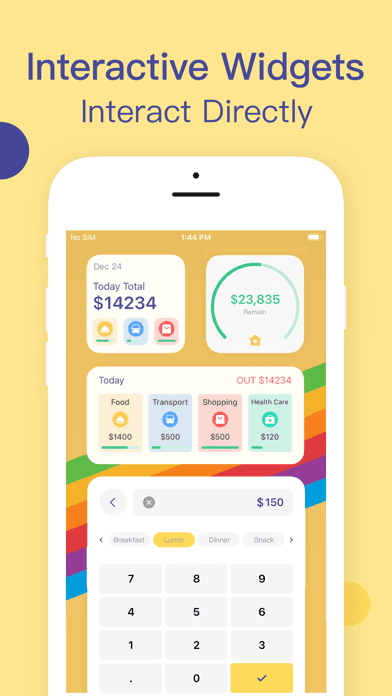
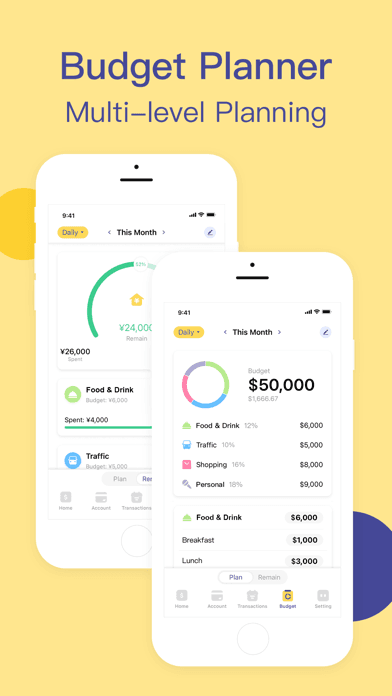
Budget app by InnerGrow (listed as 'Budget app - spending tracker') is a lightweight manual budgeting app that sits at the simpler end of this list. At 4.72 stars across 14,495 U.S. ratings, it's a no-frills daily-spend logger for people who tried YNAB and Copilot and bounced off the complexity. Budget app differs from Money Manager by skipping the double-entry rigor and from Cleo by skipping the chat interface entirely. A real scenario: you open the app after every purchase, enter a category and amount, and check a running monthly total once a week — that's the entire workflow. The tradeoff is depth: serious budgeters who want envelope categories, partner sharing, or rule-based automation will outgrow it quickly, and the lack of bank sync means consistent daily logging is the only path to accuracy. Best as a starting point for people who want to track without methodology, with the understanding that the next step up (Money Manager, EveryDollar, Copilot) covers more advanced needs.
Pros
- Lightweight manual logger fits users who bounced off complex budget apps
- Fast entry workflow takes three taps from open to recorded transaction
- No bank credentials shared — every transaction logged manually and locally
Cons
- Lighter feature set than YNAB or Copilot for users who outgrow simple logging
- No bank sync means consistent daily logging is required for accuracy
- 10
 Get on App Store
#10Fleur - Budget Planner AppBest Value
Akash Jain
Bill Organizer & Money Tracker
- Rating
- 4.8
- Reviews
- 12.9K
- Price
- Paid
- 90-day trend
- —
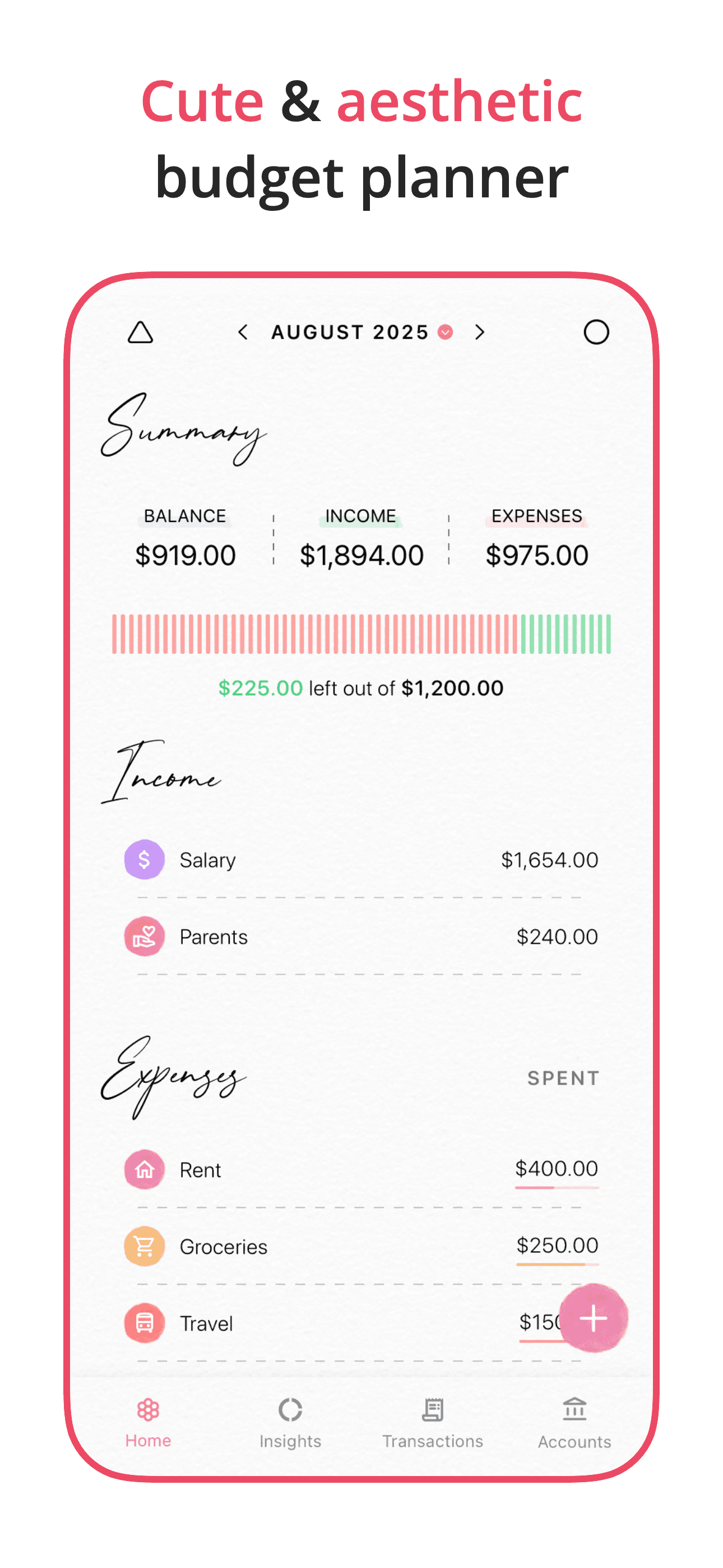
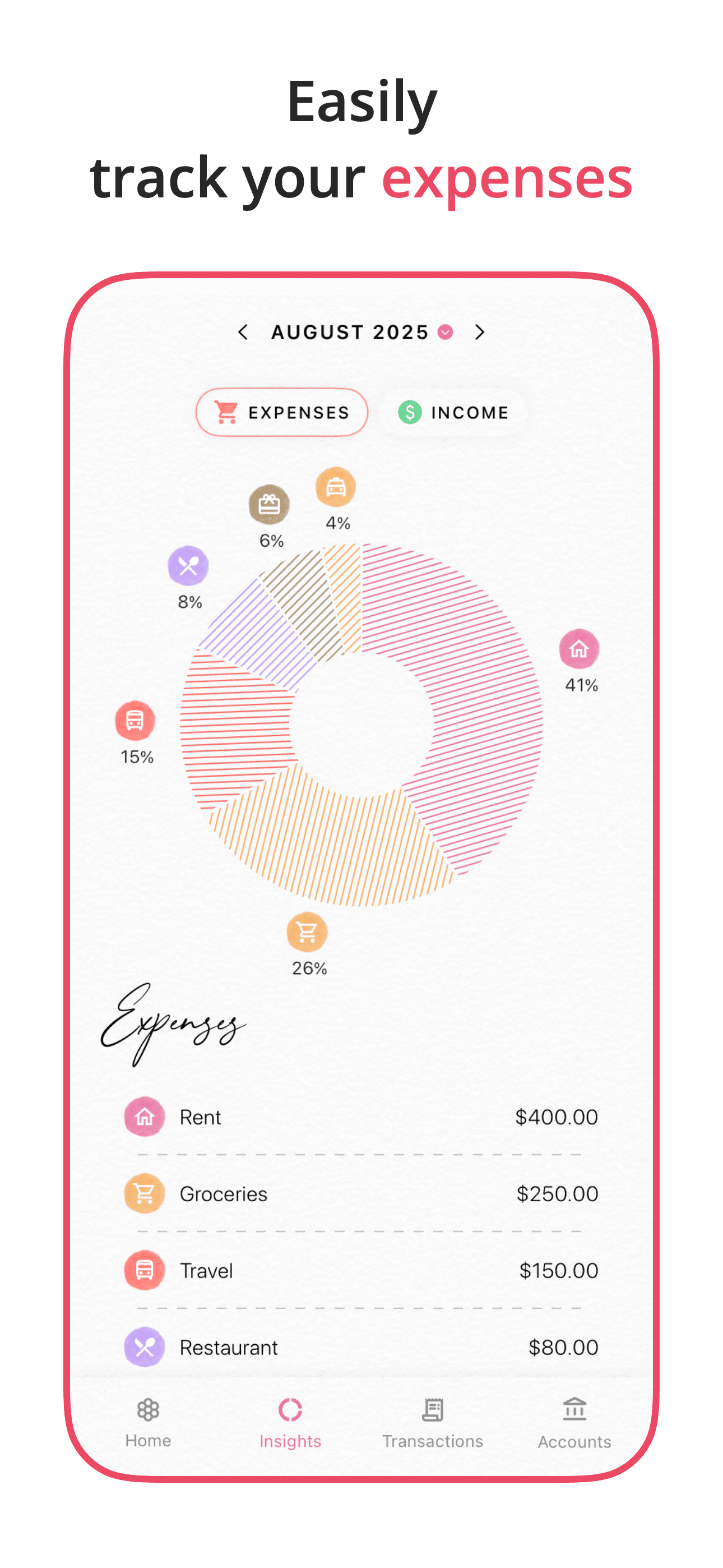
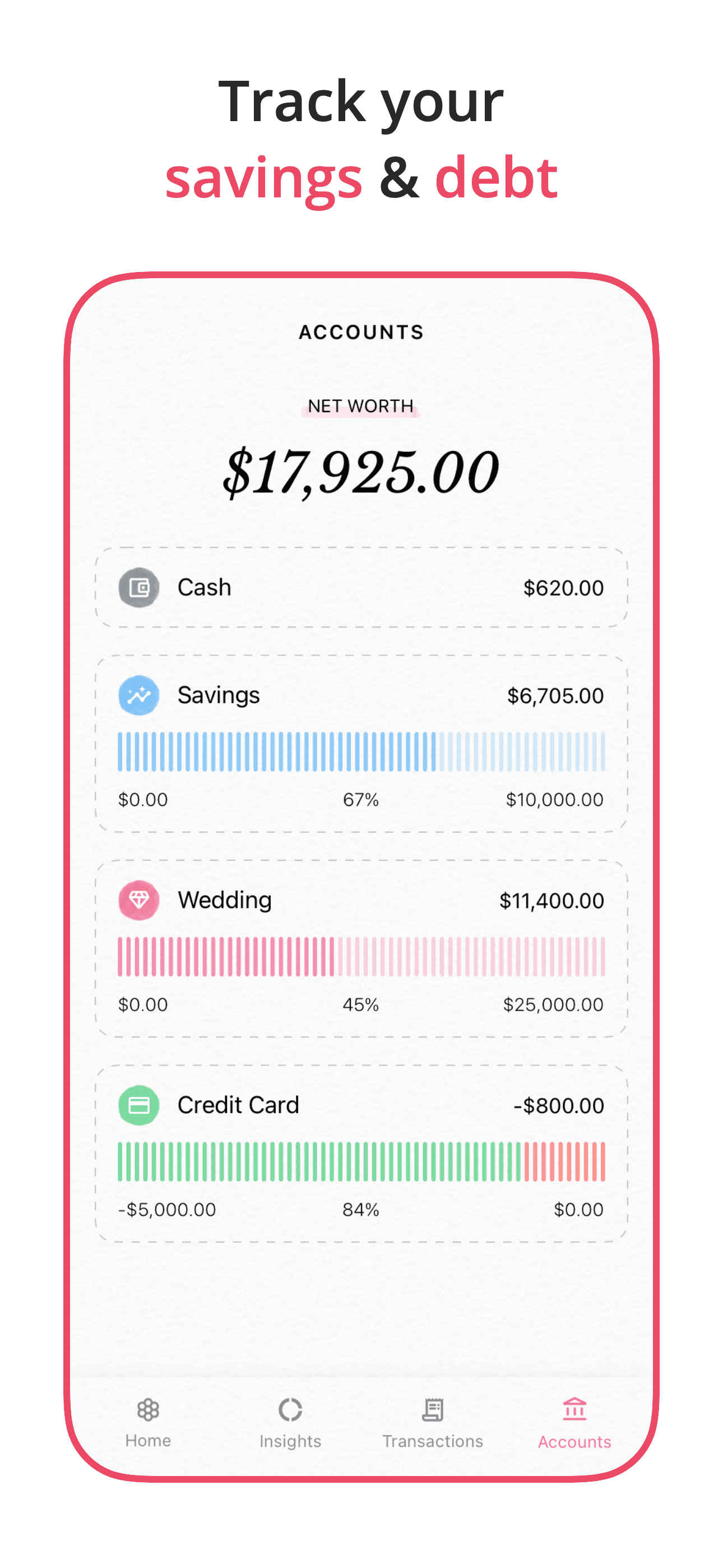
Budget Planner Fleur is the best budgeting app for people who want a beautiful manual tracker that prioritizes daily logging over bank automation. The 4.80 average across 11,709 U.S. ratings reflects meaningful adoption — reviewers describe it as fast, instinctive, bug-free, and pleasant to use, with a clean visual that holds up beside the design-led picks. Fleur differs from Copilot by being manual-only and from Money Manager by leaning on visual design over accounting depth. A real scenario: you log a $12 lunch in three taps from a custom 'Lunch' category, watch your daily spend update on the home screen widget, and review the month's expense graph on the 30th. The tradeoff is reviewer-flagged friction around restoring purchases across devices, which has frustrated multi-device users who paid for the app but had to re-purchase on iPad. The pool is mid-sized for the category, so personal-fit still matters more than headline ratings. Best for users who want pretty over powerful and don't need bank sync.
Pros
- Reviewer feedback praises fast, instinctive, bug-free daily expense logging
- Clean visual design holds up next to the polished paid-tier competitors
- Manual entry approach keeps bank credentials off third-party aggregators entirely
Cons
- Restoring purchases across iPhone and iPad fails repeatedly per recent reviews
- Manual entry only — no bank sync means daily logging is the only path to accuracy


How we picked
### Data sources We combine live App Store data (ratings, recent reviews, version cadence, pricing, screenshots) with our own ranking tracker, which logs U.S. Finance category positions daily for every app. Review themes come from the most recent U.S. reviews per app, weighted toward the last 90 days.
### How we score Four weighted axes: behavior-change evidence (review themes around 'changed my spending habits'), bank-sync reliability (review themes around Plaid drops, re-auth, and miscategorization), couples and household support (shared budgets, partner access, multi-device sync), and price-to-value (free-tier usefulness measured against what the paid tier unlocks).
### Refresh cadence The top-10 set is re-scored monthly. Ratings, ranks, and review-theme analysis refresh daily. When an app changes pricing, drops below 4.0 stars, or removes a feature that drove its ranking, it gets re-evaluated within the week — not at the next monthly window.
### What we exclude Apps with an average below 4.0 stars, fewer than a few hundred ratings on the current version, or no update in nine months. We also drop bank-specific apps (Chase, SoFi, Capital One) — this list is for cross-account budgeting, not in-bank views. Cash-advance-only apps that don't track a budget are excluded too.
### What we don't do No affiliate-driven ordering. Referral commissions don't bump apps. We don't take sponsorship or paid placement from listed apps. If a pick shifts, it's because the data shifted — pricing, ratings, review themes, or removed features.