



Best Note-Taking Apps for iPhone
By App Store Tracker Editorial · Updated — live App Store data verified
The short version
The best note-taking app for iPhone in 2026 is Apple Notes — free, instant capture, end-to-end encrypted sync, and a 4.9-star average from 5,556 U.S. ratings. Goodnotes is the runner-up for iPad Apple Pencil users at 4.68 stars across 16,793 ratings, while Notion leads for connected workspaces at 4.78. Otter wins for voice transcription, and Microsoft OneNote remains the strongest free hierarchical option for users tied to Office. Every pick here syncs to iPhone, iPad, and Mac.
Jump to a pick↓
Picking a note-taking app for iPhone in 2026 means matching the tool to how you actually capture thoughts — typing on a phone in line, scribbling with Apple Pencil on an iPad, transcribing a meeting, or building a linked workspace that doubles as a second brain. Among the 10 note apps on this list, three lean handwriting-and-pencil-first (Goodnotes, Notability, MyScript), two lean linked-workspace (Notion, OneNote), one is voice-first (Otter), one is AI-research-first (NotebookLM), and the rest are quick-capture generalists (Apple Notes, Freenotes, Grammarly Keyboard). The data backs the order: Apple Notes holds a 4.9 average from 5,556 U.S. ratings — the highest combined score on this list — and Goodnotes leads paid handwriting apps at 16,793 ratings. Sync reliability, free-tier usefulness, Apple Pencil latency, and how each app handles your first week shaped every cut. Treat the picks as starting points; the app you open without thinking is the one worth keeping.
- Rating
- 4.7
- Reviews
- 1.1M
- Price
- Paid
- 90-day trend
- —
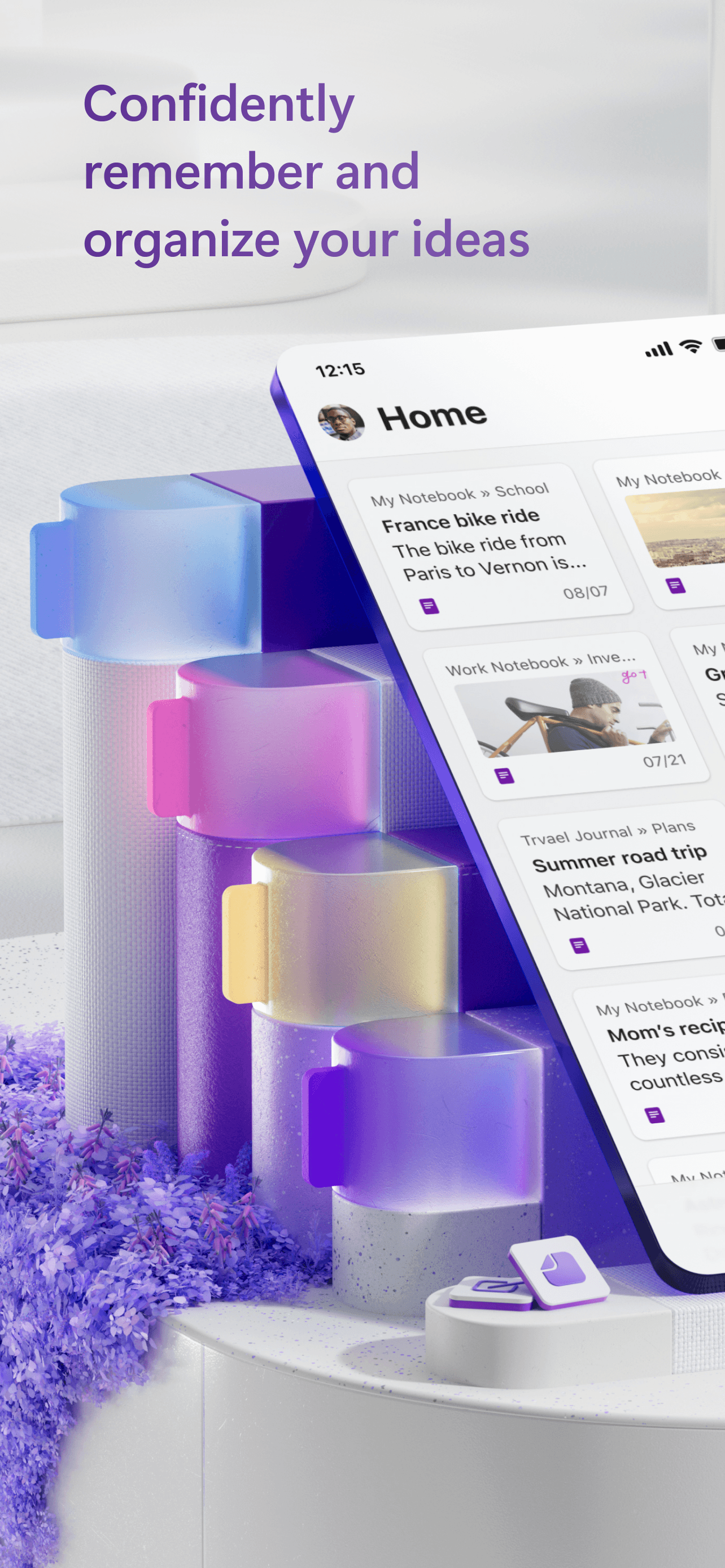
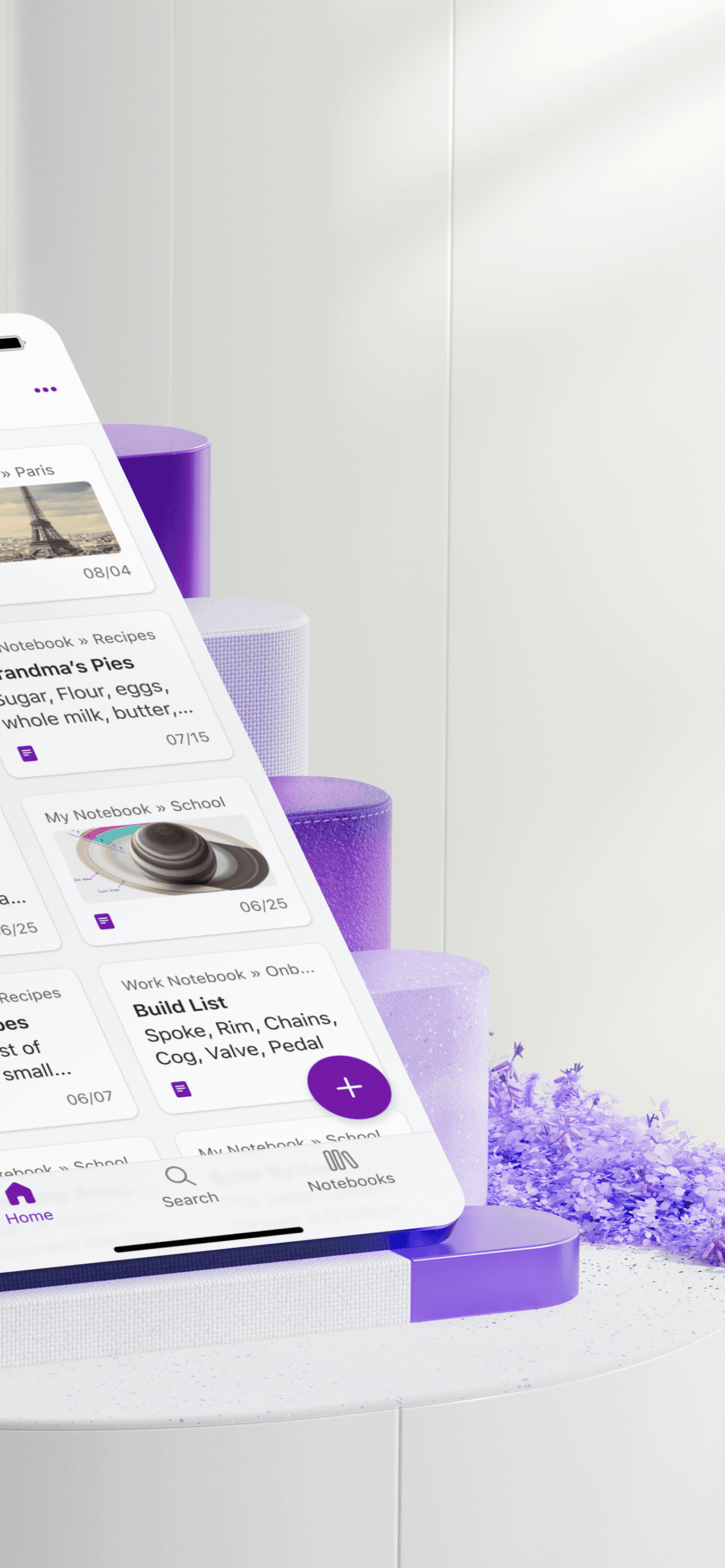
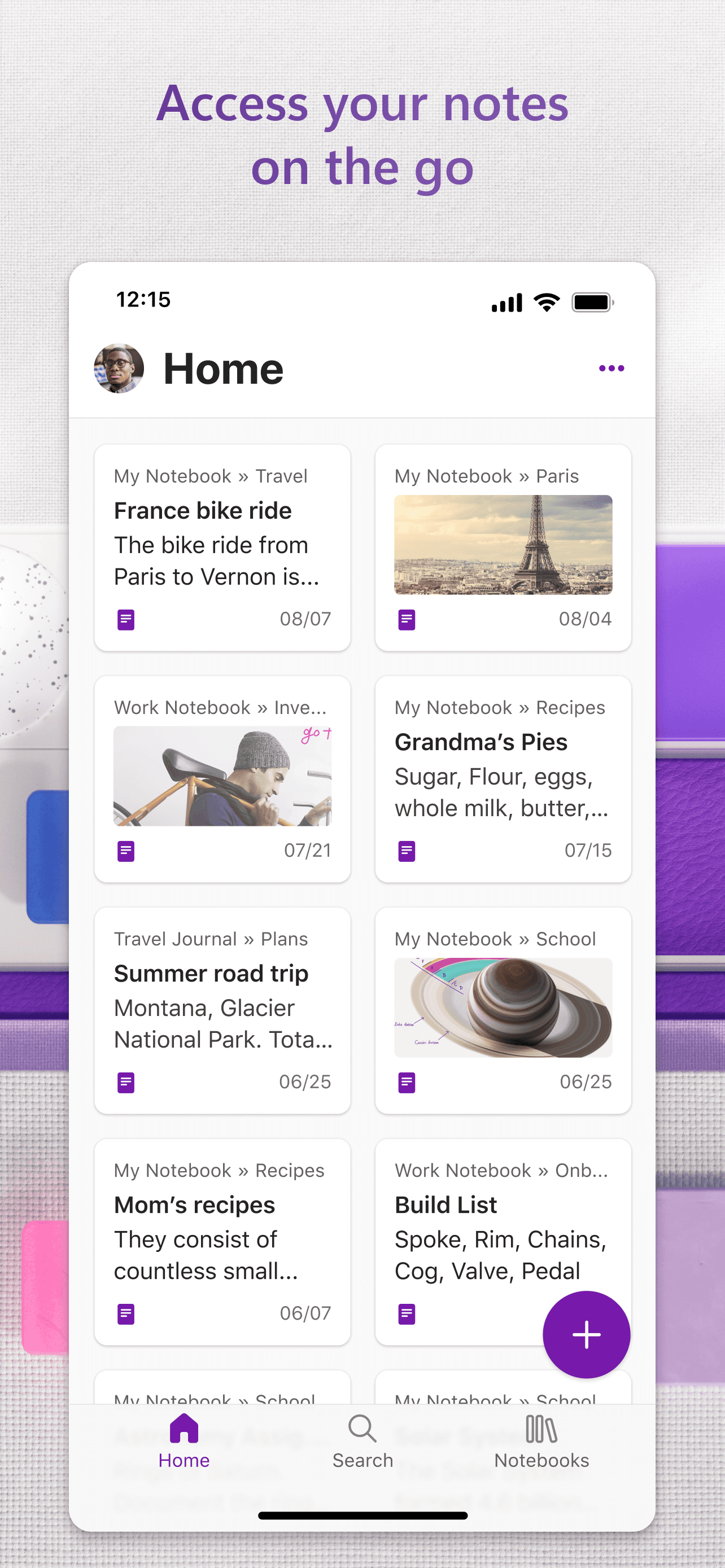
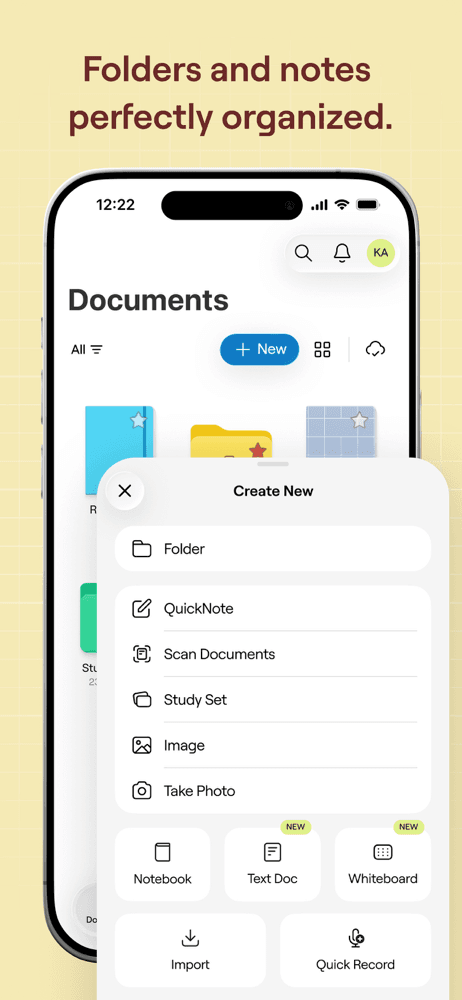
Microsoft OneNote is the best note-taking app for iPhone users who want a free, hierarchical, page-and-notebook structure and live somewhere in the Microsoft ecosystem. The 4.56 average across 23,654 U.S. ratings reflects a 16-year-old product that still ships frequent updates and supports the deepest hierarchy on this list — notebooks contain sections, sections contain pages, pages can be nested. OneNote differs from Apple Notes by leaning structured-and-organized over fast-and-flat, and from Notion by being page-based rather than block-based. A real scenario: you're a student with one notebook per class, one section per topic, and one page per lecture — OneNote handles that structure better than any other free app. The tradeoff is real and well-documented in recent reviews: long-time users describe Microsoft as having 'abandoned' OneNote on iPad and iPhone (the desktop versions get more attention), and several reviewers specifically call out iPad slowness. Tags exist on desktop but lag on iPhone. Best for users who already pay for Microsoft 365 and need free OneNote on iPhone as a companion to the desktop product they actually use.
Pros
- Deepest hierarchical structure on iPhone with notebooks, sections, and nested pages
- Free across all platforms with no page or notebook limits applied to free users
- Strong handwriting and ink support on iPad and Surface for cross-device users
Cons
- Reviewers say Microsoft has effectively abandoned the iPad and iPhone versions
- iPad performance is slow compared to OneNote on Windows per multiple recent reviews
- Rating
- 4.8
- Reviews
- 647.2K
- Price
- Paid
- 90-day trend
- —
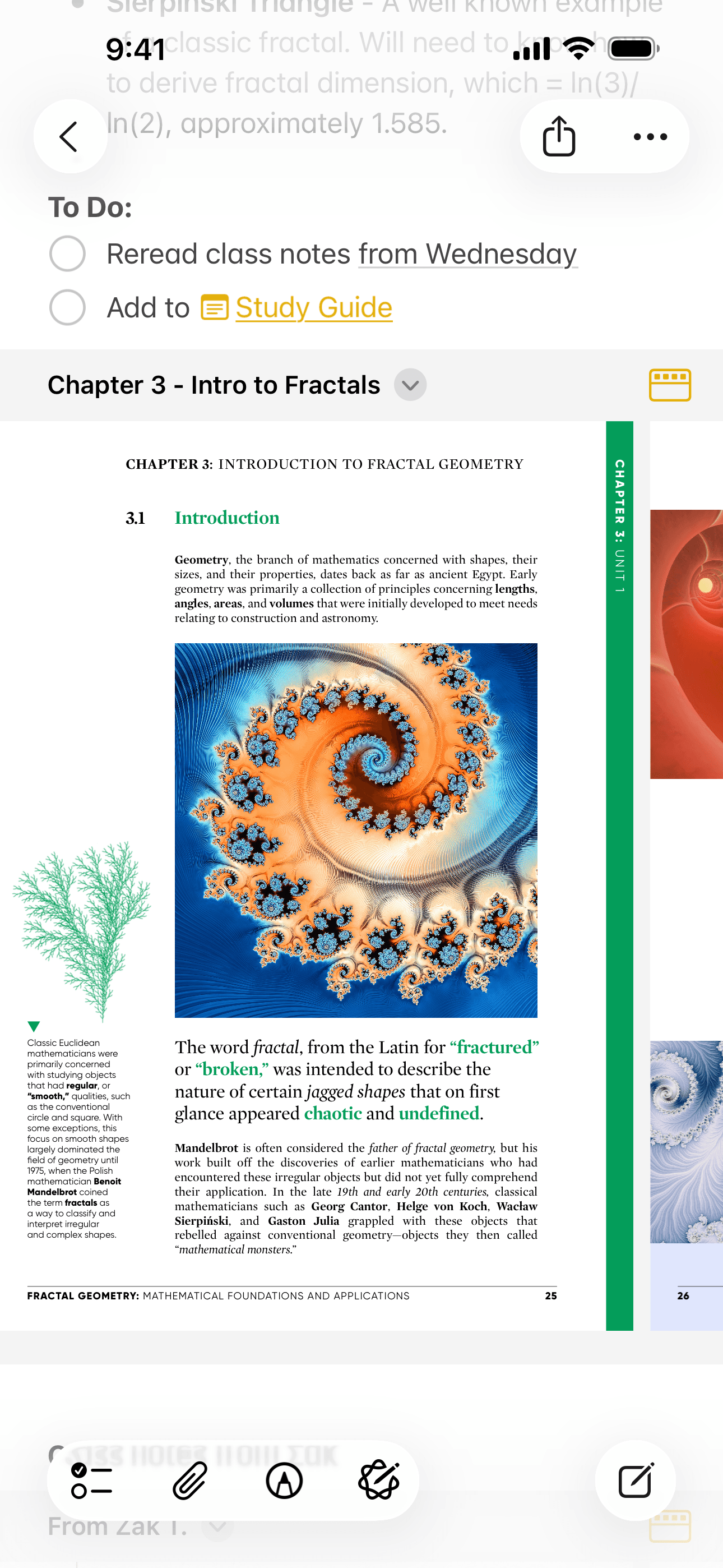
Apple Notes is the best note-taking app for iPhone users who want instant capture, automatic sync, and zero setup. The 4.9 average across 5,556 U.S. ratings is the highest combined score on this list, and it reflects a product that ships every year with iOS — handwriting with Apple Pencil, document scans, voice memos, tables, checklists, tag-based search, smart folders, shared notes, and end-to-end encryption for locked notes are all built in. Apple Notes differs from Goodnotes by being typed-first and pencil-as-a-feature rather than pencil-first, and from Notion by being flat-and-fast rather than block-based-and-structured. A real scenario: you have an idea at a stoplight — swipe down from the lock screen, write three lines, lock the phone, and the note is on your Mac when you open it ten minutes later. The tradeoff is the lack of block-based structure (no toggles, no inline databases, no rich linking between notes), and tags are still less granular than third-party alternatives. For most iPhone users in 2026, this is the right default — only add a third-party app when you hit a specific limit Apple Notes does not address.
Pros
- Highest combined rating on this list at 4.9 stars across 5,556 U.S. ratings
- Free, instant, and syncs across iPhone, iPad, and Mac with no setup required
- Handwriting, scans, voice memos, tables, and locked notes all built into one app
Cons
- No block-based structure for inline databases, toggles, or rich note linking
- Tags are less granular than Notion, OneNote, or Bear for power-user organization

- 3Get on App Store
#3Notability: AI Notes & PlannerBest for Voice
Ginger Labs
Write, type, annotate, draw
- Rating
- 4.8
- Reviews
- 457.4K
- Price
- Paid
- 90-day trend
- —
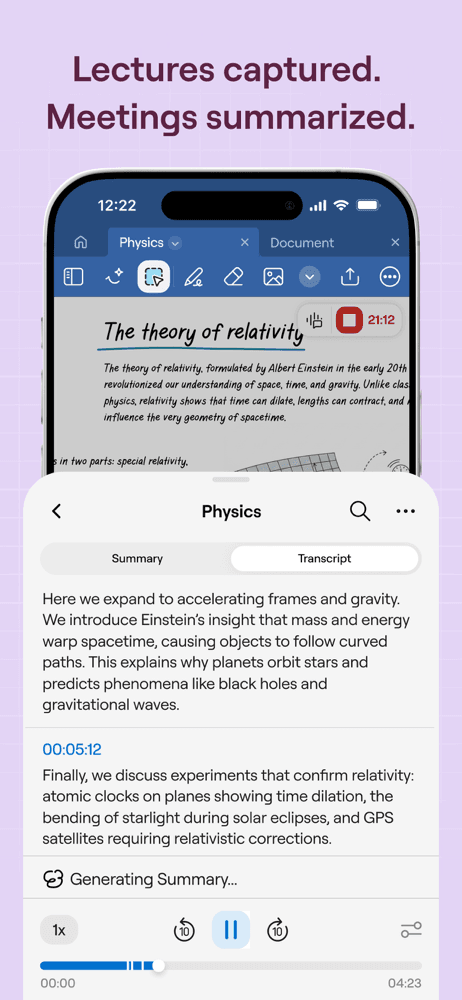
Notability is the best note-taking app for iPhone and iPad users who record lectures or meetings while taking handwritten notes — the killer feature is audio that syncs to handwriting, so tapping any sentence plays back what was said the moment you wrote it. The 4.72 average across 2,920 U.S. ratings reflects a product that earned cult-favorite status during the 2010s as one of the first great iPad note apps and has since absorbed both Apple Pencil refinements and AI features. Notability differs from Goodnotes by leaning audio-and-lectures-first rather than PDF-annotation-first, and from Apple Notes by being a serious handwriting tool with multiple paper styles. A real scenario: you're in a two-hour lecture, you write key terms by hand while Notability records audio, and at exam time tapping any term plays back the professor explaining it. The tradeoff is well-documented: the 2021 subscription pivot frustrated long-time owners of the one-time-purchase version (reviewers still cite it three years later), handwriting reliability has had reported regressions ('handwritten notes do not save' in one recent critical review), and support response times have drawn complaint. Best for students and meeting-heavy users.
Pros
- Audio-syncs-to-handwriting lets you tap any note to hear what was said
- Strong Apple Pencil latency and palm rejection for handwritten lecture notes
- AI features add math handwriting recognition and intelligent search across notes
Cons
- 2021 subscription pivot still frustrates long-time one-time-purchase users
- Recent reviews report handwritten notes occasionally failing to save reliably
- 4
 Get on App Store
#4Goodnotes: AI Notes, Docs, PDFBest for Apple Pencil
Goodnotes Limited
Note taking, Planner & Journal
- Rating
- 4.7
- Reviews
- 459.5K
- Price
- Paid
- 90-day trend
- —
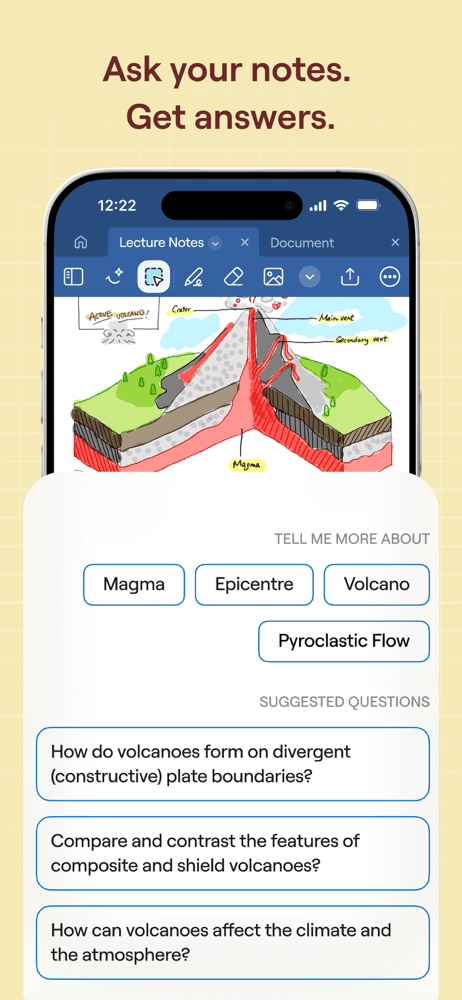
Goodnotes is the best note-taking app for iPhone and iPad users who annotate PDFs heavily and want a one-time-purchase escape from subscriptions. The 4.68 average across 16,793 U.S. ratings reflects a product that has held the top of the paid iPad utilities chart for years. Goodnotes 6 added AI math solver, handwriting beautify, spell check on handwritten text, and document export with searchable text — features that pull the app ahead of Apple Notes for serious handwriting work. Goodnotes differs from Notability by leading PDF-annotation-first rather than audio-and-lecture-first, and from Apple Notes by treating handwriting as the primary input mode. A real scenario: you're marking up a 50-page contract on iPad Pro — Goodnotes opens it instantly, your Apple Pencil writes with sub-9ms latency, and the marked-up file exports as a flattened or layered PDF with your annotations searchable. The tradeoff is the Goodnotes 5 to 6 upgrade has drawn reviewer complaint (downgrade options are limited per a Japanese-language review), and the iPhone version is more a companion to the iPad version than a primary capture tool.
Pros
- Best-in-class PDF annotation with searchable text and flattened or layered export
- AI math solver and handwriting beautify accelerate study and review workflows
- One-time-purchase option remains for users who reject subscription pricing
Cons
- Goodnotes 5 to 6 upgrade frustrated long-time users seeking downgrade paths
- iPhone version is a companion to iPad — primary capture flow lives on tablet
- Rating
- 4.7
- Reviews
- 225.1K
- Price
- Paid
- 90-day trend
- —
Grammarly Keyboard is the best note-taking adjunct for iPhone users who write a lot in third-party apps (Mail, Messages, Notes, Slack) and want grammar, spelling, and tone suggestions everywhere they type. The 4.65 average across 4,790 U.S. ratings reflects a keyboard that replaces the system keyboard system-wide and runs Grammarly's writing assistant across every app you type into. Grammarly differs from every other pick by not being a note app at all — it's a keyboard layer that improves whatever you write inside other apps, including Apple Notes. A real scenario: you draft a long Apple Note that becomes a client email — Grammarly catches three grammar issues, suggests a clearer phrasing on a key sentence, and your published email reads sharper. The tradeoff is the subscription pricing surprises new users who assumed it was free (the free tier covers basic grammar; full tone, clarity, and AI rewriting require Premium), and one recent reviewer specifically called out the cost as 'far too much money.' Best as a supplement to a primary note app, not a replacement.
Pros
- Replaces system keyboard with grammar, tone, and clarity suggestions everywhere
- Free tier handles basic grammar — useful even without a Premium subscription
- Works inside Apple Notes, Mail, Messages, and any other app where you type
Cons
- Premium subscription cost surprises new users who assumed full features were free
- Adds a system-wide keyboard, which some privacy-focused users prefer to avoid
- Rating
- 4.8
- Reviews
- 90.3K
- Price
- Paid
- 90-day trend
- —
Notion is the best note-taking app for iPhone users who want notes inside a connected workspace — pages that link to other pages, inline databases, toggles, embeds, and a structure that scales from personal notebook to company wiki. The 4.78 average across 1,339 U.S. ratings reflects a power-user audience that has adopted Notion as a second brain or operating system for work. Notion differs from Apple Notes by leading block-based-and-structured over flat-and-fast, and from OneNote by treating notes as databases rather than free-form pages. A real scenario: you're tracking a multi-month project — meeting notes link to a tasks database, the tasks database rolls up into a status page, and the whole structure works the same on iPad, Mac, and your phone. The tradeoff is real and reviewer-flagged: the iOS app is consistently described as 'clunky on iPad' compared to the desktop and web versions, copy-paste is awkward, and offline mode is limited. Best when typed notes live next to projects, databases, and shared docs. Skip for fast keyboard-on-the-go capture — Apple Notes is faster there.
Pros
- Block-based pages support inline databases, toggles, embeds, and rich linking
- Workspace structure scales from personal notebook to full company wiki
- Notion AI summarizes, drafts, and translates notes inside the same workspace
Cons
- iPad version is consistently described as clunky compared to desktop and web
- Offline mode is limited and copy-paste behavior is awkward on iPhone
- Rating
- 4.9
- Reviews
- 61.9K
- Price
- Paid
- 90-day trend
- —
Google NotebookLM is the best note-taking app for iPhone users doing research that pulls from many documents — research papers, business reports, book chapters, transcripts. The 4.63 average across 97 U.S. ratings reflects a new mobile product (the web version launched in 2023) that already has a strong specialist audience. NotebookLM ingests up to 50 sources per notebook and answers questions citing the original documents, generates audio overviews (the now-famous AI-podcast feature), and builds study guides. NotebookLM differs from every other pick by treating your documents as the source of truth rather than typed or handwritten notes. A real scenario: you upload 12 research papers on a topic, ask 'what are the disagreements between these authors,' and NotebookLM returns an answer with footnotes pointing back to the specific papers. The tradeoff is the mobile app is widely flagged as 'needs major improvements' compared to the web version (recent reviews are clear on this), output language customization is limited, and you cannot ingest sources directly from iPhone as easily as on desktop. Best as a mobile reader for notebooks you build on the web.
Pros
- Ingests up to 50 sources per notebook and answers with citations to originals
- Audio overview feature generates an AI podcast summarizing your documents
- Free for Google account users with no subscription required for core features
Cons
- Mobile app trails the web version significantly per multiple recent reviews
- Source ingestion on iPhone is harder than on desktop — built more for reading
- Rating
- 4.8
- Reviews
- 82.8K
- Price
- Paid
- 90-day trend
- —
Otter is the best note-taking app for iPhone users who attend lots of meetings, calls, and lectures and want a searchable transcript of every spoken minute. The 4.79 average across 309 U.S. ratings reflects an audience that uses Otter daily — live transcription with speaker identification, automatic meeting joining for Zoom, Google Meet, and Microsoft Teams, and AI summaries that distill an hour-long meeting into action items. Otter differs from every other pick by leading with voice-and-speech rather than typed or handwritten text, and from a pure recorder by parsing the audio into a searchable, shareable document. A real scenario: you spend two hours in back-to-back meetings — Otter auto-joins each one, transcribes it, identifies speakers, and at the end of the day you have a searchable archive of who said what. The tradeoff is the automatic-join behavior surprises some users (recent reviews specifically flag 'auto joins all meetings by default' as friction), the speaker-identification accuracy depends on training, and the free tier caps you at 300 minutes per month. Best for meeting-heavy roles and people with hearing differences.
Pros
- Auto-joins Zoom, Google Meet, and Microsoft Teams with live transcription
- AI summaries distill long meetings into searchable action items automatically
- Speaker identification turns multi-person conversations into structured notes
Cons
- Default auto-join behavior surprises users who didn't expect it on calls
- Free tier caps at 300 minutes monthly — heavy meeting users hit the limit
- 9
 Get on App Store
#9Freenotes®: AI Notes TakingBest Free
Free Notes AI Note Taker LTD
Docs PDF Memo Planner Pencil
- Rating
- 4.7
- Reviews
- 61.9K
- Price
- Paid
- 90-day trend
- —
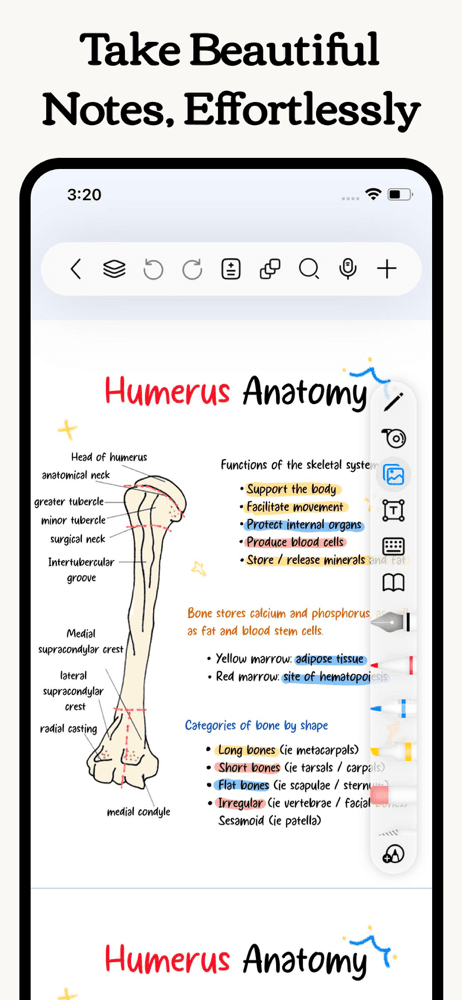
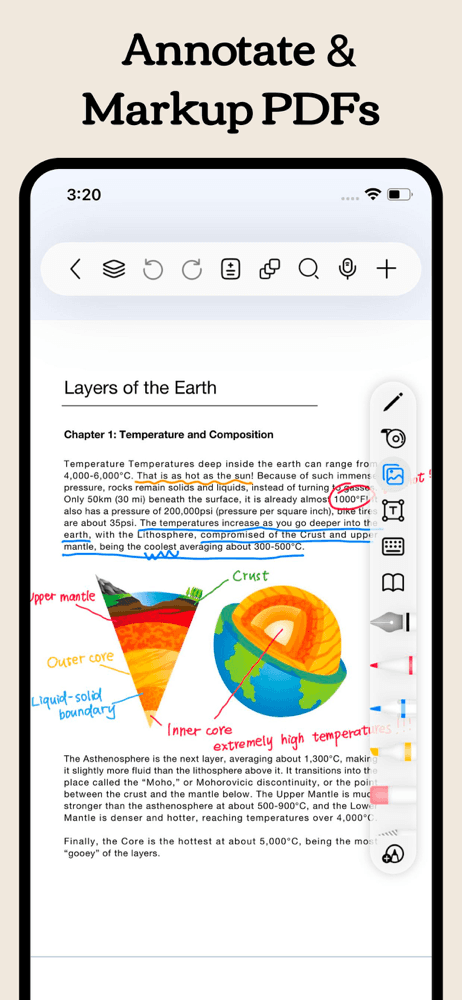
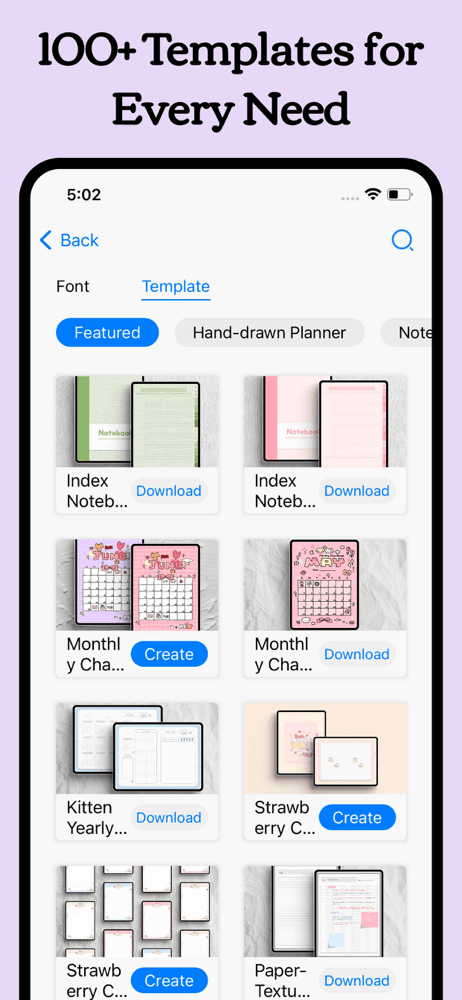
Freenotes is the best note-taking app for iPhone users who want a Goodnotes-style handwriting experience without the upfront price tag. The 4.79 average across 1,245 U.S. ratings reflects a newer entrant positioning itself directly against the paid leaders — free unlimited notebooks, PDF import and markup, Apple Pencil support, AI-assisted features, and document export. Freenotes differs from Goodnotes and Notability by leading free-first rather than paid-or-subscription-first. A real scenario: you want to try iPad handwriting notes before committing to a Goodnotes one-time purchase — Freenotes lets you build a real workflow and decide if you outgrow it. The tradeoff is the smaller user base (the rating count is a fraction of Goodnotes or OneNote) means the long-term roadmap is less certain, and reviewers note the product is still maturing — features ship faster than they polish. Best as a low-commitment entry point into iPad handwriting notes for users who are not yet sure they will use the workflow daily.
Pros
- Free unlimited notebooks with PDF import, markup, and Apple Pencil support
- 4.79 average across 1,245 U.S. ratings reflects strong early-adopter satisfaction
- AI-assisted features and document export rival the paid handwriting leaders
Cons
- Smaller user base than Goodnotes or Notability means long-term roadmap is uncertain
- Product is still maturing — features ship faster than they polish per reviews
- 10
 Get on App Store
#10MyScript Notes: AI HandwritingBest for Students
MyScript
Smart note taking, PDF & study
- Rating
- 4.7
- Reviews
- 38.6K
- Price
- Paid
- 90-day trend
- —
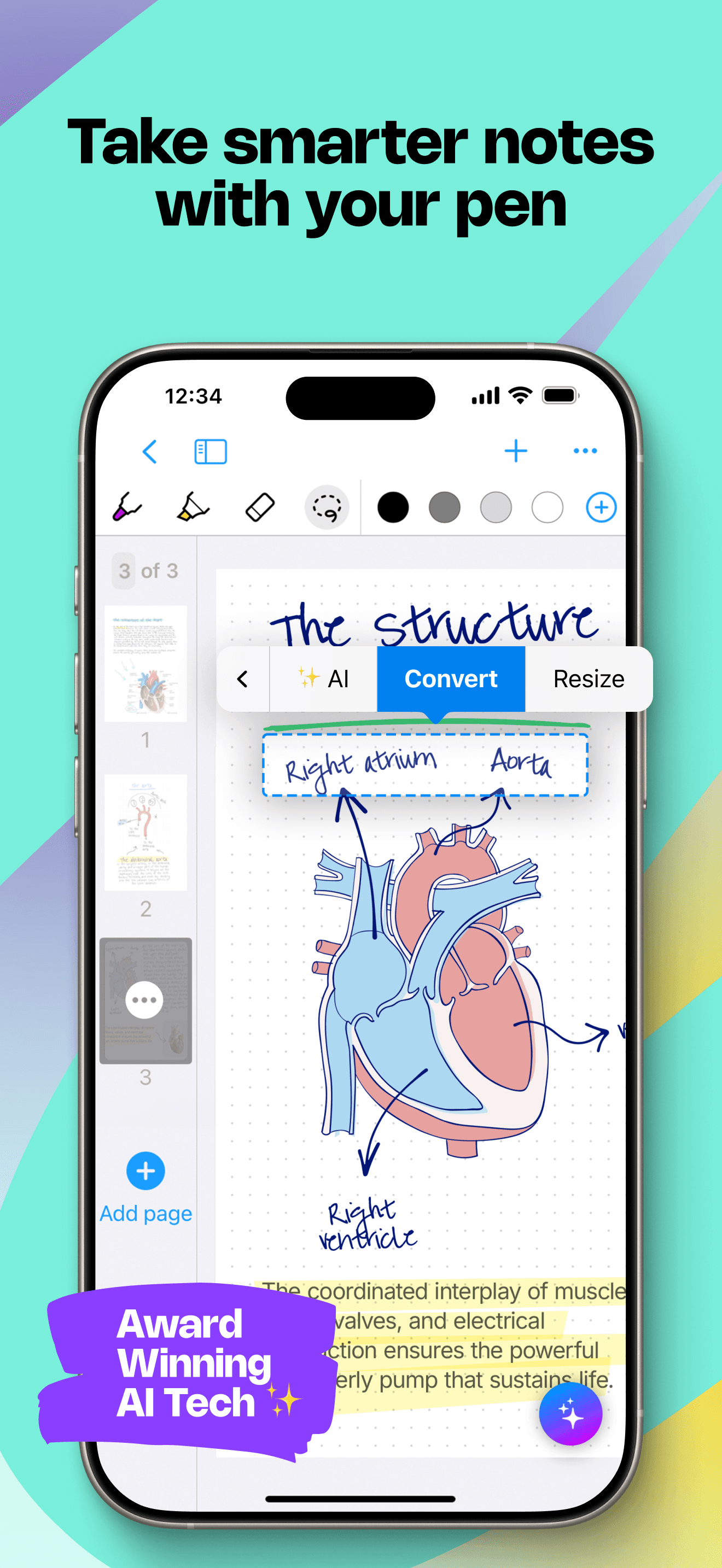
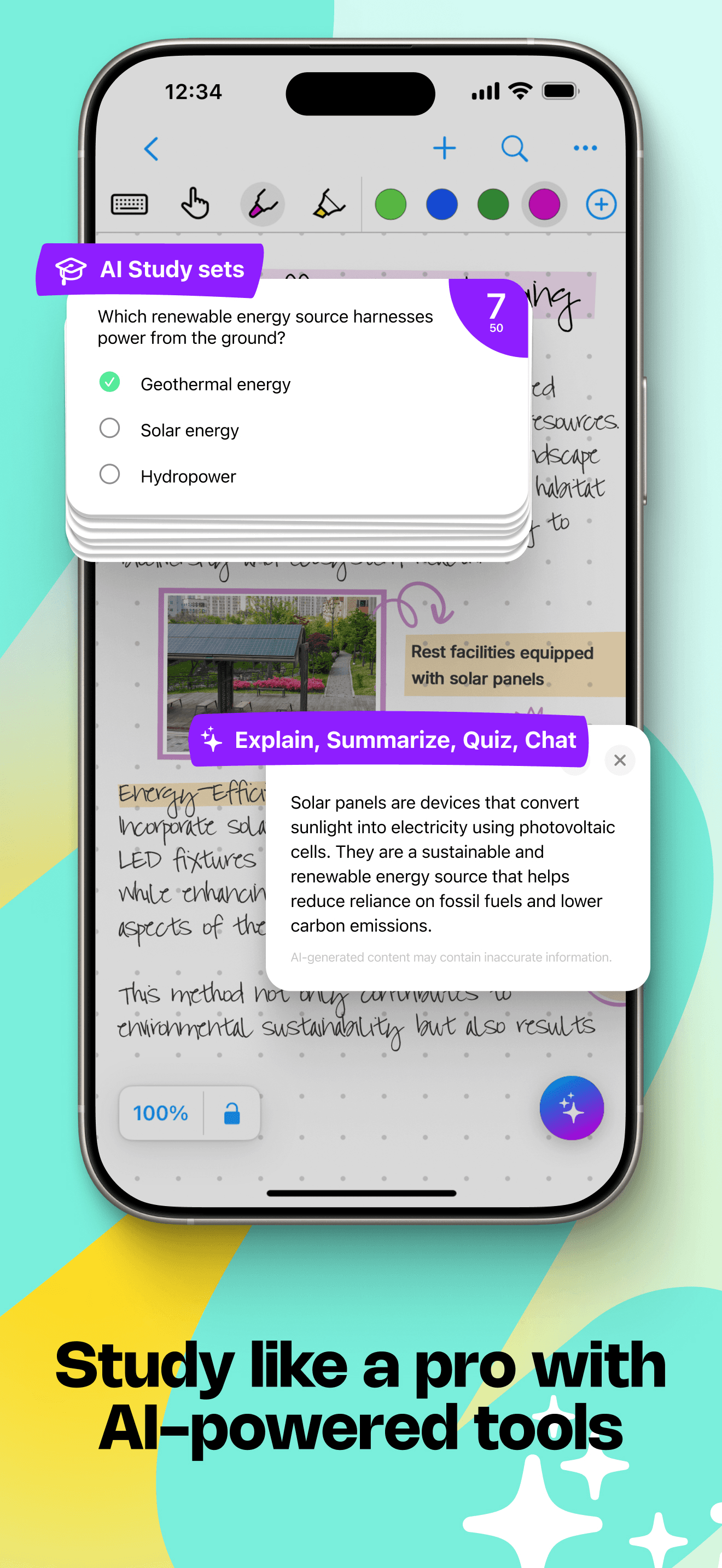
MyScript Notes is the best note-taking app for iPhone and iPad users whose primary need is converting handwriting to typed text — the killer feature is real-time handwriting recognition that produces clean searchable text from your scribbles. The 4.73 average across 37,036 U.S. ratings reflects an audience that has come to MyScript specifically for the recognition technology, which the company has refined for over a decade across iOS, Windows, and education hardware partnerships. MyScript differs from Goodnotes and Notability by treating handwriting as input for converted text rather than as the final medium, and from Apple Notes by offering deeper handwriting-to-text accuracy. A real scenario: you're a student who thinks better by hand but wants to paste exam notes into a study guide — MyScript converts handwritten pages to formatted text with a tap. The tradeoff is the app is more specialized than the category leaders (it does not aim to replace Goodnotes for PDF annotation or general note-taking), and the audience skews academic and education-focused. Best for users whose handwriting needs to become typed text frequently.
Pros
- Best-in-class handwriting-to-text conversion accuracy on iPhone and iPad
- Real-time recognition produces clean searchable text as you write naturally
- 4.73 average across 37,036 U.S. ratings reflects long-term user retention
Cons
- More specialized than the category leaders — not a Goodnotes replacement
- Audience skews academic and education-focused over general productivity use


How we picked
### Data sources We combine live App Store data (ratings, recent reviews, version cadence, pricing, screenshot history) with our own ranking tracker, which logs U.S. Productivity positions daily for every app. Review themes come from the most recent U.S. reviews per app, weighted toward the last 90 days.
### How we score Four weighted axes: capture speed (how fast can you write a note when you have an idea), Apple Pencil quality where applicable (latency, palm rejection, handwriting recognition), sync reliability (cross-device parity and offline behavior per real reviews), and longevity (do users still recommend the app at the two-year mark, or do they outgrow it). We did not run formal latency tests; we relied on consistent themes in user reviews.
### Refresh cadence The top-10 set is re-scored quarterly. Ratings, ranks, and review-theme analysis refresh daily. When a vendor releases a major redesign, changes pricing, or removes a feature that drove its placement, it gets re-evaluated within the week.
### What we exclude Apps with an average below 4.5 stars on the current version, fewer than five hundred ratings, or no update in nine months. We dropped pure markdown editors that only support local files — note-taking on iPhone requires cloud sync to be useful. AI summarizer apps that wrap an LLM around someone else's notes are excluded.
### What we don't do No affiliate-driven ordering. Referral commissions do not bump apps. We don't take sponsorship or paid placement from listed apps. If a pick shifts, it's because the data shifted — pricing, ratings, review themes, or feature changes.