



Best Music Production Apps for iPhone
By App Store Tracker Editorial · Updated — live App Store data verified
The short version
The best music-production app for iPhone in 2026 is Launchpad by Focusrite — the original loop-triggering app holds 4.80 stars across 34,257 U.S. ratings, the highest rating among the multi-element music makers on this list. Groovepad is the runner-up and the best free pick at 4.77 stars across 511,228 ratings. BandLab leads on full multitrack production, KORG Gadget 3 leads on professional synth depth, and Drum Pad Machine, Beat Maker Pro, and the rest fill out beat-making for hip-hop, EDM, and trap.
Jump to a pick↓
Picking a music-production app for iPhone in 2026 means deciding what kind of producer you actually are — a beat-builder triggering loops on pads, a songwriter recording multitrack vocals and guitar, or a synth player chaining gadgets. The 10 apps here cover all three. Groovepad, Drum Pad Machine, Beat Maker Pro, Beat Maker Go, and Drum Pads 24 are loop-pad makers that fit a coffee break. Launchpad is the original Ableton-style clip launcher, ported from the hardware grid. BandLab is the closest thing to a free mobile DAW with multitrack, cloud sync, and a built-in community. KORG Gadget 3 is the professional pick at the other end — a full ecosystem of mobile synths used to ship released tracks. Most picks are free with paid sound-pack expansions; BandLab is free with a paid Membership tier, and KORG Gadget 3 is a one-time paid purchase. Treat the order here by what hardware paradigm you want to feel under your fingers.
- 1Get on App Store
#1Groovepad - Music & Beat MakerBest Free
Easybrain Ltd
Make & mix beats on a DJ pad!
- Rating
- 4.8
- Reviews
- 515.2K
- Price
- Free
- 90-day trend
- —
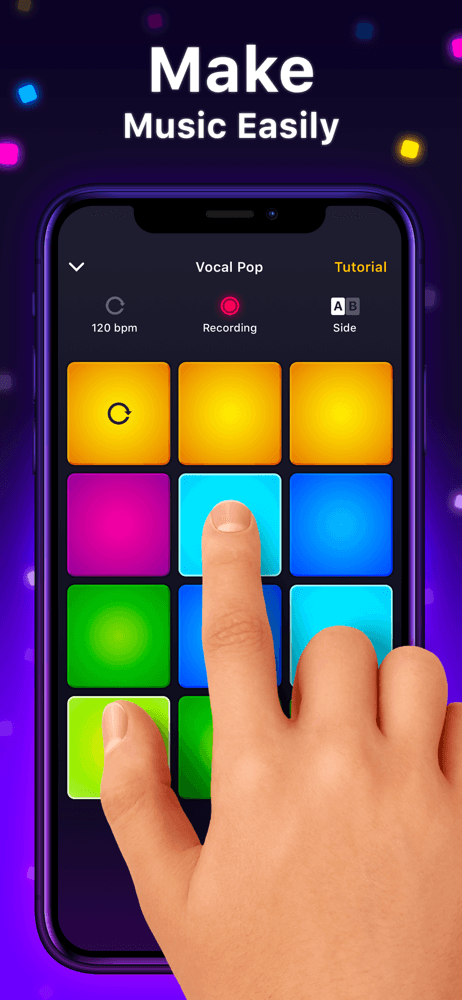
Groovepad is the best free music-production app for iPhone users who want to make a postable beat in five minutes without learning a tool. Built by Easybrain, the app uses a 16-pad DJ-style surface with pre-mixed loops in genres from hip-hop and EDM to lo-fi and Latin. The 4.77-star average across 511,228 U.S. ratings reflects strong beginner adoption — the loops are key-locked and quantized, so any combination sounds intentional. Groovepad differs from Beat Maker Pro by leaning more on full-loop pads (vs single-drum pads) and from BandLab by being a pad-trigger app, not a multitrack DAW. A real scenario: you tap eight pads in 90 seconds, record the take inside the app, and export an MP3 you post to Stories before lunch. The tradeoff is creative ceiling — every Groovepad track sounds like a Groovepad track because the loop library is shared, and the better packs are subscription-gated. Best as a starting point for total beginners and as a fast-sketch tool for users who already produce on desktop.
Pros
- Most beginner-friendly free pad maker on the list
- 511K-rating pool at 4.77 stars reflects strong casual adoption
- Loops are key-locked and quantized — any combination sounds intentional
Cons
- Creative ceiling is low — every Groovepad track sounds like a Groovepad track
- Best loop packs are subscription-gated
- Rating
- 4.7
- Reviews
- 575.3K
- Price
- Paid
- 90-day trend
- —
Beat Maker Pro by MWM is the best pad-style music-production app for iPhone users who want a deeper hip-hop and EDM beat-making surface with more sound-pack range than Groovepad. The 4.73-star average across 568,763 U.S. ratings is the second-largest pool on this list. The app pairs an MPC-style pad grid with a constantly refreshed pack catalog spanning trap, drill, lo-fi, drum-and-bass, and house. Beat Maker Pro differs from Drum Pad Machine (a sibling category app from Easybrain) by leaning slightly more mainstream hip-hop, and from Groovepad by giving you more control over individual drum hits. A real scenario: you build a trap loop with pad-tapped 808s, a hi-hat roll, and a sample chop, export the audio, and drop it into Reels. The tradeoff is reviewer-flagged friction around the subscription model — multiple recent reviews call out the best packs being locked, the app feeling 'outdated' on song selection, and one reviewer described the experience as 'the worst game I've ever played' after hitting a paywall. Best for committed pad-style beat-makers willing to pay for one pack subscription.
Pros
- Deepest hip-hop and trap pack catalog among pad apps
- MPC-style pad grid with individual drum and sample control
- Strong 568K-rating user base
Cons
- Reviewers flag aggressive subscription paywall on the best packs
- Popular-song selection feels outdated per recent reviews
- Rating
- 4.8
- Reviews
- 486K
- Price
- Paid
- 90-day trend
- —
BandLab is the best free music-production app for iPhone users who want a full multitrack DAW with vocal recording, MIDI, virtual instruments, and a built-in collaborative community. Built by BandLab Singapore, the app delivers what would be a $99 desktop DAW for free, plus cloud project storage and a feed where producers share works-in-progress. The 4.76-star average across 473,825 U.S. ratings reflects sustained adoption among serious mobile producers. BandLab differs from Launchpad by being a track-based DAW (not a loop launcher) and from KORG Gadget 3 by leaning free-first with paid Membership for premium features. A real scenario: you record a vocal take with a $20 lightning mic, layer a MIDI piano, drop in a free drum loop, and mix it down — all inside one free app. The tradeoff is reviewer-flagged friction around recent feature changes — some longtime users describe the app 'falling off' after recent updates, with login issues and freemium pressure they didn't experience three years ago. Best as the iPhone equivalent of a free desktop DAW.
Pros
- Closest thing to a free desktop DAW on iPhone — multitrack, MIDI, vocal recording
- Built-in collaborative community for sharing works-in-progress
- Cloud project storage included on the free tier
Cons
- Longtime users describe recent updates as 'falling off' with freemium pressure
- Occasional login issues flagged in recent reviews
- 4
 Get on App Store
#4Drum Pad Machine - Beat MakerBest Loop Library
Easybrain Ltd
Make music & play DJ beats!
- Rating
- 4.6
- Reviews
- 672.8K
- Price
- Paid
- 90-day trend
- —
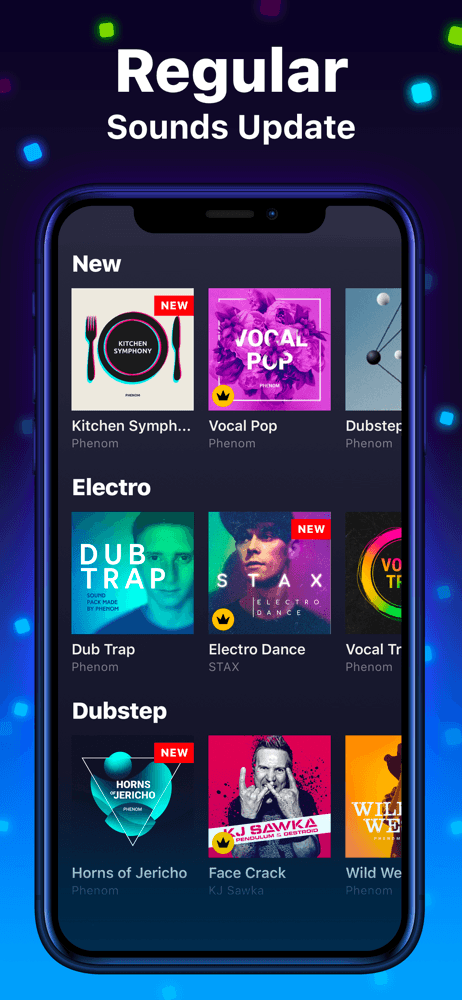
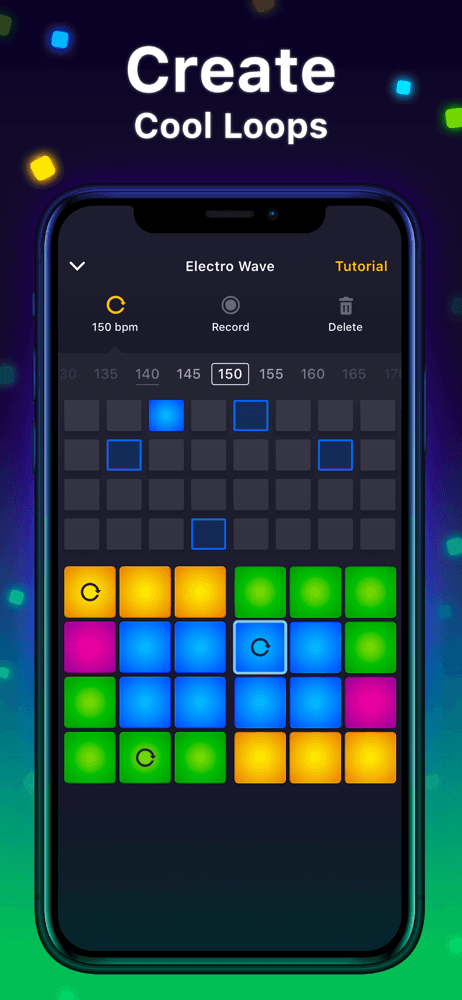
Drum Pad Machine by Easybrain is the best pad-style music-production app for iPhone users who want EDM, dubstep, trap, and house beats specifically. The 4.63-star average across 670,872 U.S. ratings is the largest pool here, reflecting deep penetration in club-genre beat-making. The app's signature is its pack catalog — dozens of genre-specific kits with pre-mixed pads, drum hits, and synth stabs. Drum Pad Machine differs from Beat Maker Pro by leaning harder on electronic genres (vs hip-hop), and from Groovepad by exposing more individual elements (drums, synths, FX) per pad rather than full loop chunks. A real scenario: you pick a dubstep pack, tap a kick on pad 1, snare on pad 5, bass wobble on pad 9, and have a 30-second loop you can layer up in three more passes. The tradeoff is reviewer-flagged friction around the subscription gating the best packs, which is the consistent complaint across this whole pad-app category. Best for EDM and dubstep producers; less compelling for hip-hop-first users.
Pros
- Strongest pack catalog for EDM, dubstep, trap, and house
- Largest user base on the list at 670K ratings
- More element-level control (drums, synth stabs, FX) than full-loop apps
Cons
- Best packs are subscription-locked
- Less compelling for hip-hop-first users than Beat Maker Pro
- 5
 Get on App Store
#5Beat Maker Go:DJ Drum Pads ProBest for Mobile Producers
Gismart Limited
Midi Controller, Music Machine
- Rating
- 4.4
- Reviews
- 94.2K
- Price
- Paid
- 90-day trend
- —
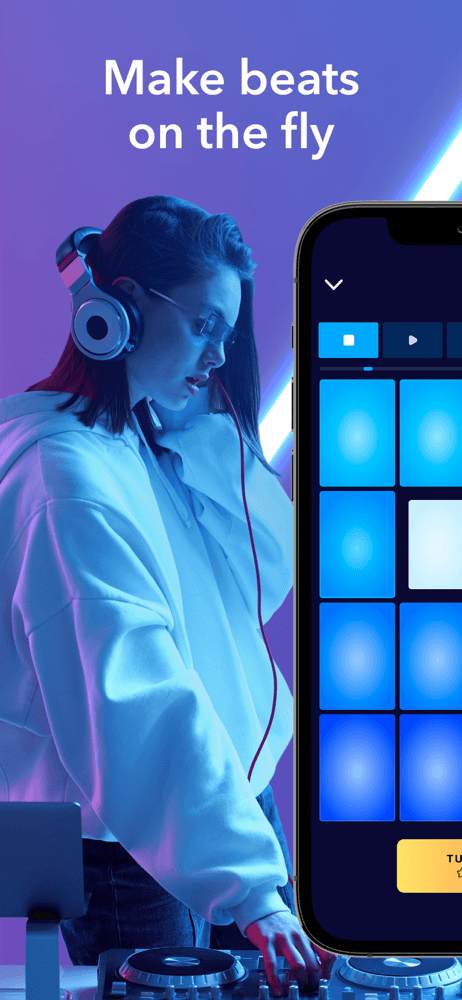
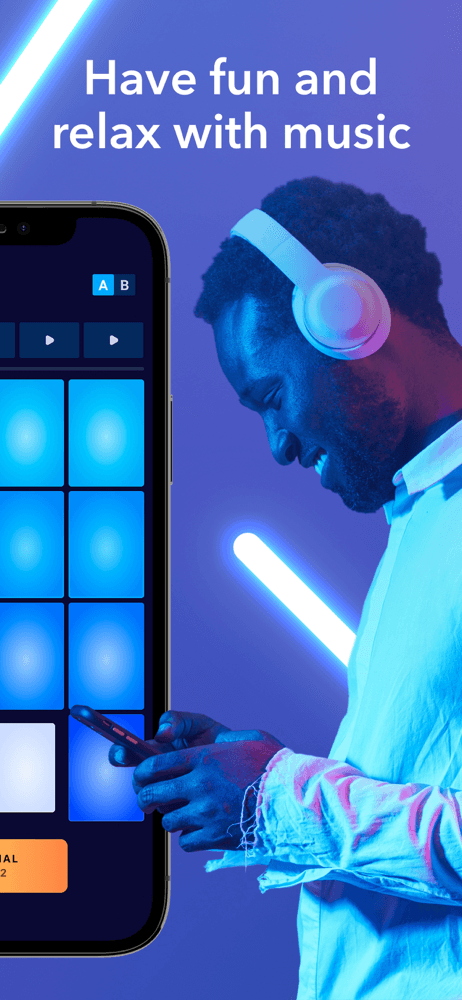
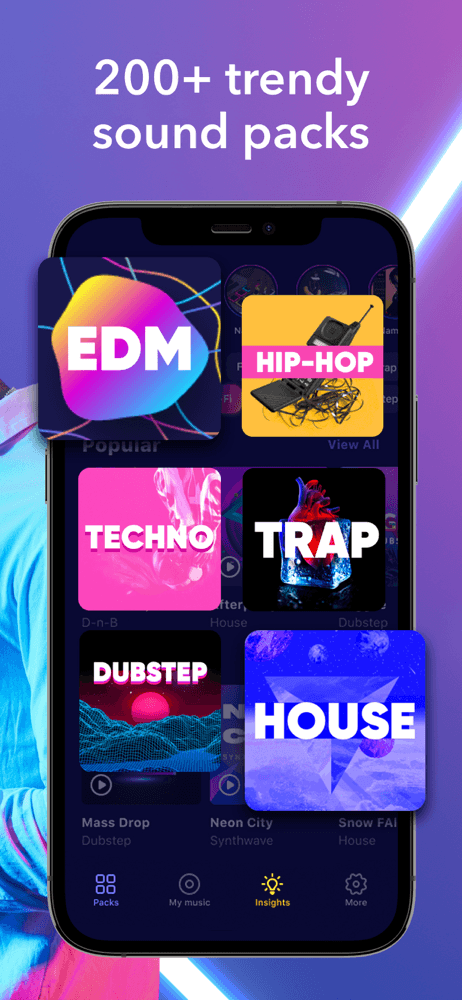
Beat Maker Go by Gismart is the best lightweight music-production app for iPhone users who want a free pad-based beat maker without subscription pressure. The 4.42-star average across 94,197 U.S. ratings is the lowest on this list, but reflects a different trade — Beat Maker Go is leaner, has fewer flagship pack releases than Drum Pad Machine, and ad-supports rather than subscription-locks most content. The 200+ sound packs cover the standard genres (hip-hop, EDM, dubstep, future bass). Beat Maker Go differs from Beat Maker Pro by being a different developer and a simpler app, and from Drum Pad Machine by being less aggressive about premium gating. A real scenario: you tap through three sound packs in a coffee break, find one that fits your mood, and build a 60-second loop without ever hitting a hard paywall. The tradeoff is the ad load on the free tier and a smaller pack catalog than the leaders. Best as a no-pressure starting point for users testing whether they like pad-based beat-making at all.
Pros
- Free pad maker without the subscription pressure of Drum Pad Machine or Beat Maker Pro
- 200+ sound packs cover standard club genres
- Lightweight install, fast to learn
Cons
- 4.42 stars — the lowest rating on this list
- Ad load on the free tier is heavier than the leaders
- 6
 Get on App Store
#6Launchpad - Music & Beat MakerBest Overall
Focusrite Audio Engineering Ltd.
Play, Record & Remix like a DJ
- Rating
- 4.8
- Reviews
- 34.6K
- Price
- Free
- 90-day trend
- —
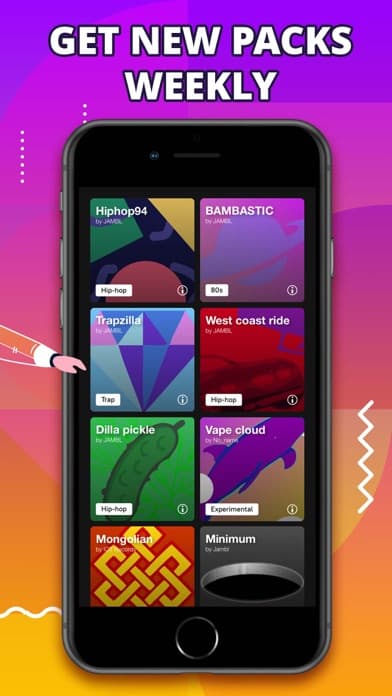
Launchpad by Focusrite is the best music-production app for iPhone users who want to perform live remixes and clip-launcher loops in the Ableton tradition. Built by Focusrite (parent of Novation, makers of the Launchpad hardware grid), the iOS app holds a 4.80-star average across 34,257 U.S. ratings — the highest rating on this list. Launchpad differs from Groovepad by being clip-launch-and-perform rather than loop-trigger, and from BandLab by being performance-focused rather than DAW-focused. The eight free soundpacks cover EDM, hip-hop, and pop styles; hundreds more are updated weekly via in-app purchase. A real scenario: you load a soundpack, build a four-bar arrangement by triggering 16 clips in sequence, record the performance live, and export the audio for re-mixing on desktop. The tradeoff is the smaller scope — Launchpad doesn't replace a DAW, and to make the most of it you'll eventually want the Novation hardware grid. Best for users who want to feel like an Ableton performer on iPhone, and as a feeder app into the Novation ecosystem.
Pros
- Highest-rated music-production app on the list at 4.80 stars
- Original clip-launcher app from Focusrite — proven Ableton-style workflow
- 8 free soundpacks plus hundreds available weekly
Cons
- Smaller scope — not a DAW; you'll finish tracks in desktop software
- Best with the Novation hardware grid, which is an additional purchase
- 7
 Get on App Store
#7Jambl: DJ Band & Beat MakerBest for Songwriting
Jambl GmbH
Make music with friends & fans
- Rating
- 4.7
- Reviews
- 14.4K
- Price
- Free
- 90-day trend
- —
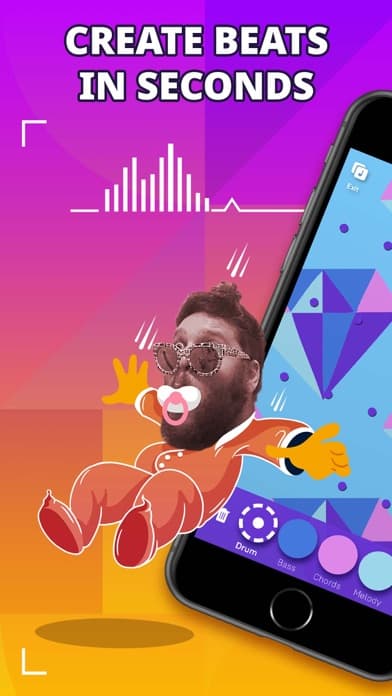
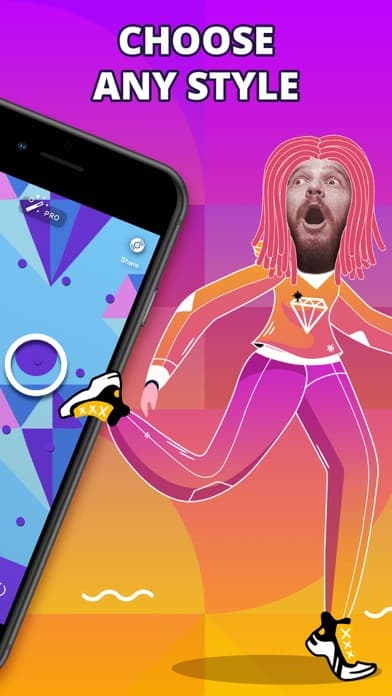
Jambl is the best music-production app for iPhone users who want gesture-driven composition — sliding fingers across the screen to generate phrases that stay in key and on groove. Built by Jambl GmbH, the app holds a 4.66-star average across 14,380 U.S. ratings and leads with a smart engine that prevents wrong notes. Jambl differs from Launchpad by being phrase-and-gesture rather than clip-launch, and from Groovepad by leaning toward melodic composition rather than pad triggering. The app is the closest thing to 'play music without knowing music' on this list. A real scenario: you swipe up on the left pad to build a synth lead, tap the right pad for drums, and the engine quantizes everything into a coherent four-bar loop you can record and share. The tradeoff is the small ratings pool and a creative ceiling — Jambl tracks tend to sound similar because the smart engine pulls toward safe scales and grooves. Best for total non-musicians who want melodic results, not just beats. Free with paid sound packs.
Pros
- Smart engine keeps everything in key and on groove — no wrong notes
- Gesture-driven composition feels playful and approachable
- Strong fit for users who want melody, not just beats
Cons
- Small ratings pool at 14K reflects limited reach
- Creative ceiling is low — Jambl tracks tend to sound similar
- 8
 Get on App Store
#8Drum Pads 24 Beat Maker MusicBest for Live Performance
Beat Squad LLC
Make EDM, trap, dubstep beats
- Rating
- 4.7
- Reviews
- 12.4K
- Price
- Free
- 90-day trend
- —
Drum Pads 24 by Beat Squad is the best music-production app for iPhone users who want a deep beat-pad library at a paid upfront price — no subscription, no aggressive upsells. With 30 million-plus lifetime users and a 4.67-star average across 12,368 current U.S. ratings, the app focuses on EDM, trap, and dubstep with a comprehensive sample library. Drum Pads 24 differs from Beat Maker Go by being paid-first rather than ad-supported, and from Drum Pad Machine by leaning toward producer-grade samples rather than beginner-friendly loop kits. A real scenario: you pay one upfront price, get the full pack catalog, and build EDM beats without ever seeing a subscription prompt. The tradeoff is the smaller ratings pool here suggests the user base has narrowed compared to its peak — newer freemium apps have peeled off the casual audience. Best for serious beat-makers who hate subscriptions and want to pay once for the full feature set.
Pros
- Paid-upfront pricing — no subscription, no upsell loop
- Deep producer-grade EDM and trap library
- 30M-plus lifetime user base reflects long track record
Cons
- Newer freemium competitors have peeled off the casual audience
- Smaller current ratings pool than the freemium leaders
- 9
 Get on App Store
#9Tize: Music & Beat MakerBest Cross-Platform
SoundWare, Inc.
Make & mix beats on a Drum Pad
- Rating
- 4.5
- Reviews
- 16K
- Price
- Paid
- 90-day trend
- —
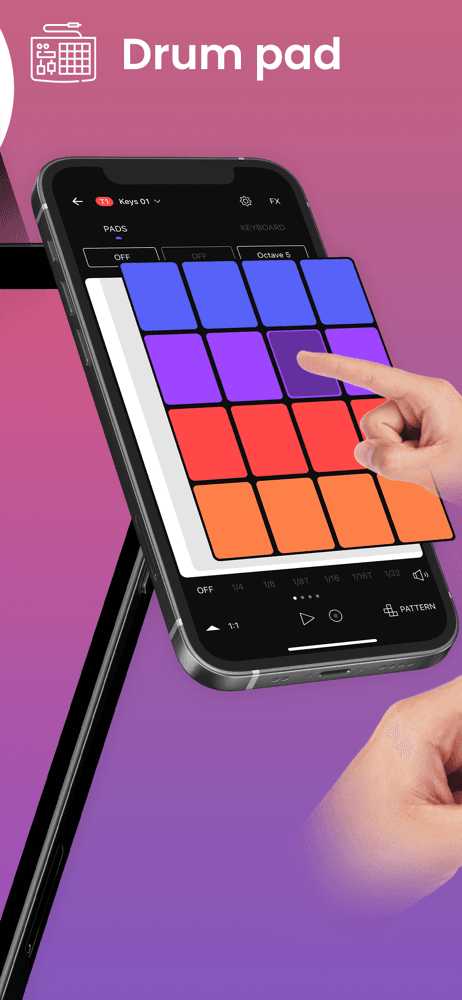
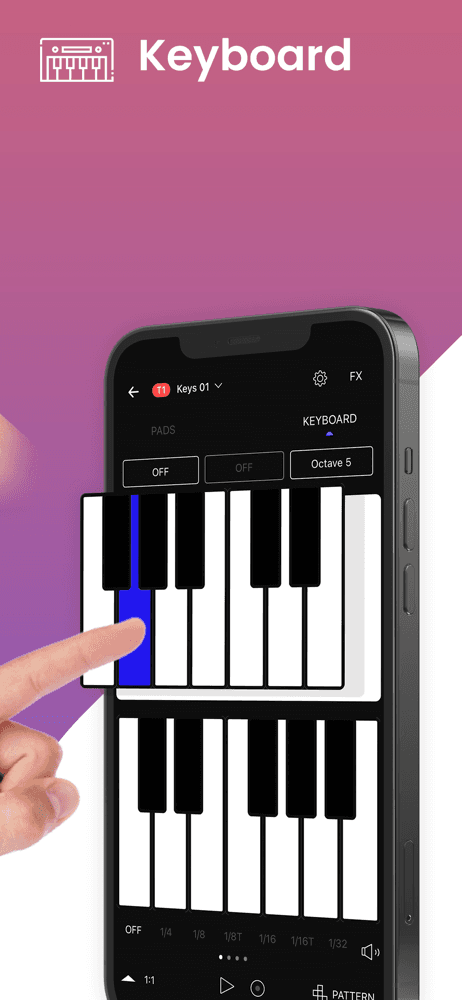
Tize by SoundWare is the best music-production app for iPhone users who want a pad-based beat maker with a built-in publishing-and-voting community feed. The 4.50-star average across 16,024 U.S. ratings reflects mid-tier polish — the app is functional but doesn't hit the breadth of Drum Pad Machine or Beat Maker Pro. Tize differs from BandLab by being beat-pad-only (not multitrack), and from Groovepad by publishing to an in-app feed where users vote on each other's tracks. The portrait-or-landscape pad surface is the main UX innovation. A real scenario: you build a 60-second beat in landscape mode, publish it to the Tize feed, and get upvotes from other producers in the community — feedback you wouldn't get on a closed beat-maker app. The tradeoff is the community is small relative to BandLab's, and the pack catalog is narrower than the major beat-pad apps. Best for users who want a feedback loop on their beats from other beat-makers, not just a creation tool.
Pros
- Built-in feed where other producers vote on your beats — useful feedback loop
- Portrait and landscape orientation support for the pad surface
- Free download with paid pack expansions
Cons
- Community is small relative to BandLab
- Pack catalog narrower than the major beat-pad apps
- Rating
- 4.8
- Reviews
- 2.9K
- Price
- Paid
- 90-day trend
- —
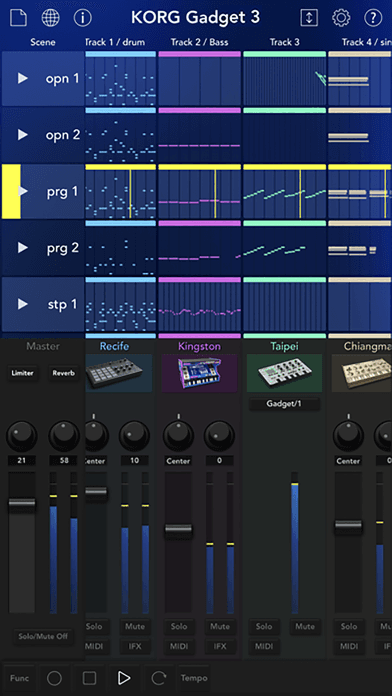
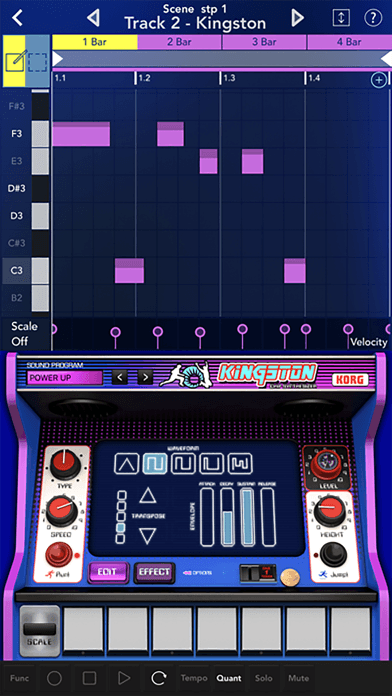
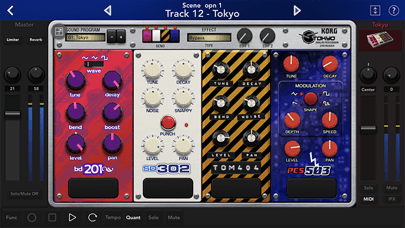
KORG Gadget 3 is the best professional music-production app for iPhone users who want a complete mobile DAW ecosystem with real synthesizer gadgets, multi-track composition, and release-quality output. The 4.77-star average across 2,894 U.S. ratings is the smallest pool on this list — it's a niche pro tool — but reflects deep satisfaction from a serious user base. KORG Gadget is the only pick here that has shipped tracks released on Spotify and Apple Music, and the 'gadgets' (mobile synths modeled on KORG and partner hardware) sound legitimately professional. KORG Gadget 3 differs from BandLab by being a paid-upfront, synth-led DAW (rather than free track-recorder), and from Launchpad by going deeper on composition than performance. A real scenario: you build an eight-track arrangement with a drum gadget, a bass synth, a polyphonic pad, and a lead — each modeled on a different KORG instrument — and export at full quality. The tradeoff is price (one-time purchase, plus in-app purchases for additional gadgets) and learning curve — closer to a desktop DAW than a casual app. Best for working musicians who want a real production tool in their pocket.
Pros
- Only pick on this list with release-quality output — used on real Spotify and Apple Music releases
- Real synthesizer gadgets modeled on KORG hardware
- Full mobile DAW ecosystem with MIDI, multitrack, and high-bitrate export
Cons
- Steepest learning curve — closer to a desktop DAW than a casual app
- Highest upfront price on the list, with additional in-app gadget purchases

How we picked
### Data sources We combine live App Store data (ratings, recent reviews, version cadence, pricing, screenshots) with our own ranking tracker, which logs U.S. Music and Entertainment category positions daily. Review themes come from the most recent U.S. reviews per app, weighted toward the last 90 days.
### How we score Four weighted axes: production depth (multitrack count, MIDI support, effects chains, mixer routing), sound library (number of loops, packs, instruments, and how often new content drops), playability (how quickly a non-musician can build something that doesn't sound generic — pad responsiveness, tempo and key locking, gesture support), and price-to-value (free-tier usefulness measured against what subscriptions or sound-pack purchases unlock).
### Refresh cadence The top-10 set is re-scored monthly. Ratings, ranks, and review-theme analysis refresh daily. When an app changes pricing, drops below 4.0 stars, breaks compatibility with a major iOS release, or removes a feature that drove its ranking, it gets re-evaluated within the week — not at the next monthly window.
### What we exclude Apps with an average below 4.0 stars, fewer than a few hundred ratings on the current version, or no update in nine months. We also drop pure metronome and tuner apps, karaoke-only apps (vocal recording without a production surface), and instrument-emulation apps that aren't built around composition (single-piano, single-guitar apps go on a separate list).
### What we don't do No affiliate-driven ordering. Referral commissions don't bump apps. We don't take sponsorship or paid placement from listed apps. If a pick shifts, it's because the data shifted — pricing, ratings, review themes, or removed features.