



Best Macro Tracker Apps for iPhone
By App Store Tracker Editorial · Updated — App Store ratings fetched to
The short version
Cronometer wins the top spot for the deepest food database with verified micronutrient data — the gold standard for serious tracking. MacroFactor is the strongest adaptive coach, adjusting your targets based on actual progress. My Macros+ remains the bodybuilder favorite. MacrosFirst is the standout free pick. Stupid Simple Macro Tracker earns its name with the cleanest quick-log experience. None require a subscription to get started, though paid tiers unlock barcode scanning, adaptive targets, and detailed analytics. Pick based on whether you want depth (Cronometer), guidance (MacroFactor), or speed (Stupid Simple).
Jump to a pick↓
Macro tracking apps split into two camps. The first is the food-database camp — apps like Cronometer and MacrosFirst that compete on database accuracy, barcode scanning, and how fast you can log a meal. The second is the coaching camp — apps like MacroFactor and Fitia that take your data and adjust your targets weekly based on actual progress. Most users start in the first camp, get frustrated by tracking without guidance, and end up in the second. The ten apps below cover both. We weighted database depth, adaptive-target quality, barcode-scanner accuracy, and value of the free tier. Free tiers in this category are real — MacrosFirst, My Macros+, Stupid Simple Macro Tracker, and Virtuagym all give you usable products without paying. Paid plans matter when you want micronutrient detail, adaptive coaching, or family sharing. Note: macro tracking is a tool for awareness, not a substitute for medical or nutritional advice. Consult a registered dietitian or healthcare provider before starting an aggressive cut or bulk.
Best Macro Tracker Apps for iPhone compared
| App | Best for | Rating | Price | Last update |
|---|---|---|---|---|
| 1. Cronometer: Calorie Counter | Best Overall | 4.8 (99.4K) | Free · IAP | Oct 22, 2026 |
| 2. My Macros+ | Macro Tracker | Best for Bodybuilding | 4.7 (33.8K) | Free | Oct 22, 2026 |
| 3. Eat This Much - Meal Planner | Best for Maintenance | 4.7 (22.2K) | Free · IAP | Oct 11, 2026 |
| 4. MacrosFirst - Macro Tracker | Best Free Database | 4.9 (23.1K) | Free · IAP | Oct 20, 2026 |
| 5. MacroFactor - Macro Tracker | Best Adaptive | 4.8 (23.3K) | Free · IAP | Sep 24, 2026 |
| 6. Fitia: Calorie Counter & Diet | Best for Cutting | 4.9 (23.2K) | Free · IAP | Oct 21, 2026 |
| 7. Protein Tracker: Protein Pal | Best for Bulking | 4.7 (10.7K) | Free · IAP | Oct 23, 2026 |
| 8. Foodnoms: Nutrition Tracker | Best for Vegan | 4.7 (7.8K) | Free · IAP | Oct 21, 2026 |
| 9. Stupid Simple Macro Tracker | Best Quick Logging | 4.6 (7.9K) | Free · IAP | Oct 6, 2026 |
| 10. Virtuafood: AI Calorie Tracker | Best with Barcode Scanner | 4.7 (6.1K) | Free | Oct 15, 2026 |
US App Store ratings, prices and update dates from Apple.
- Rating
- 4.8
- Reviews
- 99.4K
- Price
- Free · IAP
- Last update
- Oct 22, 2026
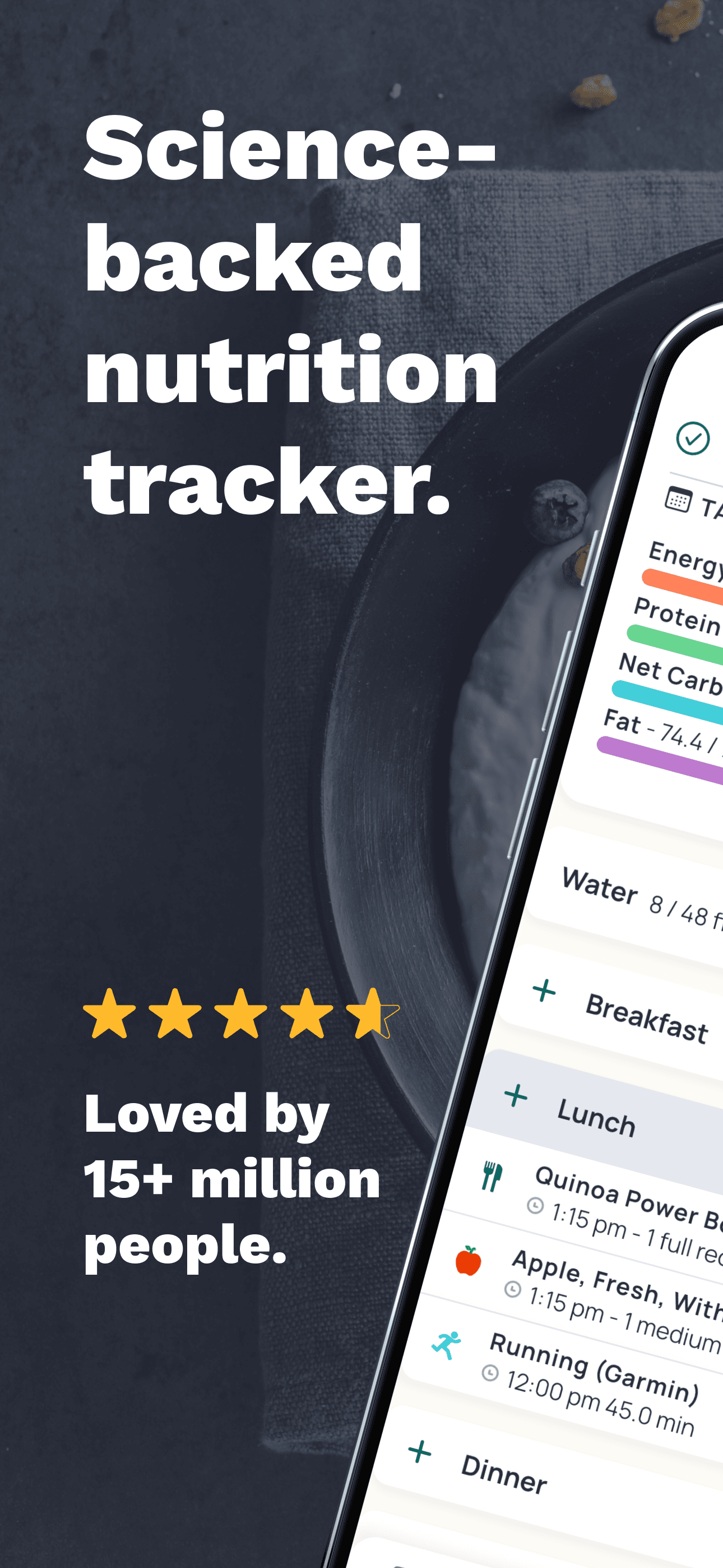
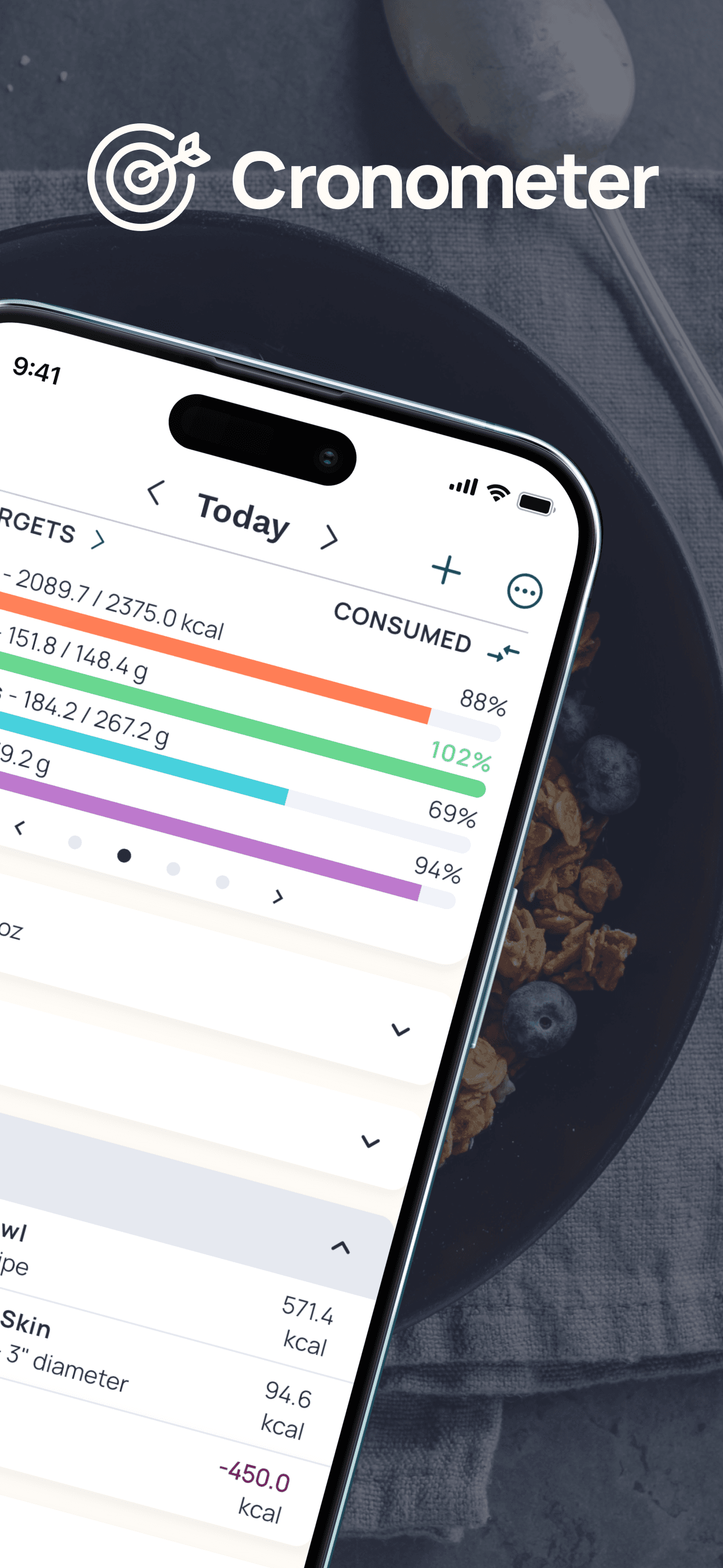
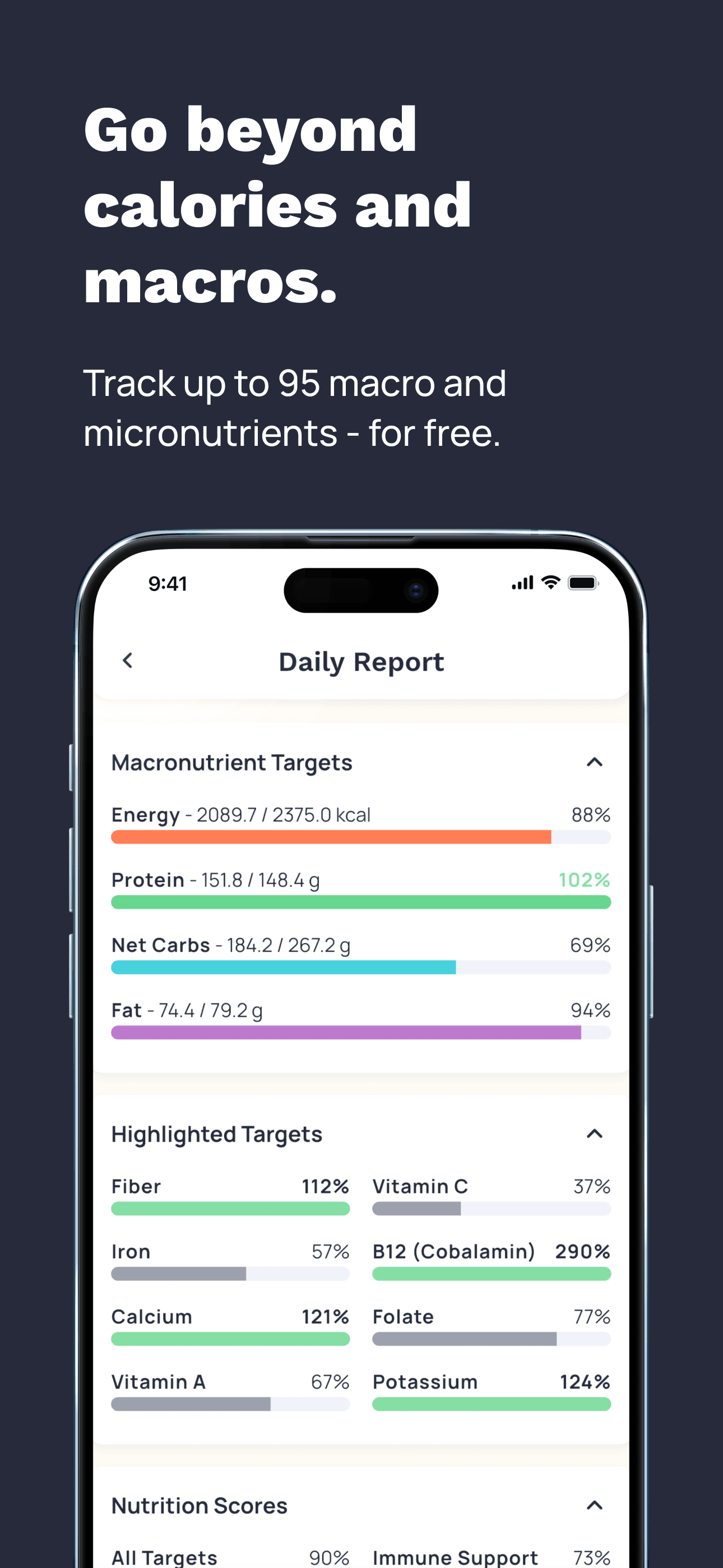
Cronometer earns 'Best Overall' through the deepest and most accurate food database in the category, with USDA-sourced entries that include genuine micronutrient data rather than just macros. The app shows you not only protein, carbs, and fat but also vitamins, minerals, amino acid profiles, and omega-3 ratios — depth that nutrition professionals (one reviewer described being taught the app in cooking school) genuinely rely on. The 4.77 average across 91,000 reviews reflects sustained satisfaction among power users who care about micronutrient detail. The free tier covers basic macro and micronutrient tracking; Gold (around $50 per year) unlocks recipe importer, custom biometrics, and ad removal. Honest knocks cluster around two issues. First, recent reviews mention the app getting buggier with each release after years of stability — one longtime reviewer specifically called out that the app was 'amazing in the beginning and went downhill in time' as the team expanded features beyond the original focus. Second, the UI is functional rather than polished — multiple reviewers describe the desktop experience as better than mobile, and the food-entry workflow has more friction than newer competitors. Database accuracy is the moat: if you actually care about micronutrient tracking (vegans tracking B12, athletes tracking electrolytes, anyone with specific dietary needs), Cronometer remains the only serious choice. For pure macro tracking without micronutrients, MacroFactor or MacrosFirst are faster.
Pros
- Deepest food database with verified micronutrient data, including USDA entries
- Strongest support for vegan and vegetarian users tracking B12, iron, omega-3
- Free tier covers basic macro and micronutrient tracking without aggressive paywall
Cons
- Multiple longtime users report the app has gotten buggier with recent releases
- Desktop experience is better than mobile; food-entry has more friction than competitors
- 2Get on App Store
#2My Macros+ | Macro TrackerBest for Bodybuilding
My Macros LLC
Calorie Counter & Food Log
- Rating
- 4.7
- Reviews
- 33.8K
- Price
- Free
- Last update
- Oct 22, 2026
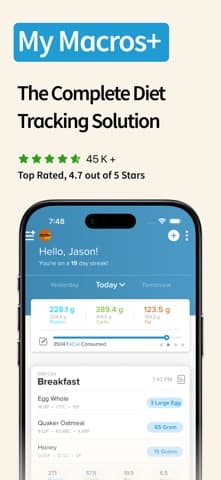
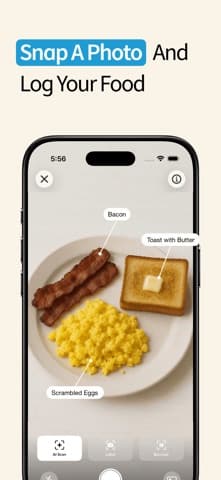
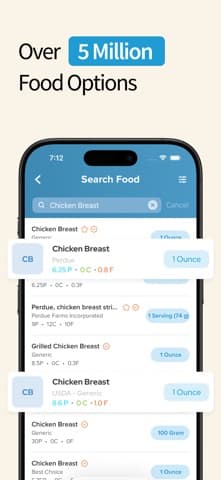
My Macros+ earns 'Best for Bodybuilding' through its long history (one of the original macro-first trackers, launched 2011) and its built-by-a-fitness-professional credibility. The app was created by personal trainer Bryan Smith for bodybuilders frustrated with calorie-counting apps that ignored macro distribution. Over one million users have hit goals on the platform. The 4.68 rating across 33,000 reviews reflects strong product-market fit with the bodybuilding and physique-competition audience. The free tier is genuinely usable for basic macro logging; the paid 'Pro' tier (around $3 one-time, unusually for the category) unlocks barcode scanning, recipe builder, and full meal planning. Honest knocks include an interface that feels dated next to MacroFactor or MacrosFirst — the design language is closer to 2018 than 2026 — and limited adaptive-coaching features compared to newer entrants. Database depth is adequate for branded packaged foods but thinner than Cronometer for whole foods and produce. The one-time pricing model is a refreshing alternative to the subscription-everything trend, and the app has continued receiving updates despite the unusual revenue model. Best for bodybuilders, physique competitors, and serious recomp users who want the original macro-first workflow and do not need adaptive coaching. Use Cronometer alongside if you also care about micronutrient detail.
Pros
- Built-by-a-fitness-professional credibility with 1M+ user history
- Unusual one-time Pro pricing (~$3) rather than recurring subscription
- Strong bodybuilding and physique-competition product-market fit
Cons
- Interface feels dated next to MacroFactor or MacrosFirst (closer to 2018 design)
- Limited adaptive-coaching features compared to newer entrants
- 3Get on App Store
#3Eat This Much - Meal PlannerBest for Maintenance
Eat This Much Inc.
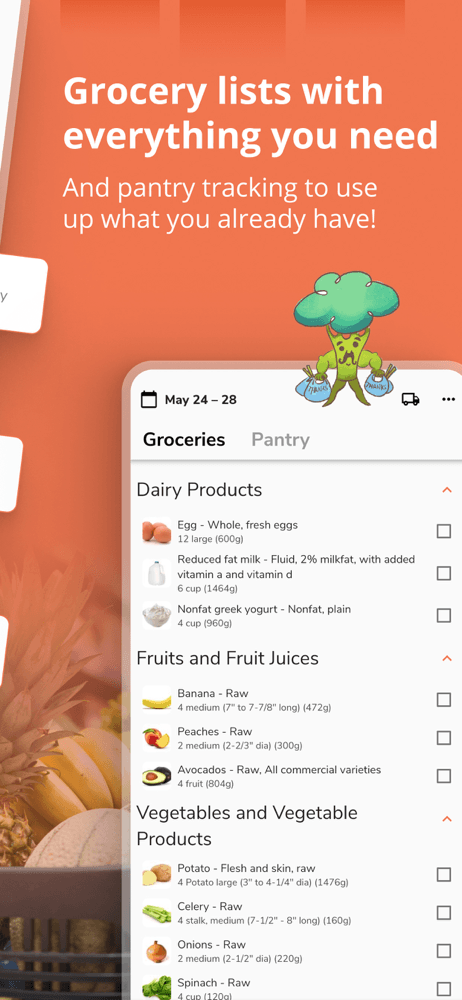
Recipes, Macros & Grocery List
- Rating
- 4.7
- Reviews
- 22.2K
- Price
- Free · IAP
- Last update
- Oct 11, 2026
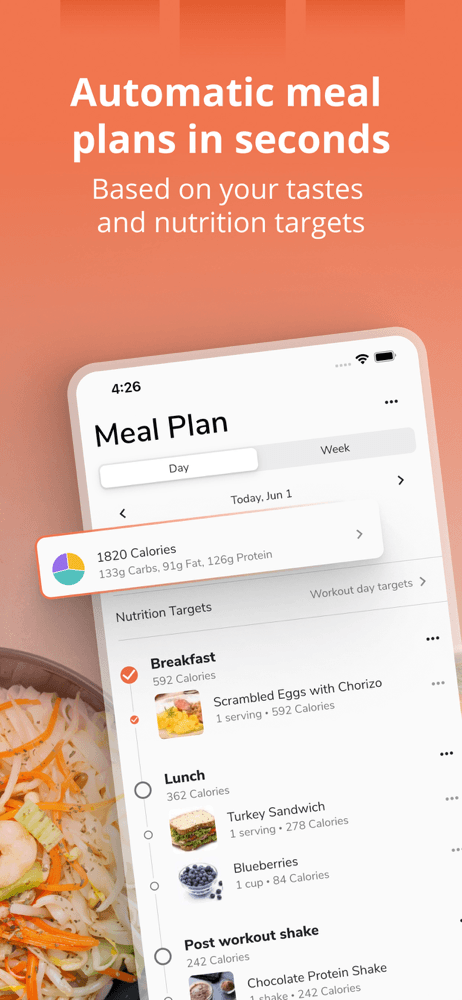
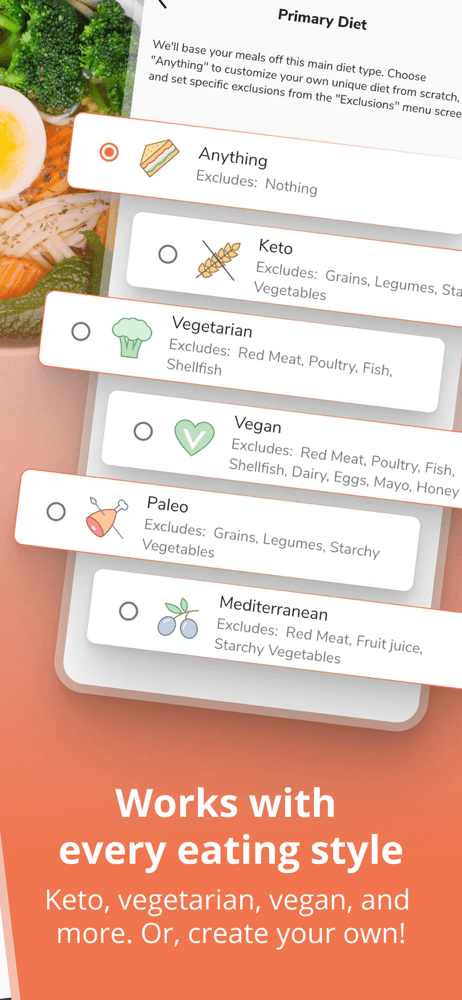
Eat This Much earns 'Best for Maintenance' as the only meal-planning app in this list — it generates complete meal plans automatically based on your macros, food preferences, budget, and schedule. Instead of logging what you ate, you tell the app what your week looks like and it builds the meal plan to hit your targets. The 4.72 rating across 21,000 reviews reflects satisfaction with the unique angle. Pricing is around $5 per month or $60 per year for the Premium tier, with a free version that covers basic plan generation. Honest knocks include limited database depth for users who want to deviate from generated plans, occasional plan suggestions that are not realistic for users with picky-eater constraints, and an interface that feels more like a recipe app than a tracking app. The strongest use case is maintenance-phase macro tracking — users who hit their goal weight and want to maintain without the daily friction of food logging. Set your maintenance macros, accept the generated plan, and follow it without thinking about macros every meal. Bodybuilders prepping for shows will find it too rigid; the bulk-cut cycle requires more flexibility than meal-plan generation provides. Casual users who want diet structure without micromanaging will find it freeing. Use My Macros+ or MacroFactor alongside if you also want to track deviations from the plan.
Pros
- Only meal-planning-first app in this list; generates complete plans from your macros
- Strong maintenance-phase use case for users tired of daily food logging
- Free tier covers basic plan generation without paywall
Cons
- Limited flexibility for users with picky-eater constraints or specific food aversions
- Interface feels more like a recipe app than a serious tracking platform
- 4
 Get on App Store
#4MacrosFirst - Macro TrackerBest Free Database
MacrosFirst, Inc.
Food Macros Calorie Counter
- Rating
- 4.9
- Reviews
- 23.1K
- Price
- Free · IAP
- Last update
- Oct 20, 2026
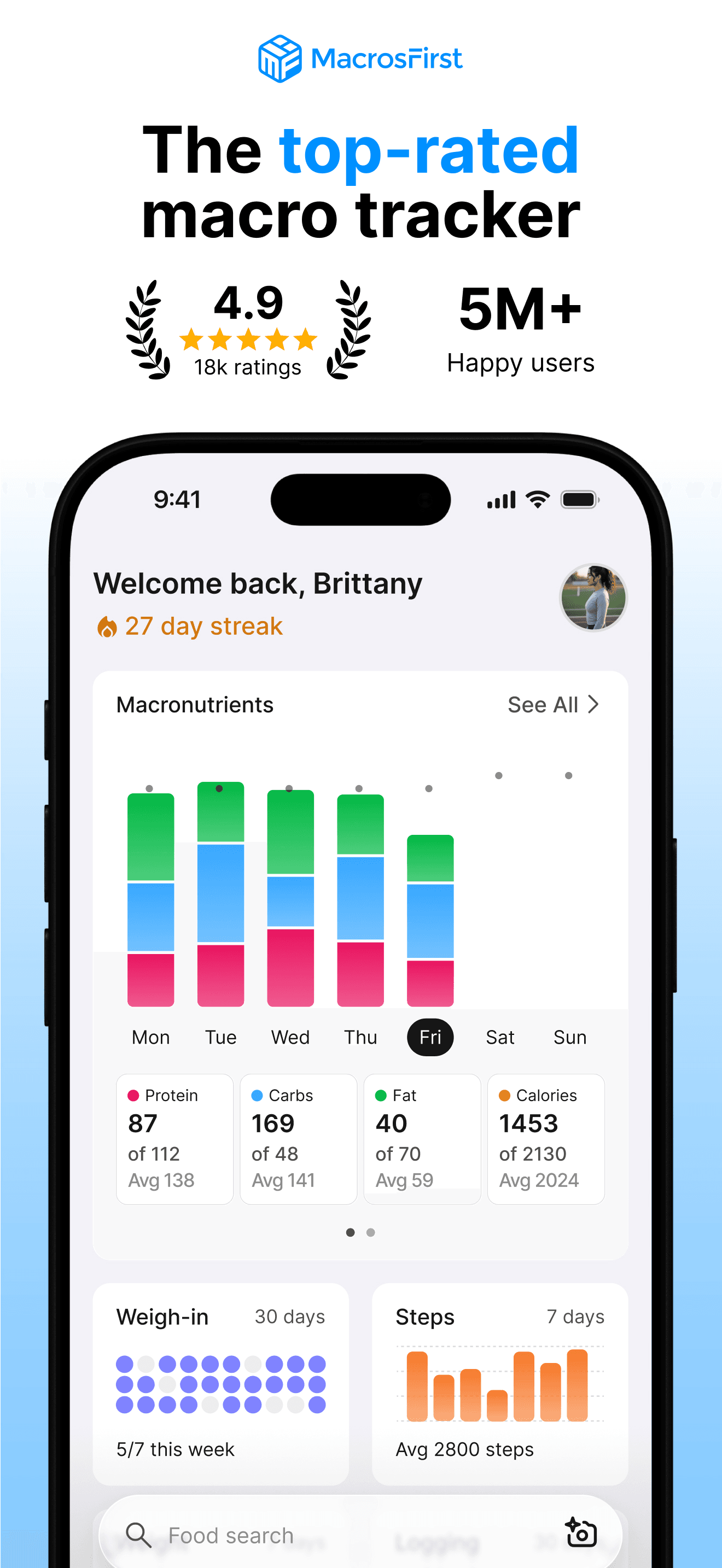
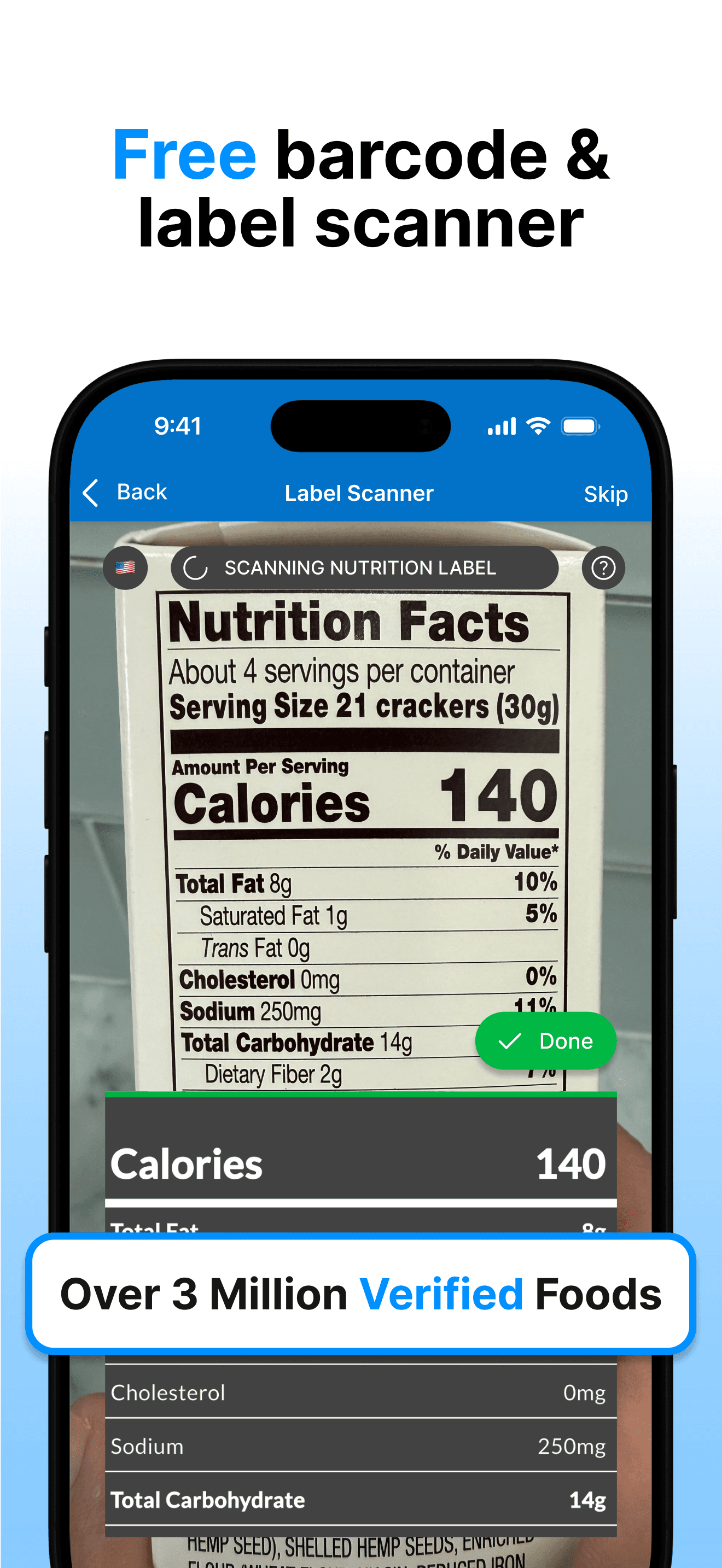
MacrosFirst earns 'Best Free Database' through one of the strongest free tiers in the category and a 4.86 rating across 15,000 reviews — one of the highest in this list. The app prioritizes the macro-tracking core (protein, carbs, fat, calories) over micronutrient detail, which keeps the interface clean and quick. The free tier covers food logging, custom macro goals, recipe building, and meal planning without aggressive paywalls. The 'MacrosFirst Plus' tier (around $30 per year) unlocks barcode scanning, premium reports, and advanced features. Honest knocks are narrow. First, the food database is smaller than Cronometer or MyFitnessPal, which means more manual entry for branded packaged foods and restaurants. Second, the brand is newer (launched 2017) which means less third-party integration than legacy players. Third, the desktop web app is functional but less polished than the iPhone experience. The strongest argument for MacrosFirst is the price-to-quality ratio: a free tier this capable is rare in a category where every competitor pushes a subscription. For users frustrated with MyFitnessPal's increasingly aggressive monetization, MacrosFirst is a credible escape. Best for users who want a clean macro-first workflow, do not need micronutrient detail, and want a real free tier without harassment about upgrading.
Pros
- 4.86 rating is one of the highest in the category
- Free tier covers logging, custom goals, recipes, and meal planning without aggressive paywall
- Clean macro-first interface without micronutrient complexity
Cons
- Smaller food database than Cronometer or MyFitnessPal
- Less third-party integration than legacy players because the brand is newer
- 5
 Get on App Store
#5MacroFactor - Macro TrackerBest Adaptive
Stronger By Science Technologies LLC
Calorie Counter & Food Log
- Rating
- 4.8
- Reviews
- 23.3K
- Price
- Free · IAP
- Last update
- Sep 24, 2026
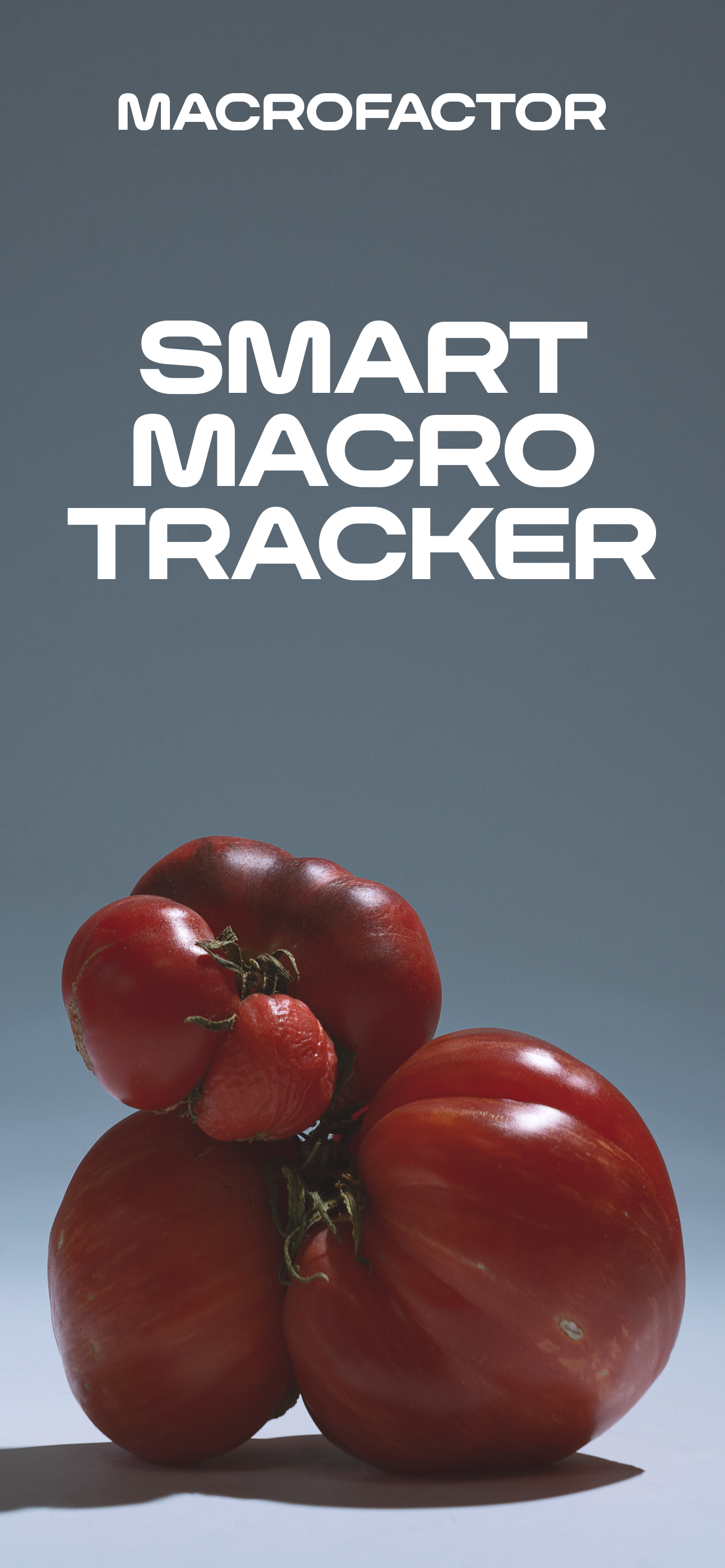
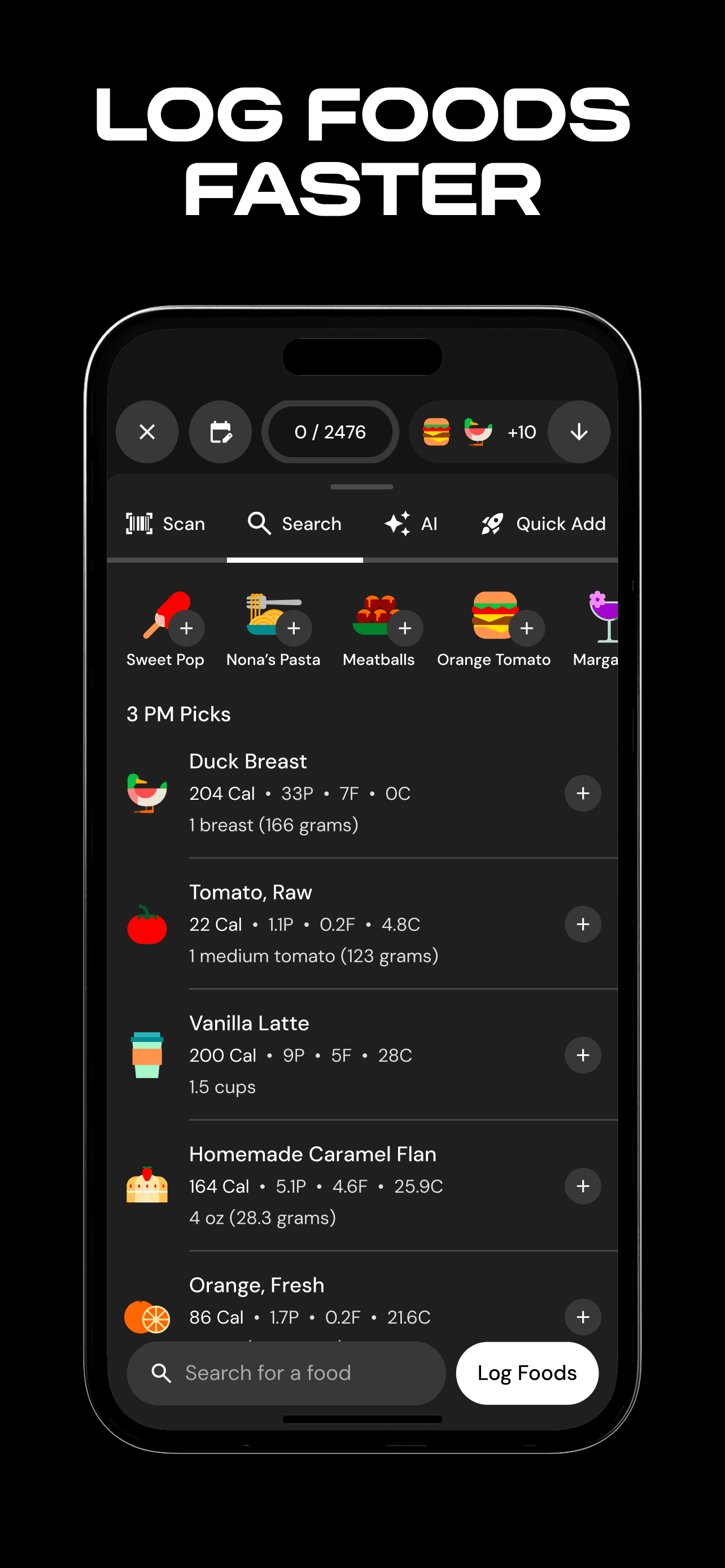
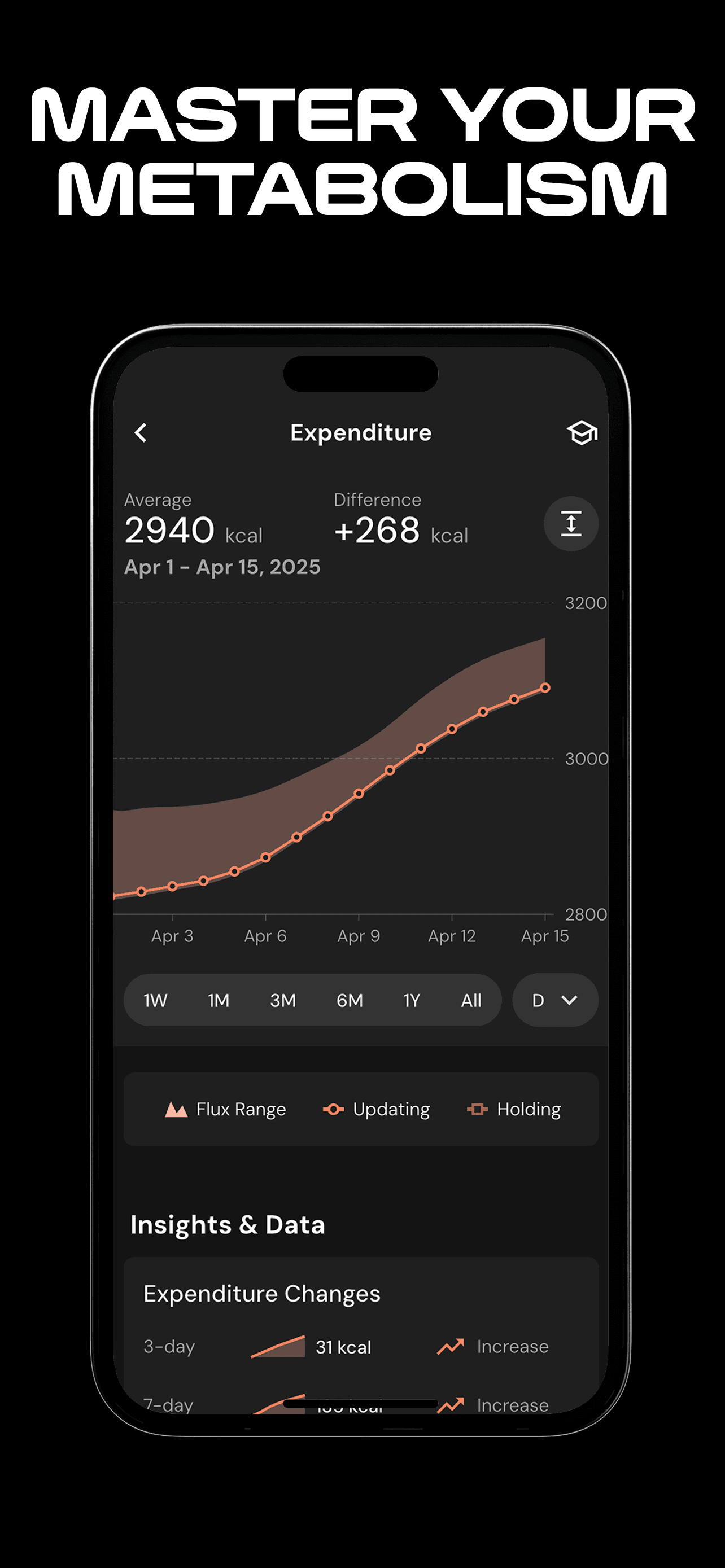
MacroFactor earns 'Best Adaptive' as the strongest adaptive-coaching app in the category. Built by the Stronger By Science team (a respected fitness research and education brand), MacroFactor adjusts your daily macro and calorie targets weekly based on actual weight-trend data, food intake, and goal progress. The 4.81 rating across 13,000 reviews reflects exceptional satisfaction — one reviewer described it as 'the best app to track nutrient intake' and 'half the price of MyFitnessPal premium.' The 'expenditure' algorithm estimates your maintenance calories more accurately than the standard Mifflin-St Jeor formulas other apps use, because it observes your actual response over weeks rather than relying on demographic estimates. The pricing model is paid-only (no free tier beyond a trial) at around $12 per month or $72 per year. Honest knocks include the no-free-tier model (which is fair for a coaching product but rules out casual users), an interface that focuses on macros without much micronutrient detail (use Cronometer alongside if you care about that), and a learning curve around the expenditure algorithm that takes a few weeks to trust. The app's strength is what happens after week 6 — when most apps deliver the same fixed targets you started with, MacroFactor has adjusted three times and your weight trend reflects it. Best for users with multi-month goals (cut, bulk, body recomposition) who want algorithmic adjustment without paying for a human coach.
Pros
- Strongest adaptive-target algorithm; adjusts weekly based on actual weight trends
- Built by Stronger By Science with research-backed methodology
- Half the price of MyFitnessPal Premium for a more sophisticated product
Cons
- No free tier beyond a short trial; paid-only model is fair but rules out casual users
- Limited micronutrient detail; pair with Cronometer if that matters
- 6
 Get on App Store
#6Fitia: Calorie Counter & DietBest for Cutting
Nutrition Technologies
Meal Plans for Weight Loss
- Rating
- 4.9
- Reviews
- 23.2K
- Price
- Free · IAP
- Last update
- Oct 21, 2026
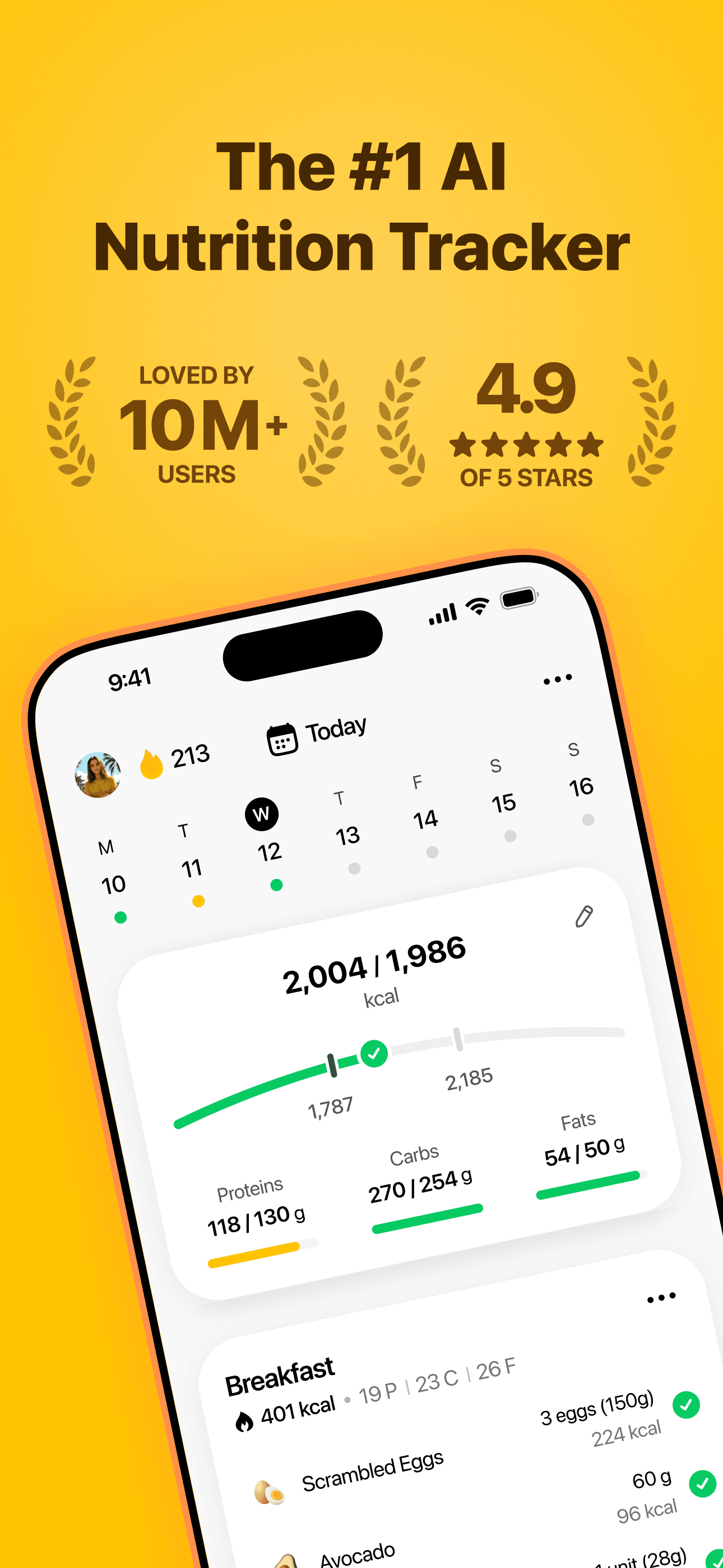
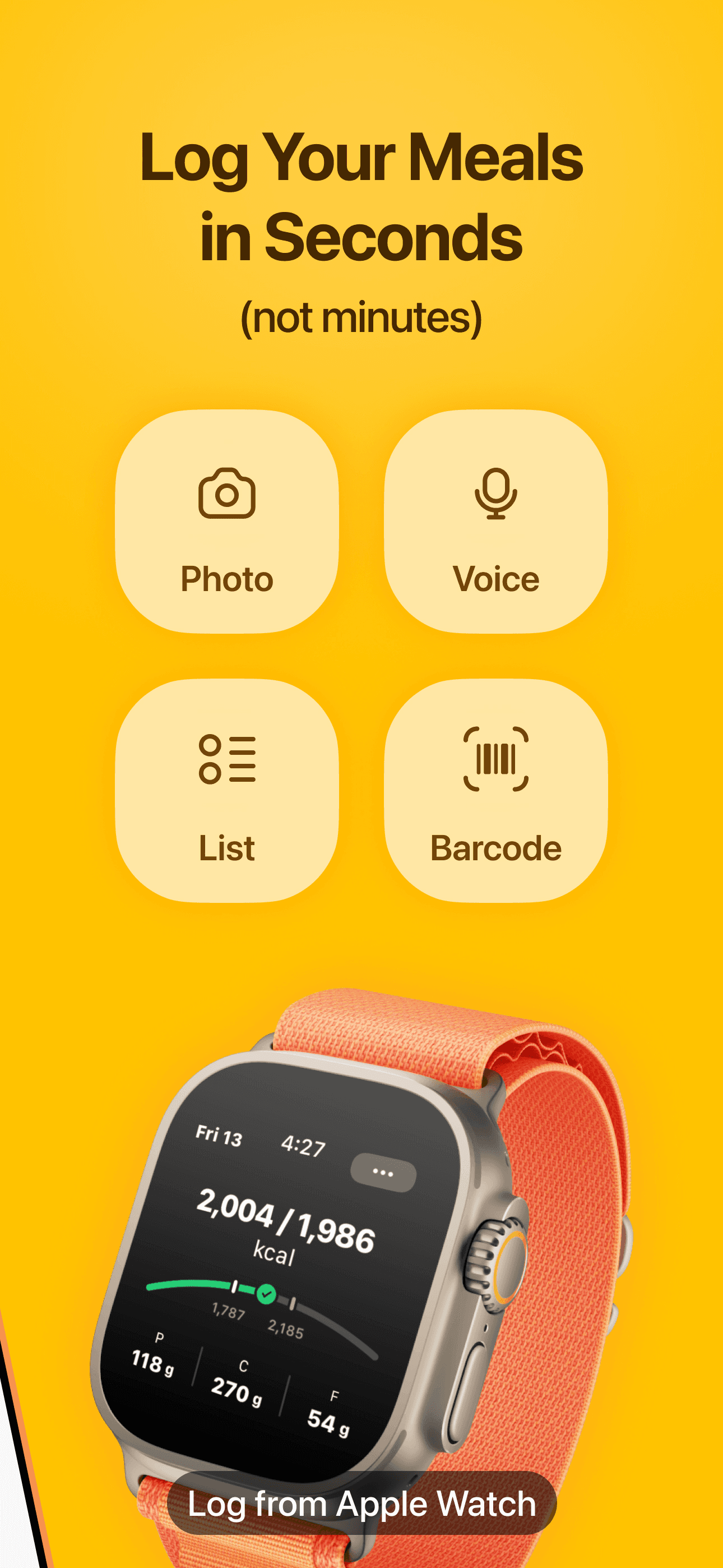
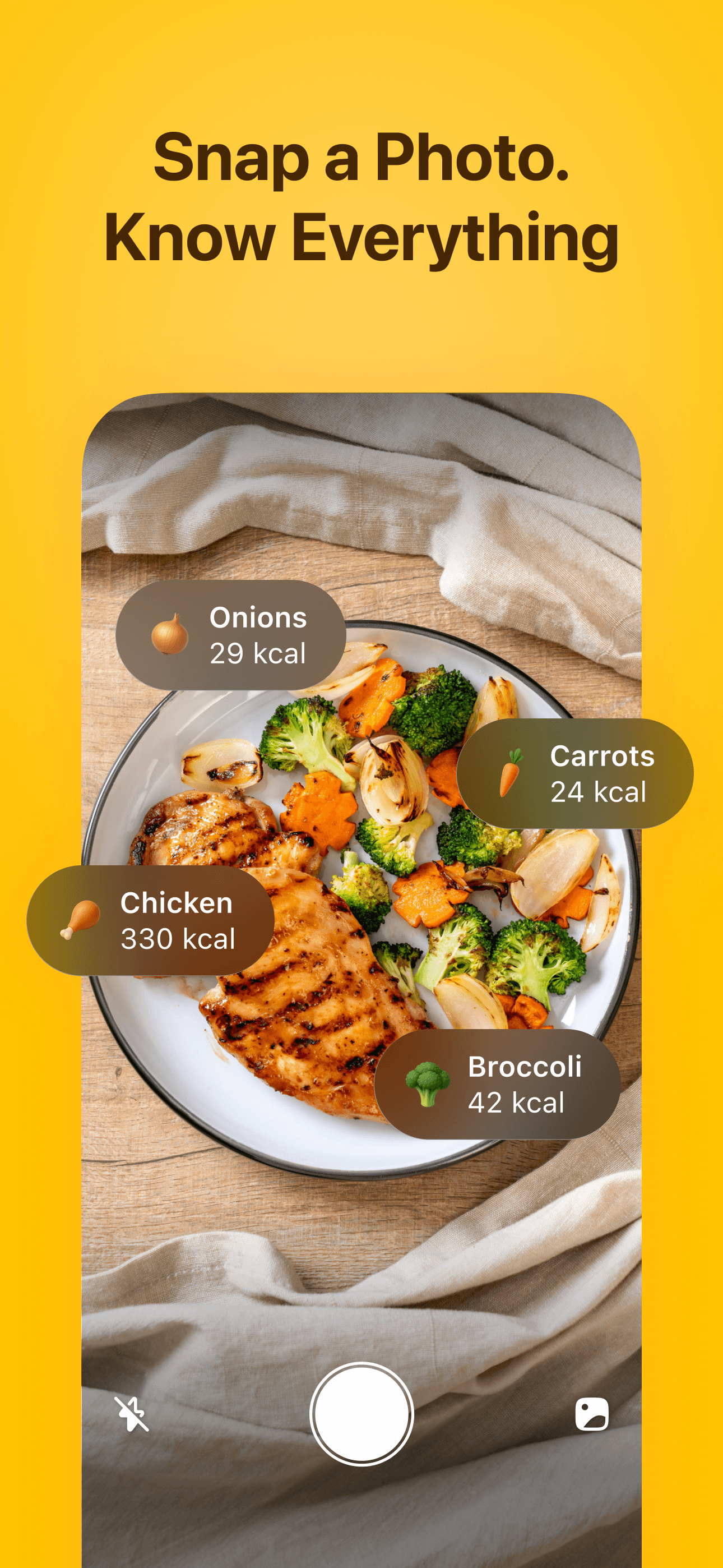
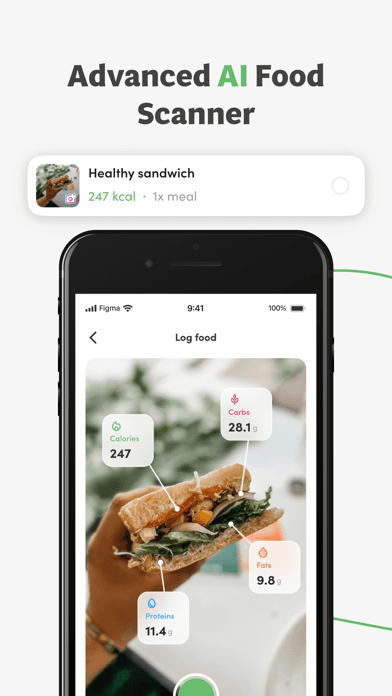
Fitia earns 'Best for Cutting' through its strong meal-planning capabilities, family-sharing features, and AI photo-recognition for food logging. The 4.88 rating across 11,000 reviews reflects strong satisfaction, with reviewers specifically praising the family plan (around $90 per year for 2-6 users) and the AI 'coach' feature that estimates calories from food photos. The platform combines meal planning, macro tracking, and recipe generation in a way that suits users who want a single app for their household. Honest knocks include database gaps for US restaurant chains (one reviewer noted having to manually add Chick-fil-A sauce barcodes despite paying for premium) and family-sync bugs where merging plans between family members occasionally deletes existing data — a frustrating issue for the app's headline family feature. The AI photo-recognition is impressive but accuracy varies by food type; cooked foods and mixed dishes are harder to estimate than single ingredients. Pricing is around $40 per year for individual premium or $90 for the family plan, which is competitive for the feature set. Best for families tracking together, users who want AI photo logging as a primary input method, and people transitioning from MyFitnessPal who want a fresher interface with meal planning included. The cutting-phase support is genuine; the meal-plan generator handles deficit calculations well.
Pros
- Family plan at ~$90/year for 2-6 users is the best family deal in the category
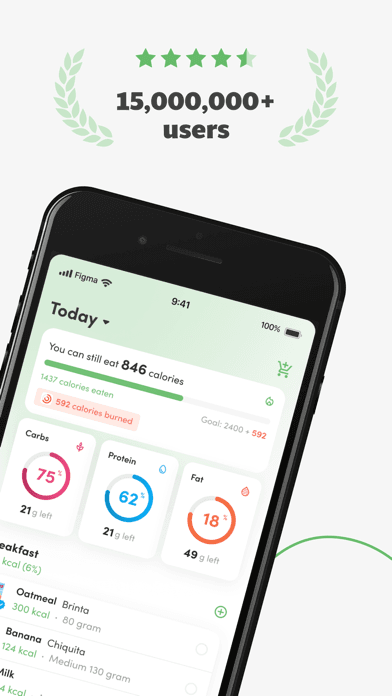
- AI photo-recognition for food logging is genuinely useful for mixed dishes
- Strong meal-planning capabilities combined with macro tracking
Cons
- Family-sync bugs occasionally delete existing plans when merging between users
- Database gaps for US restaurant chains require manual barcode entry
- 7
 Get on App Store
#7Protein Tracker: Protein PalBest for Bulking
Ten Labs Ltd
Calorie Counter & AI Scanner
- Rating
- 4.7
- Reviews
- 10.7K
- Price
- Free · IAP
- Last update
- Oct 23, 2026
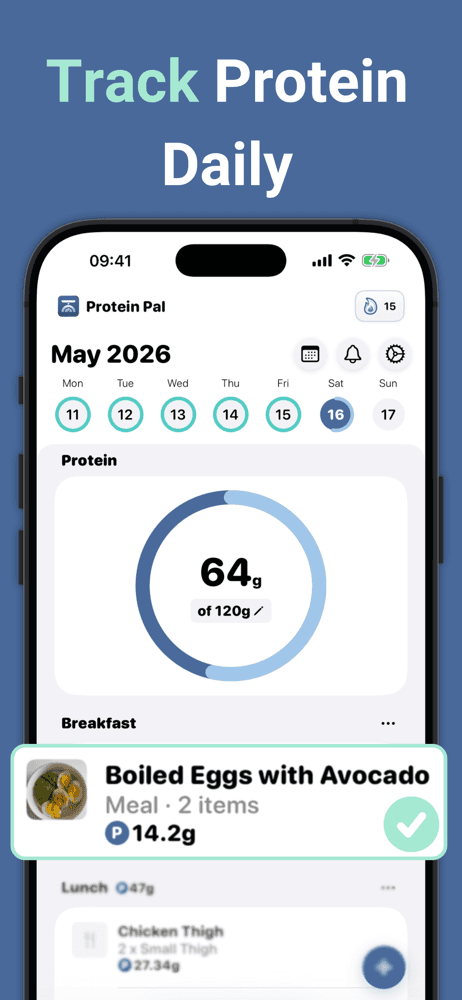
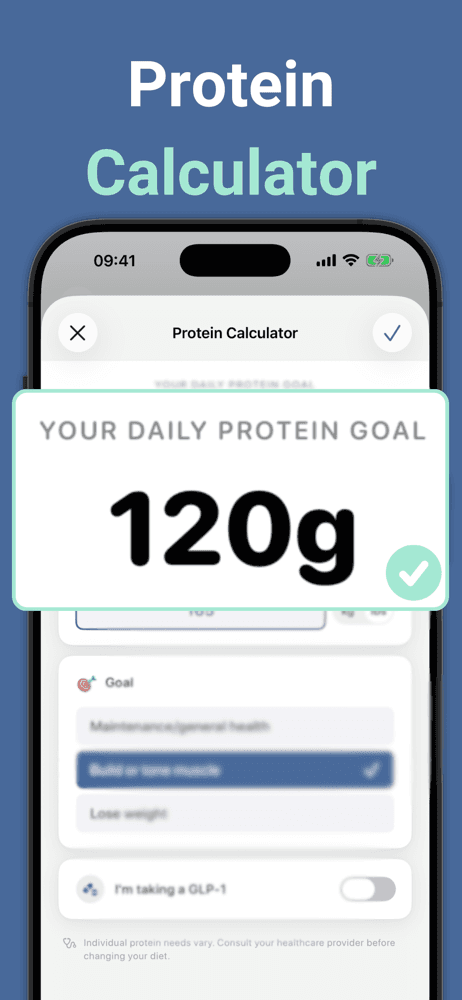
Protein Tracker: Protein Pal earns 'Best for Bulking' through its focused single-metric approach. Instead of tracking all macros, the app tracks only protein — useful for users who want to hit a daily protein target without the friction of logging everything else. The 4.71 rating across 8,800 reviews reflects satisfaction with the narrow but well-executed scope. The workflow is fast: open the app, tap to add protein, done. No barcode scanning, no recipe builder, no analytics dashboard — just a counter that hits your daily target. Pricing is around $5 one-time for the full feature set, with a free trial. Honest knocks are about scope. First, this is not a macro tracker in the broad sense — if you also care about carbs and fat, you need a different app alongside. Second, the database is intentionally minimal; you enter foods by name and estimated protein content rather than searching a verified database. Third, the lack of analytics and trend reporting limits use for serious progression tracking. The strongest argument for Protein Pal is the use case: bulking-phase users who already know their calories are roughly on target and just need to hit the daily protein number reliably. Pair with My Macros+ or MacroFactor for full macro tracking, and use Protein Pal as the quick-log layer on top.
Pros
- Focused single-metric approach (protein only) makes logging extremely fast
- One-time ~$5 pricing rather than recurring subscription
- Useful as quick-log layer on top of broader macro tracker
Cons
- Not a full macro tracker; only counts protein and ignores carbs and fat
- Limited analytics and trend reporting for serious progression tracking
- 8
 Get on App Store
#8Foodnoms: Nutrition TrackerBest for Vegan
Algebraic Labs, LLC
Log Food and Track Your Macros
- Rating
- 4.7
- Reviews
- 7.8K
- Price
- Free · IAP
- Last update
- Oct 21, 2026
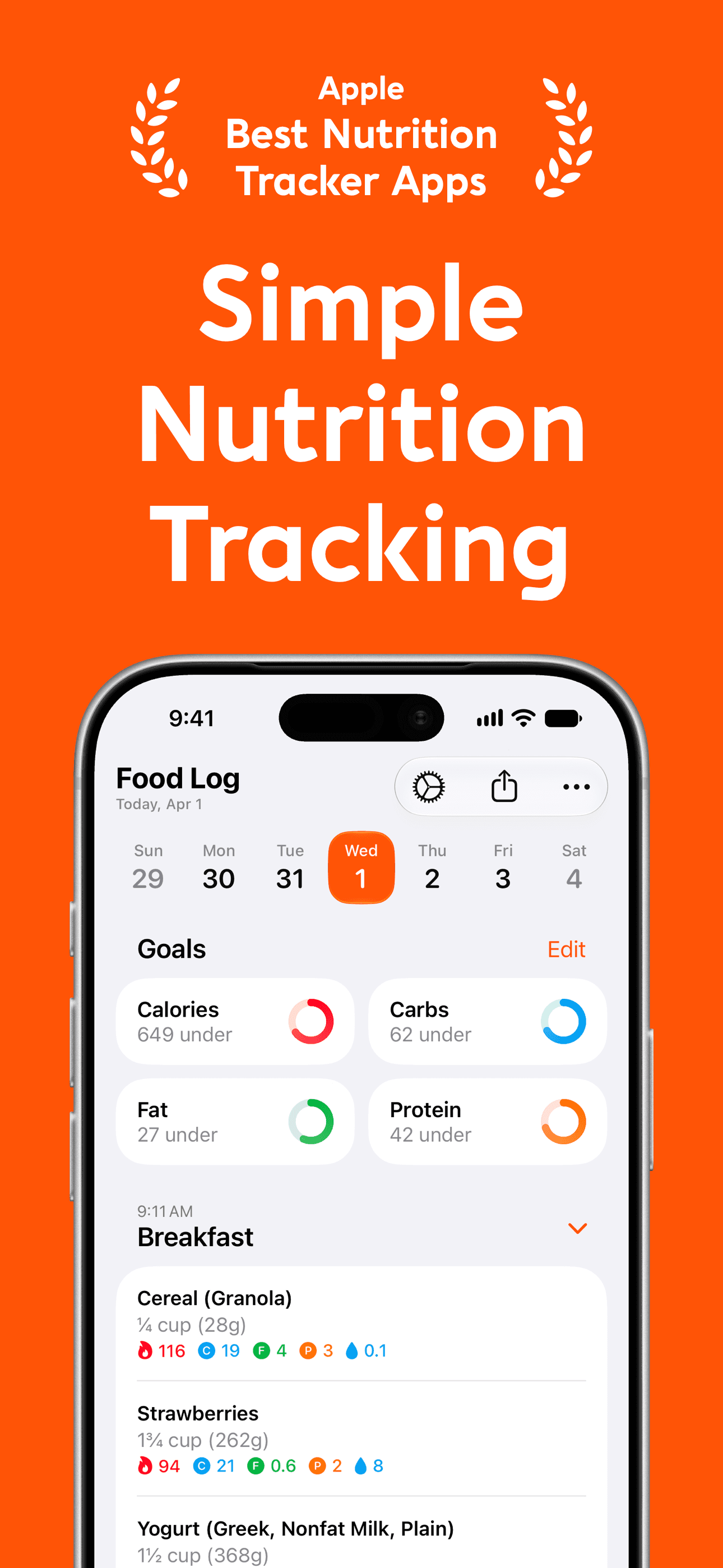
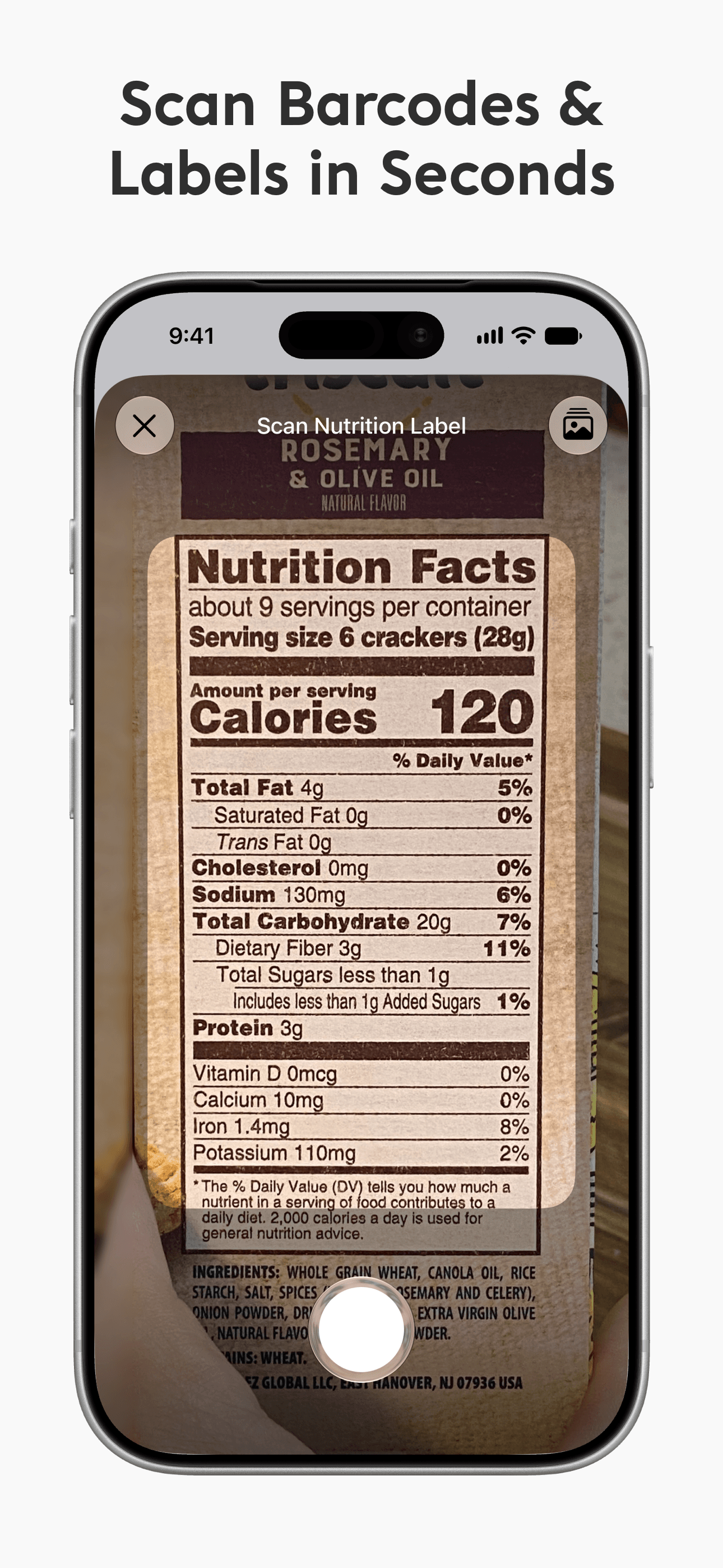
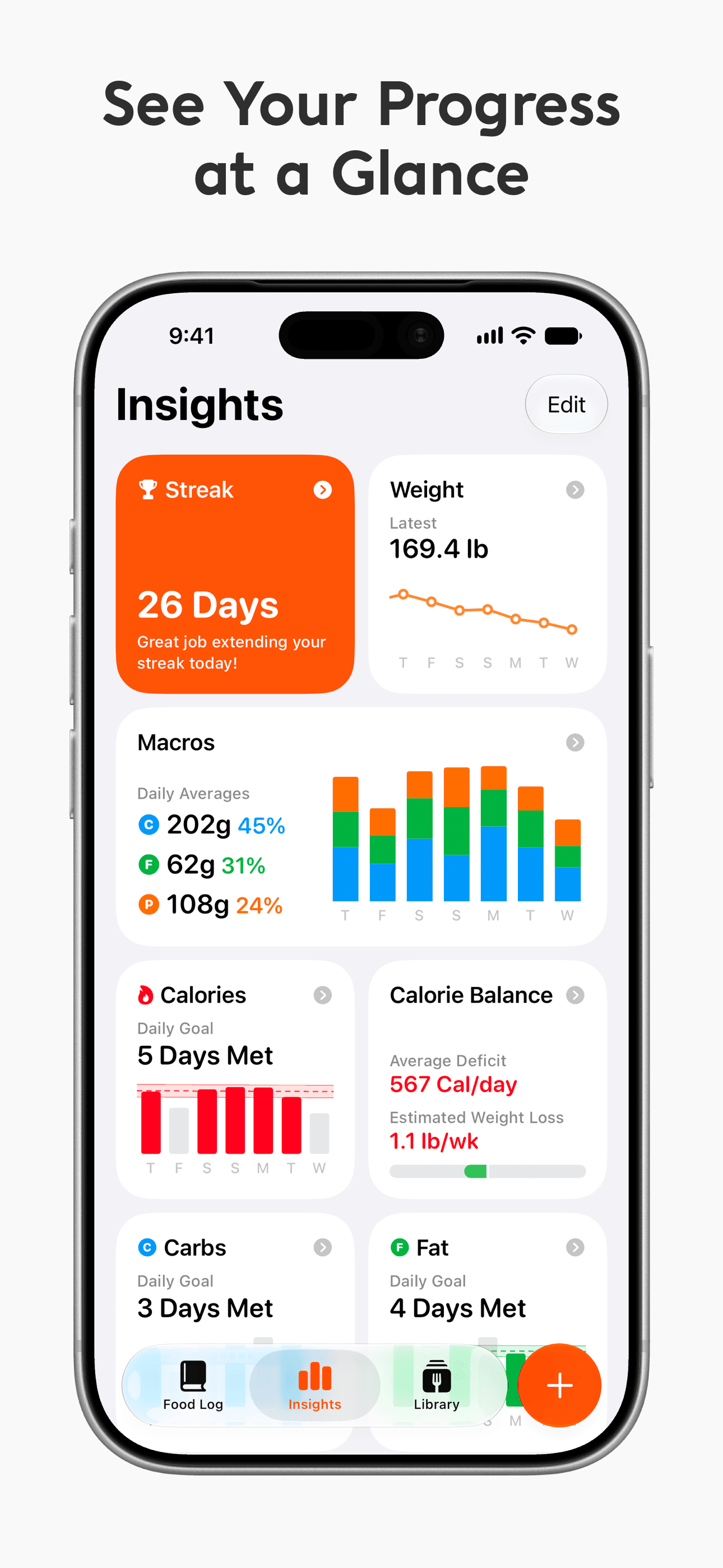
Foodnoms earns 'Best Quick Logging' through a beautiful interface that prioritizes log speed over feature breadth. The 4.74 rating across 7,000 reviews reflects satisfaction with the design-forward approach. The app supports barcode scanning, custom foods, recipes, and macro tracking with a clean iOS-native interface that feels properly designed rather than ported from web. The free tier covers basic logging; the paid tier (around $40 per year) unlocks advanced features. Foodnoms is built by an indie developer with a strong focus on iOS design conventions — the app feels right at home next to Apple's own Health and Fitness apps. Honest knocks include a smaller database than Cronometer or MyFitnessPal, limited Android support (the developer focus is iOS-first), and feature gaps for power users who want adaptive coaching or family sharing. The brand investment in design language is the differentiator — for users who care about how the app feels and looks, Foodnoms is in a different aesthetic league than the more utilitarian alternatives. Best for design-conscious iOS users who want a fast quick-log experience and value the iPhone-native feel. Use MacroFactor alongside if you also want adaptive coaching; the workflow of log-in-Foodnoms, coach-in-MacroFactor is a clean pairing.
Pros
- Beautiful iOS-native interface that prioritizes log speed and design
- Built by indie developer with strong focus on iOS design conventions
- Clean barcode scanning and recipe building
Cons
- Smaller database than Cronometer or MyFitnessPal
- Limited Android support; iOS-first development priority
- 9
 Get on App Store
#9Stupid Simple Macro TrackerBest Quick Logging
Venn Interactive, Inc.
Protein & Calorie Counter
- Rating
- 4.6
- Reviews
- 7.9K
- Price
- Free · IAP
- Last update
- Oct 6, 2026
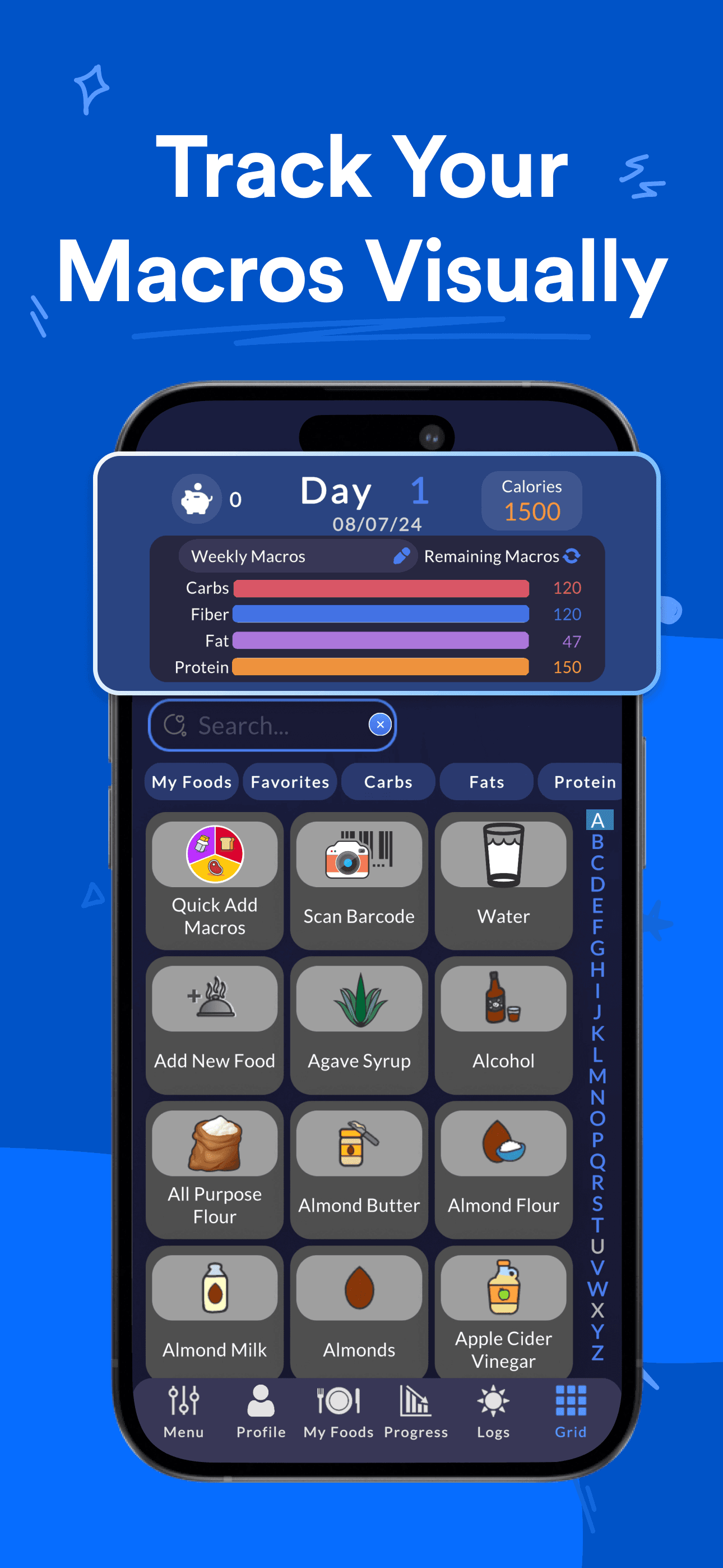
Stupid Simple Macro Tracker earns 'Best for Quick Logging' (alongside Foodnoms' similar superlative) through a deliberately minimal approach that has attracted 2.7 million users. The free tier is genuinely free with no screen-hijacking ads — the headline differentiator the developers call out directly. The workflow strips macro tracking to its essence: open app, tap to add food, get back to your day. The 4.64 rating across 7,600 reviews reflects strong satisfaction with the simplicity-first philosophy. Pricing is around $30 per year for the Plus tier, which unlocks barcode scanning, premium reports, and advanced goal customization. Honest knocks include a database that is smaller than Cronometer (the simplicity is partly because the food list is intentionally curated rather than crowd-sourced), limited recipe-building tools compared to MacrosFirst, and minimal adaptive-coaching features. The brand promise is the differentiator: if you tried MyFitnessPal and abandoned it because the app fought you with ads, upsells, and friction, Stupid Simple is the deliberate alternative. The name is honest — this app does macro tracking in the dumbest, most direct way possible, and that is exactly what most users actually need. Best for users who want awareness-level tracking without the apparatus of full nutritional coaching, and for anyone burned out by the increasingly aggressive monetization of legacy macro apps.
Pros
- Genuinely free tier with no screen-hijacking ads, unlike legacy macro apps
- Stripped-down workflow for users tired of feature bloat
- 2.7M users reflects strong product-market fit with simplicity-seekers
Cons
- Database is smaller and intentionally curated rather than crowd-sourced
- Minimal adaptive-coaching features for users with multi-month goals
- 10
 Get on App Store
#10Virtuafood: AI Calorie TrackerBest with Barcode Scanner
Virtuagym B.V.
Calorie counter and food meter
- Rating
- 4.7
- Reviews
- 6.1K
- Price
- Free
- Last update
- Oct 15, 2026
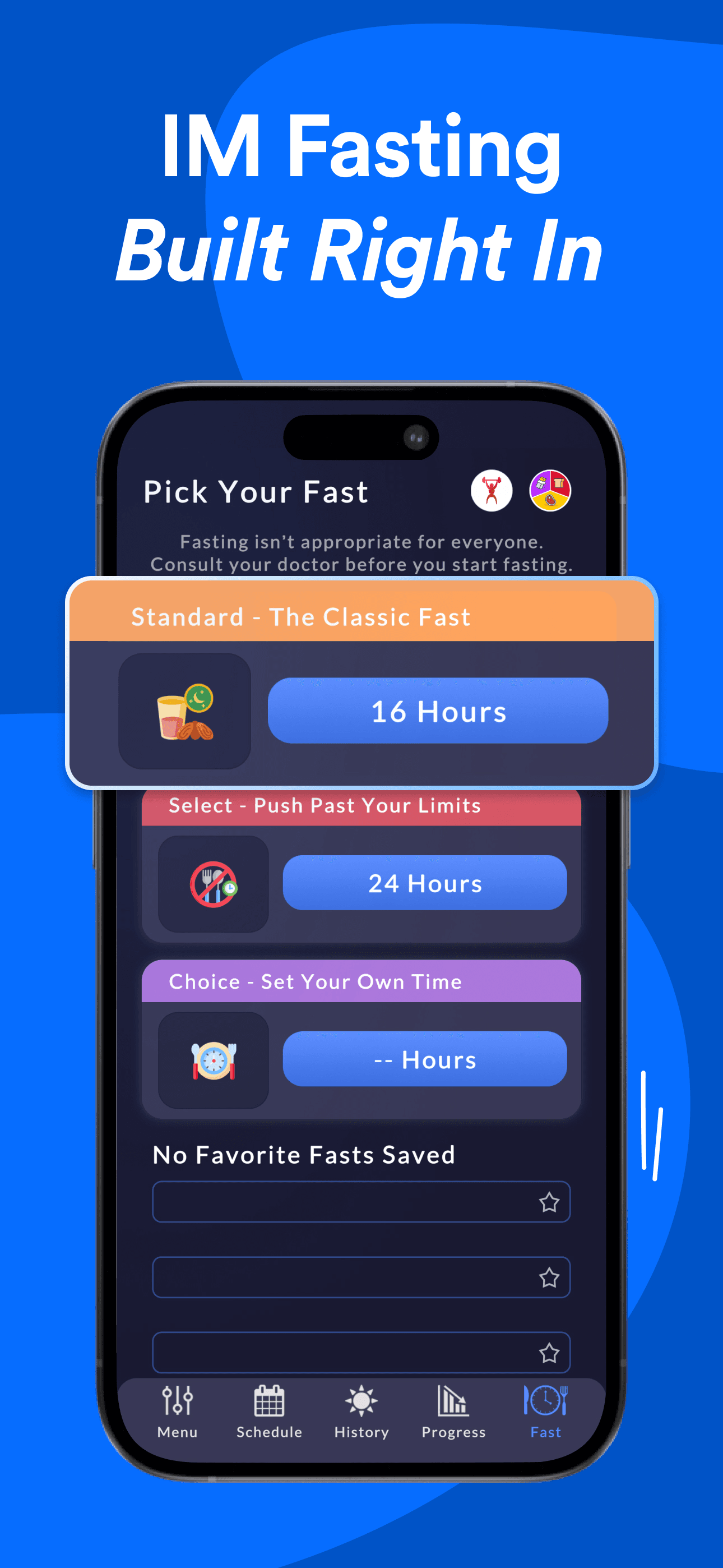
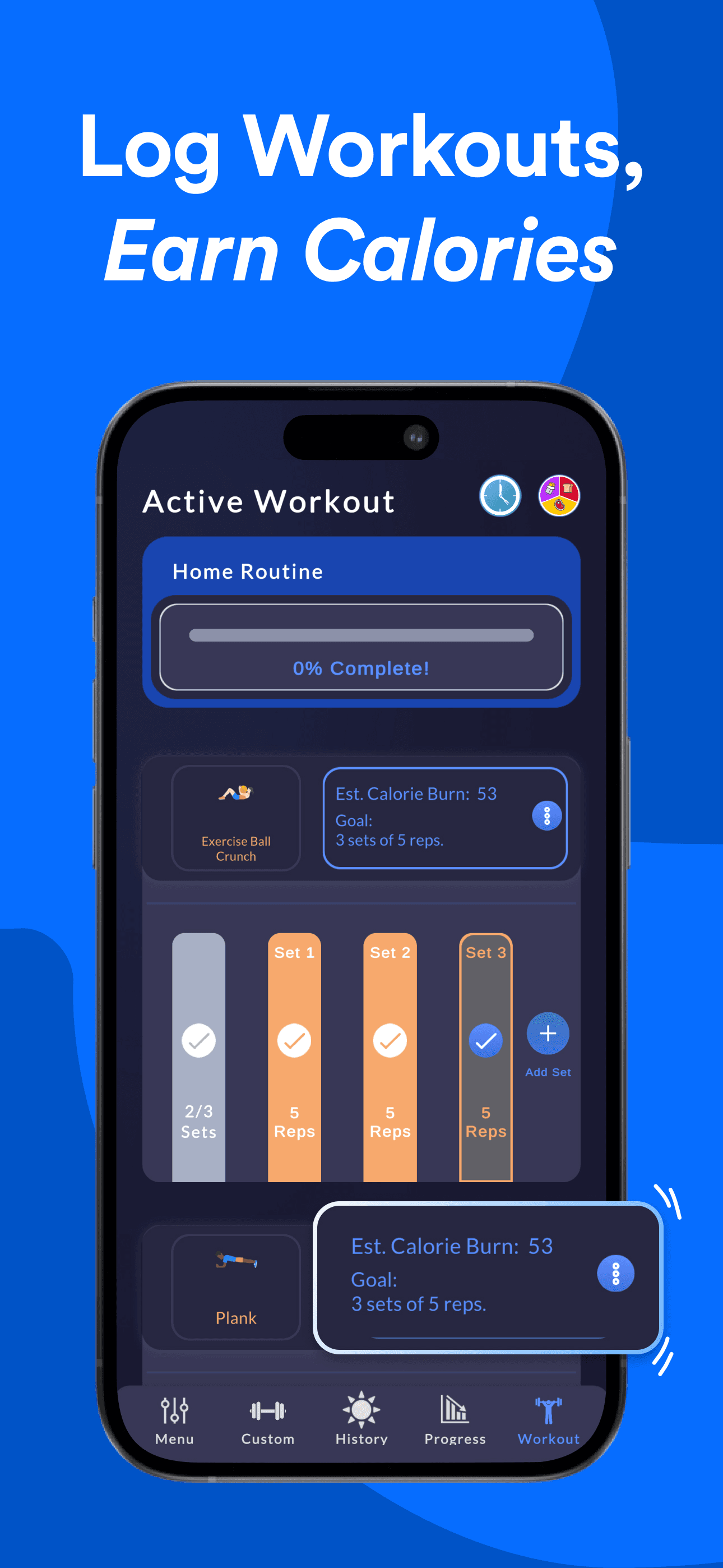
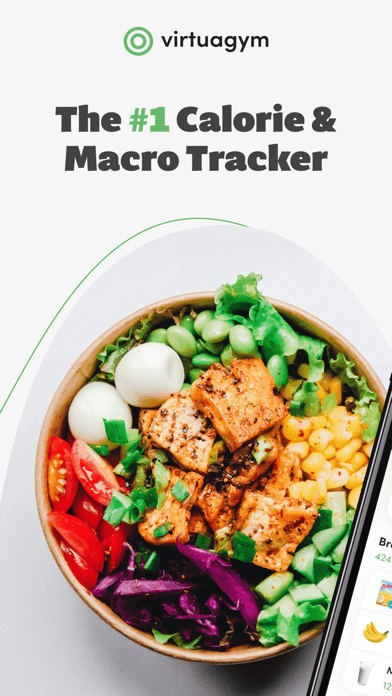
Virtuagym Food earns 'Best with Barcode Scanner' through European-focused database depth and free access to most features. The app is part of the broader Virtuagym fitness ecosystem (also Virtuagym Fitness for workouts), which gives users a path to a full nutrition-plus-training stack from one developer. The 4.74 rating across 6,000 reviews reflects satisfaction in a category where free European-focused options are limited. The free tier covers basic logging, barcode scanning, and personalized nutrition plans based on lifestyle questionnaires. Premium tiers unlock advanced analytics and integration with the Virtuagym training apps. Honest knocks include database coverage that is stronger for European brands than US brands (a structural issue for any non-US-headquartered nutrition app), an interface that feels engineered for the gym-customer audience (Virtuagym's primary business is software for gyms) rather than direct-to-consumer fitness enthusiasts, and feature gaps around adaptive coaching that MacroFactor and Fitia handle better. The barcode scanner works cleanly for packaged European foods; US users may need to add items manually for less common brands. Best for European users, gym customers using Virtuagym facility software, and anyone who wants a free macro tracker without aggressive monetization. Use Cronometer alongside if micronutrient depth matters.
Pros
- Strong European-brand database coverage where US apps are thinner
- Free tier includes personalized nutrition plans based on lifestyle questionnaire
- Path to full nutrition-plus-training stack via Virtuagym Fitness app
Cons
- Database coverage weaker for US brands than for European brands
- Interface feels engineered for gym customers rather than direct-to-consumer
How we picked
## What we scored
We ranked apps on five dimensions: food-database depth and accuracy, barcode-scanner reliability, adaptive-target quality, value of the free tier, and how each handles the quick-log workflow that most users actually need. App Store ratings and review patterns set the floor for inclusion in this list.
## Database depth
The biggest single differentiator in macro tracking is whether the database has accurate entries for the foods you actually eat. Cronometer leads on verified nutrient data, with USDA-sourced entries that include genuine micronutrient breakdowns. MyFitnessPal-style crowd-sourced databases are larger but less accurate. We checked for restaurant chains, branded packaged foods, and produce — three categories where database quality varies wildly.
## Adaptive targets
Fixed macro targets are a starting point. Apps that adjust your targets based on actual weight-trend data (MacroFactor leads this, Fitia and MacrosFirst do versions) earn credit because real bodies do not follow textbook math. Plateau-breaking adjustments matter more than perfect database entries for users with multi-month goals.
## Barcode scanning
For packaged-food shoppers, barcode scanning speed and accuracy is the single biggest daily quality-of-life feature. We checked how each app handles US, European, and recently-released SKUs.
## What we did not test
We did not certify accuracy against laboratory food analysis — that requires controlled testing. We did not evaluate clinical use for medical nutrition therapy. Anyone managing diabetes, kidney disease, or another condition that affects macro balance should work with a registered dietitian rather than relying solely on app-based tracking.
## Refresh
Reviewed every six months. New-year and post-holiday seasons drive most macro-tracking ranking movement, with bodybuilding-prep cycles (April-June and October-December) creating secondary peaks.