



Best Calculator Apps for iPhone
By App Store Tracker Editorial · Updated — live App Store data verified
The short version
The best calculator app for iPhone in 2026 is Hours Tracker — free time and pay calculation with a 4.69-star average from 74,895 U.S. ratings, the largest sample on this list. Grades by Plutonium Apps leads on student grade and GPA math at 4.89 stars. NCalc Scientific Calculator Plus 991 wins for scientific natural display and matches Casio keyboard layouts. Graphing Calculator Plus AI is the strongest TI-84-style graphing pick with built-in math GPT. CNC Machinist Calculator Pro is the specialist's specialist for shop-floor machinist math.
Jump to a pick↓
Picking a calculator app for iPhone in 2026 means matching the tool to the math you actually do — clocking hours and pay for a shift job, projecting a grade from a midterm score, solving a calculus integral on a Casio-style natural display, plotting a Cartesian function the way a TI-84 would, measuring trading card centering for grading, or computing CNC feed rates on the shop floor. Among the nine picks on this list, two lean lifestyle-utility-first (Hours Tracker, Grades), two are deep scientific and graphing (NCalc, Graphing Calculator Plus AI), one is a cute themed standard calculator (Color Calculator), one focuses on history-tape transparency (Calculator with History Tape), one is a programmer's binary and hex tool, and two serve highly specialized niches (card centering, CNC machining). Accuracy on long expressions, history visibility, free-tier usefulness, and how each app handles a real homework or work session shaped every cut.
- 1Get on App Store
#1Hours Tracker: Time CalculatorBest Overall
Appostrophe AB
Work Log & Hour Tracking Clock
- Rating
- 4.7
- Reviews
- 79.2K
- Price
- Free
- 90-day trend
- —
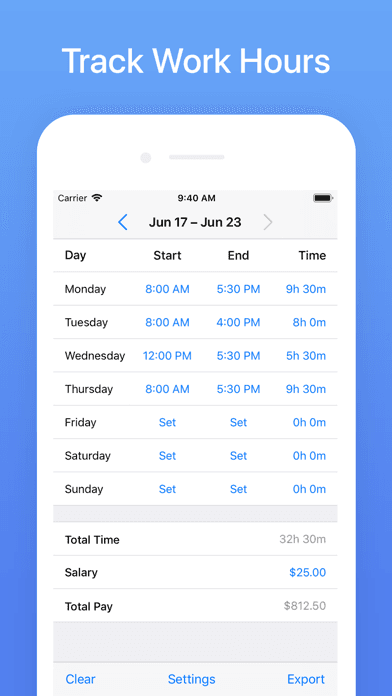
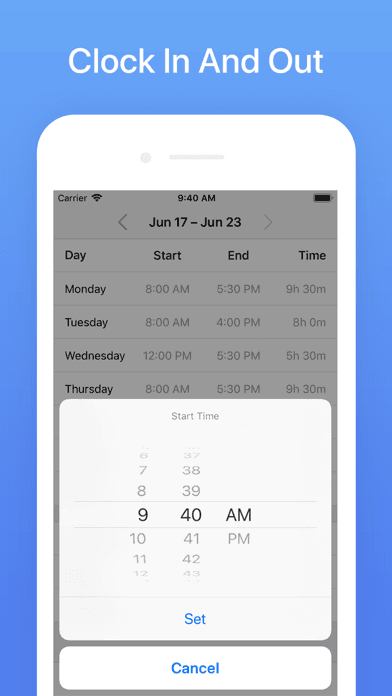
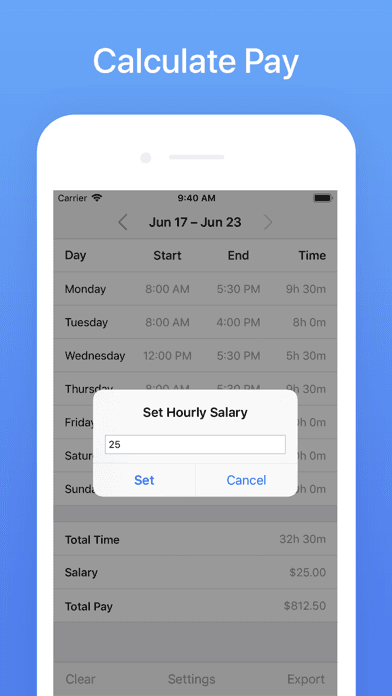
Hours Tracker is the best calculator app for iPhone users who clock shift hours and want a free, fast tool that calculates total weekly time and pay. The 4.69 average across 74,895 U.S. ratings is the largest sample on this list and reflects a hospitality, retail, and freelance audience that opens the app at the start and end of every shift. Core features include flexible start and end times for each daily entry, automatic break deduction, weekly and historical totals, an hourly salary input that converts time into projected pay in your local currency, Excel and CSV exports of the time sheet, and log reminders for clock-in and clock-out moments. Hours Tracker differs from generic scientific calculators by leading time-and-pay-first rather than math-first, and from full timesheet platforms by staying on a single device with no team workflow. A real scenario: you work an irregular restaurant schedule — Hours Tracker records every shift, computes the weekly total against your hourly rate, and exports the sheet for tax season. The tradeoff is the in-app purchases for advanced features and the lack of team or manager workflows. Best for individual shift workers, freelancers, and side hustlers tracking billable hours.
Pros
- Free time and pay calculation with weekly totals and history
- Excel and CSV export simplifies invoicing and tax preparation
- Log reminders for clock-in and clock-out prevent forgotten entries
Cons
- Advanced features sit behind in-app purchase tier on the free plan
- Single-user only with no team or manager workflows for shift teams
- Rating
- 4.9
- Reviews
- 12.6K
- Price
- Free
- 90-day trend
- —
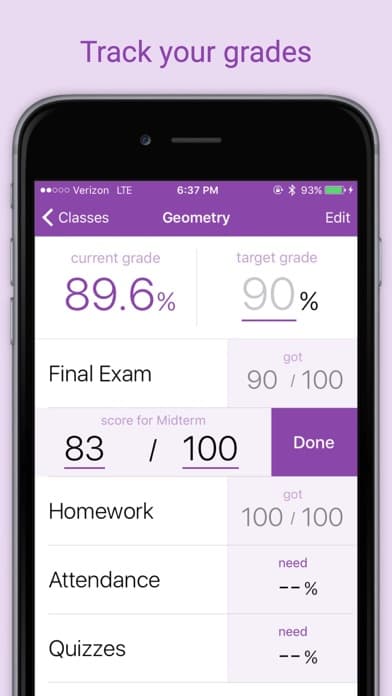
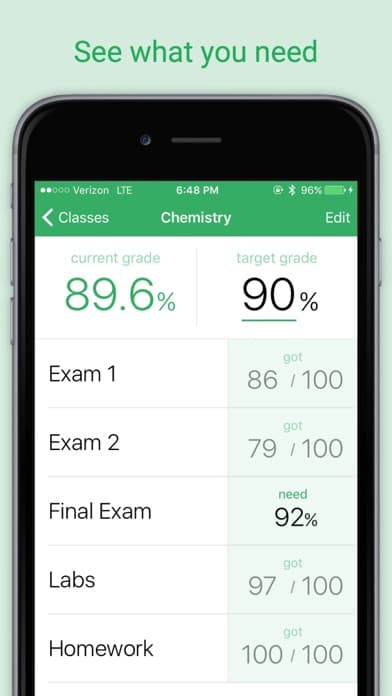
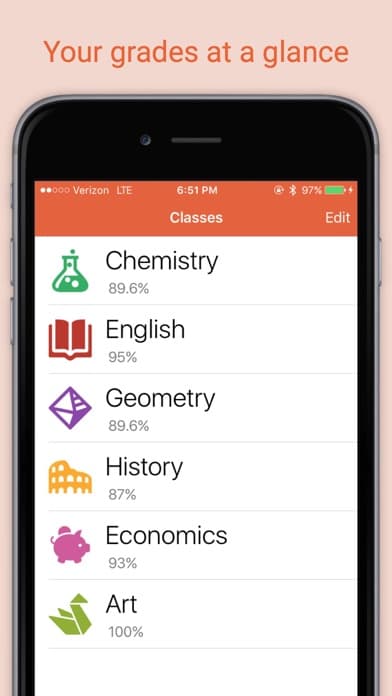
Grades by Plutonium Apps is the best calculator app for iPhone users who want to project test grades and term GPA against a target. The 4.89 average across 12,474 U.S. ratings is the highest combined score on this list and reflects a student audience built up since 2016 by Seth Radman, a Georgia Tech alum who answers support requests personally. Core features include a grade calculator that shows what score you need on the next test to hit a target, a GPA calculator that supports every common scale, custom icons and colors per class, grouped assignments and extra credit handling, weighted or points grading, light and dark modes, and same-day customer support response. Grades differs from generic calculators by leading grade-projection-first, and from spreadsheet templates by handling the GPA math automatically. A real scenario: you have a 91 average in physics with two assignments left at 20 percent and 10 percent weight — Grades tells you that an 84 and a 78 on those final two pieces still nets you the A. The tradeoff is the paid in-app purchases for premium features and the single-user model (no parent or teacher dashboard).
Pros
- Target-grade math shows exactly what you need on the next test
- Supports every common GPA scale plus weighted and points grading
- Fast same-day customer support from a Georgia Tech alum developer
Cons
- Paid in-app purchases unlock the full premium experience
- No parent or teacher dashboard for shared family use cases
- 3Get on App Store
#3Color Calculator-smart&cuteBest Free
Wuhan Ananta Technology Co., Ltd.
Cute calculator app with theme
- Rating
- 4.7
- Reviews
- 15.5K
- Price
- Paid
- 90-day trend
- —
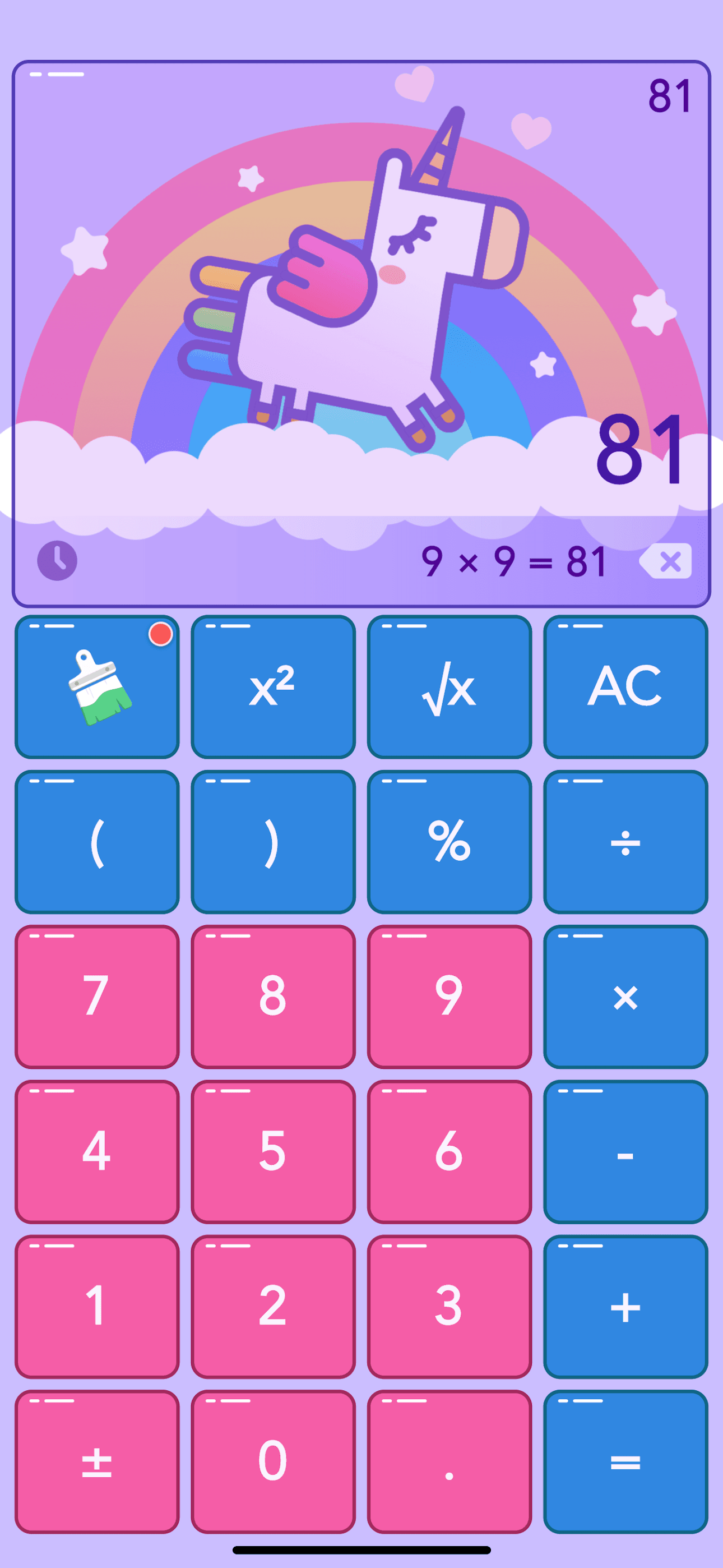
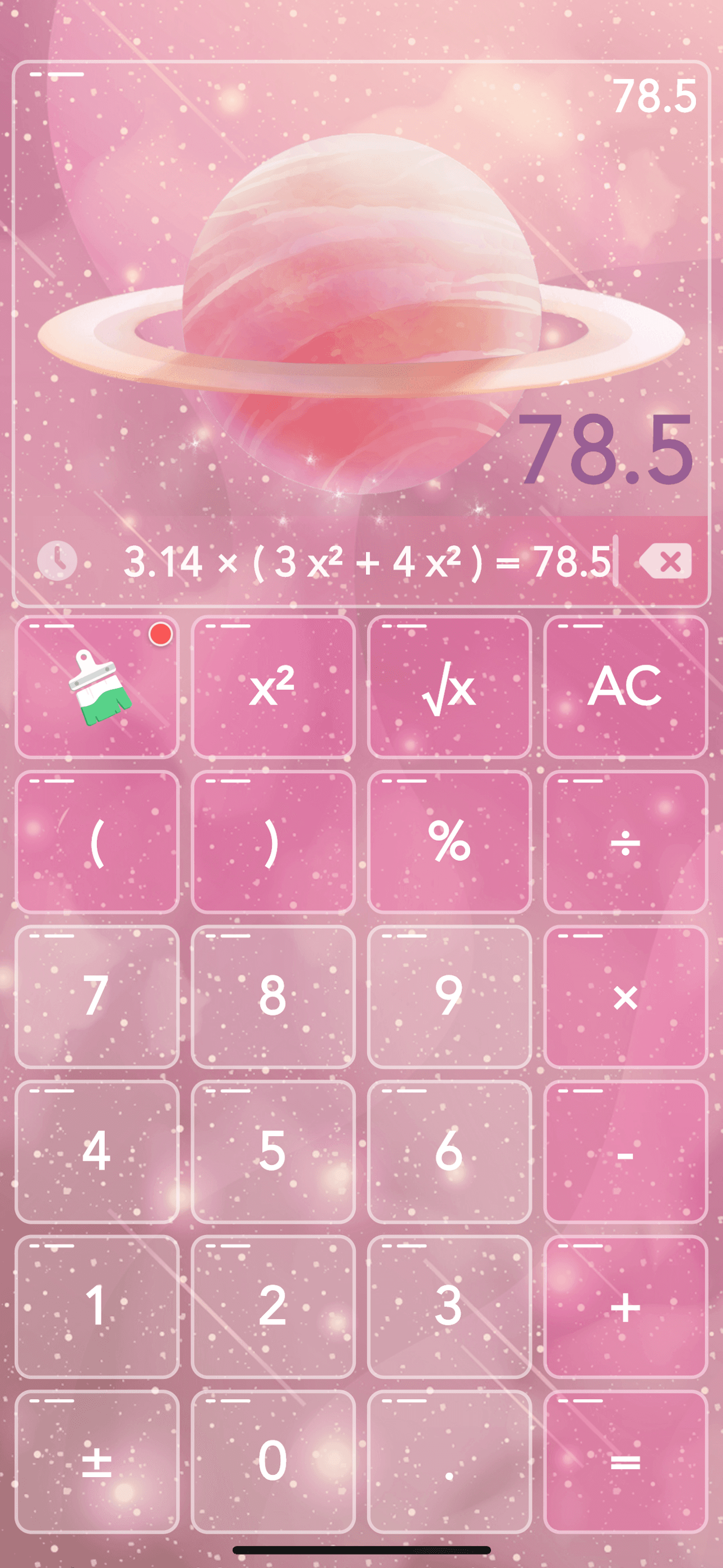
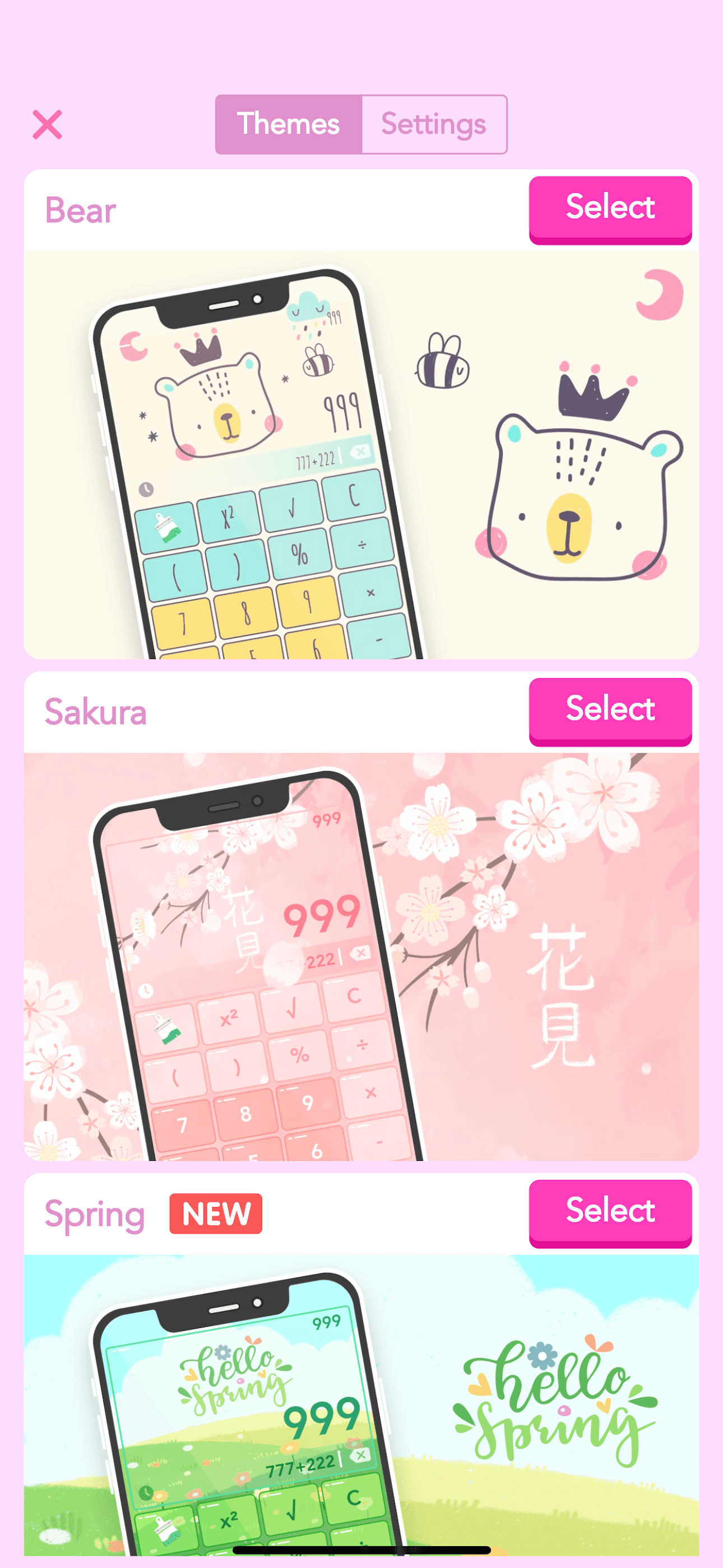
Color Calculator is the best calculator app for iPhone users who want a beautifully themed standard calculator with built-in scientific functions. The 4.67 average across 15,147 U.S. ratings reflects a student and creative audience that picked Color Calculator for its 60-plus cute and colorful themes — Unicorn, Galaxy, Bear, Aurora, Sakura — plus exclusive dynamic skins like Meteor, Moon, Rocket, Trick or Treat, and Snowman. Core features include scientific and standard calculator modes, real-time results as you type, calculation history with copy and reuse, fast cold start, iPad and split-screen support, percent and root math, dark mode, and customizable sound and vibration on every key. Color Calculator differs from Apple Calculator by leading themed-and-customizable-first rather than minimalist-first, and from NCalc by being a standard-plus-scientific calculator rather than a full engineering tool. A real scenario: you want a calculator that feels like yours on the home screen — Color Calculator's themes make the app a personal touch. The tradeoff is the premium subscription required for dynamic skins, the ad-supported free tier, and the absence of advanced features like calculus or matrices.
Pros
- 60-plus cute themes including dynamic skins make calculation pleasant
- Standard and scientific modes plus real-time results as you type
- Calculation history with copy and reuse alongside dark mode support
Cons
- Premium subscription required to unlock the dynamic VIP-only skins
- Free tier ad placement interrupts longer expression work
- 4
 Get on App Store
#4Scientific Calculator Plus 991Best Scientific
Tran Duy
NCalc & CalcES Calculator 115
- Rating
- 4.7
- Reviews
- 12.2K
- Price
- Paid
- 90-day trend
- —
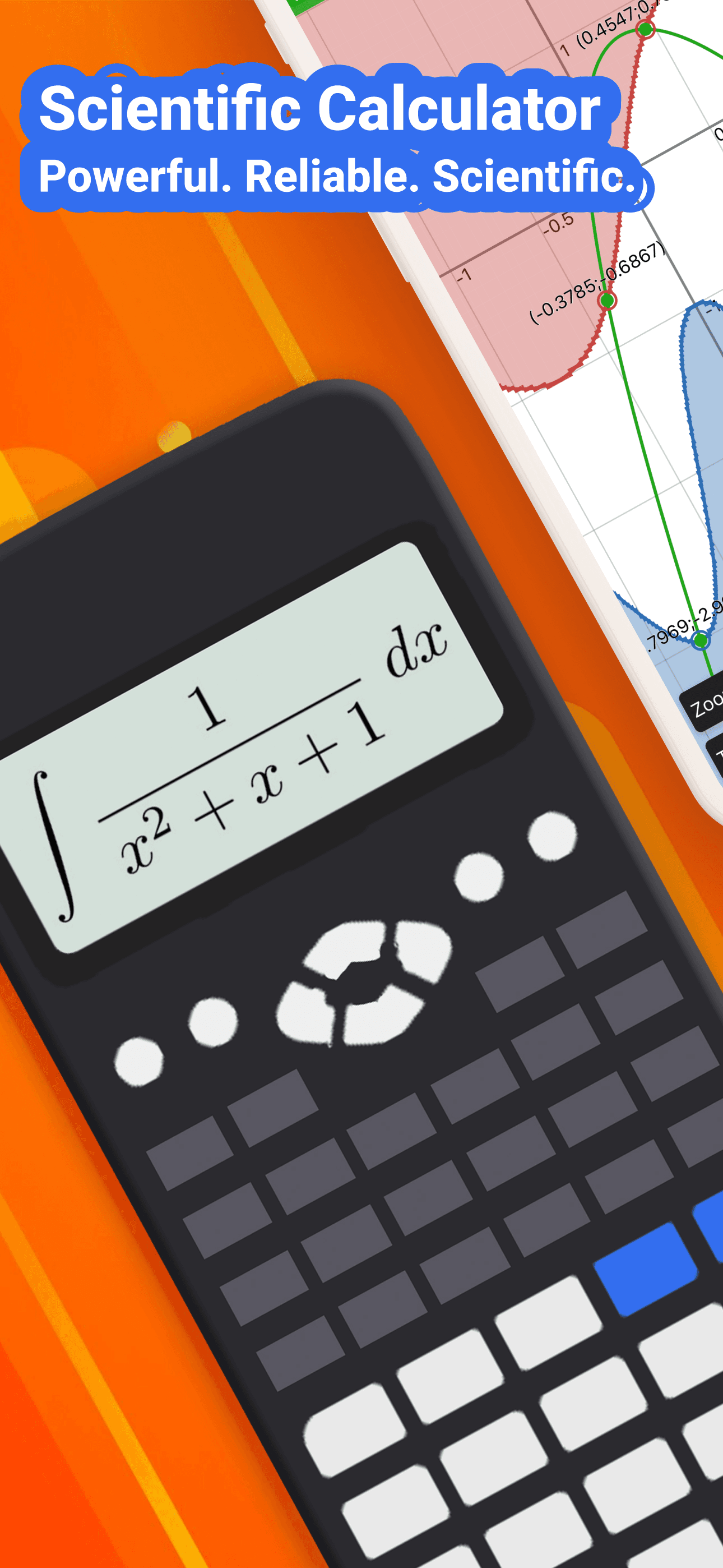
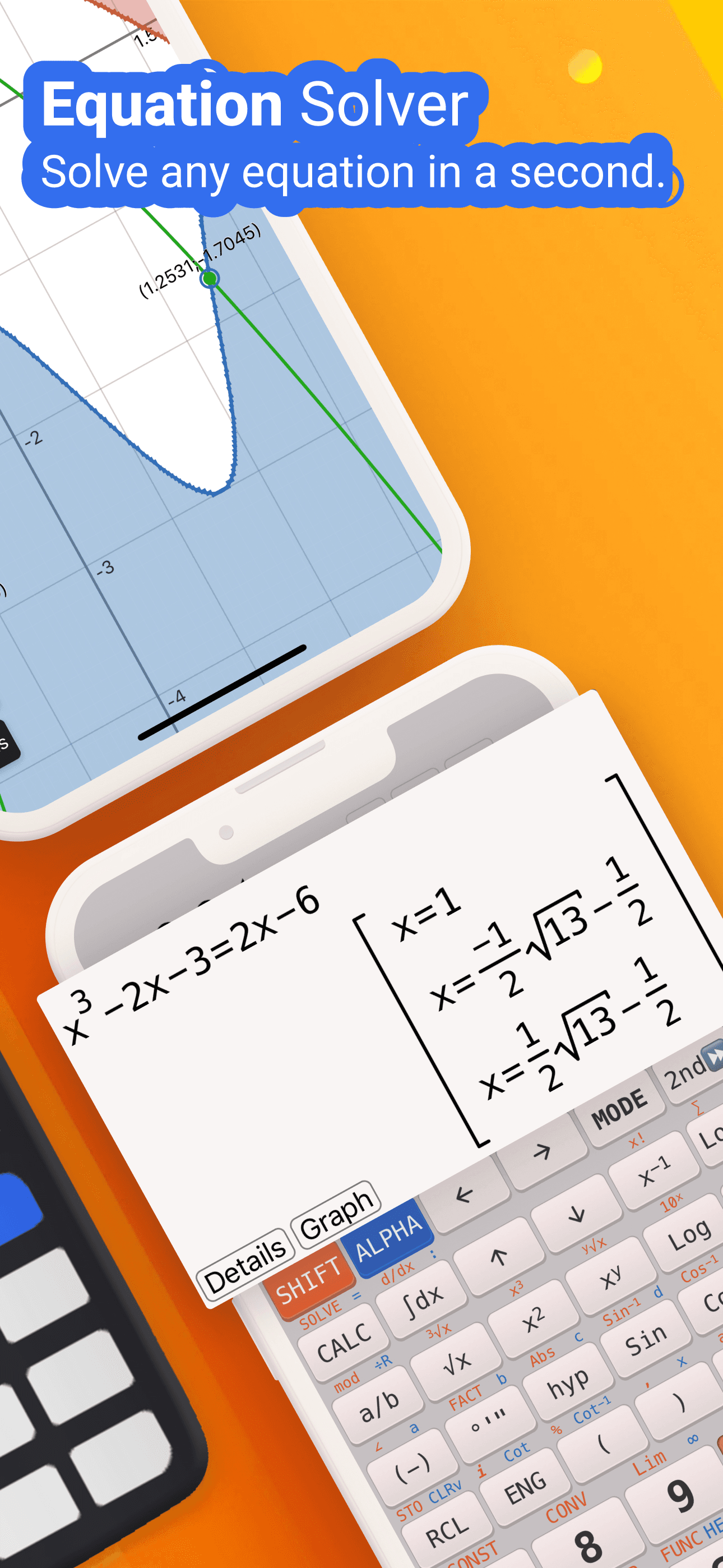
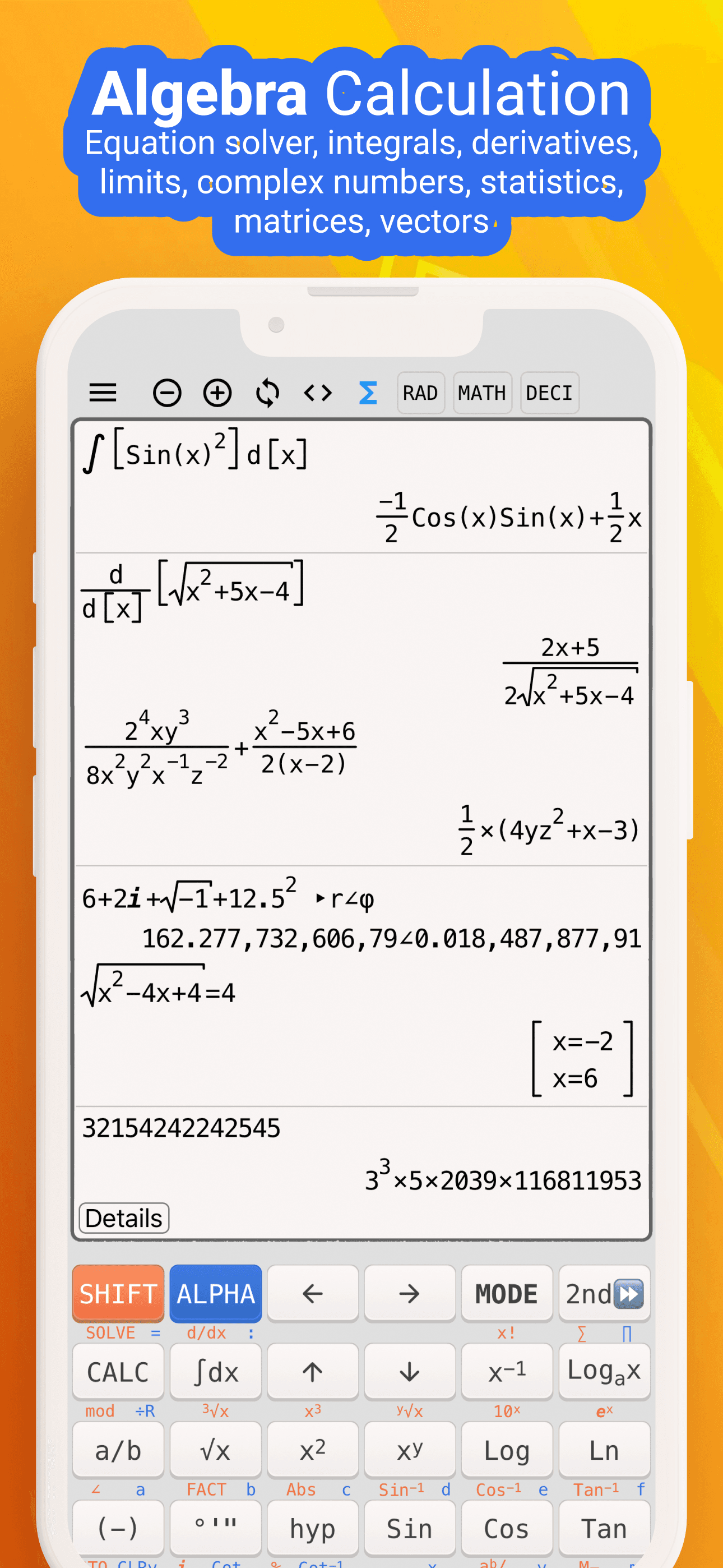
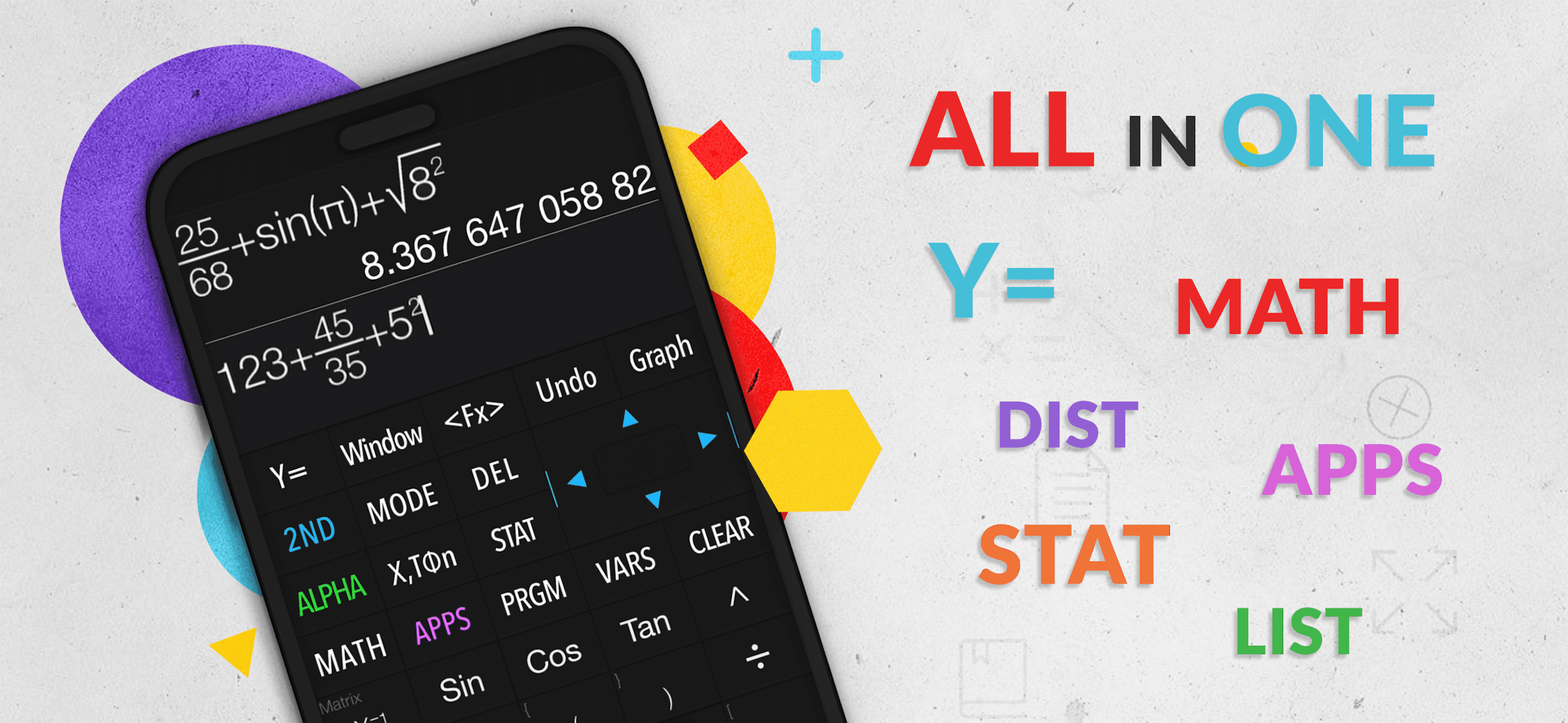
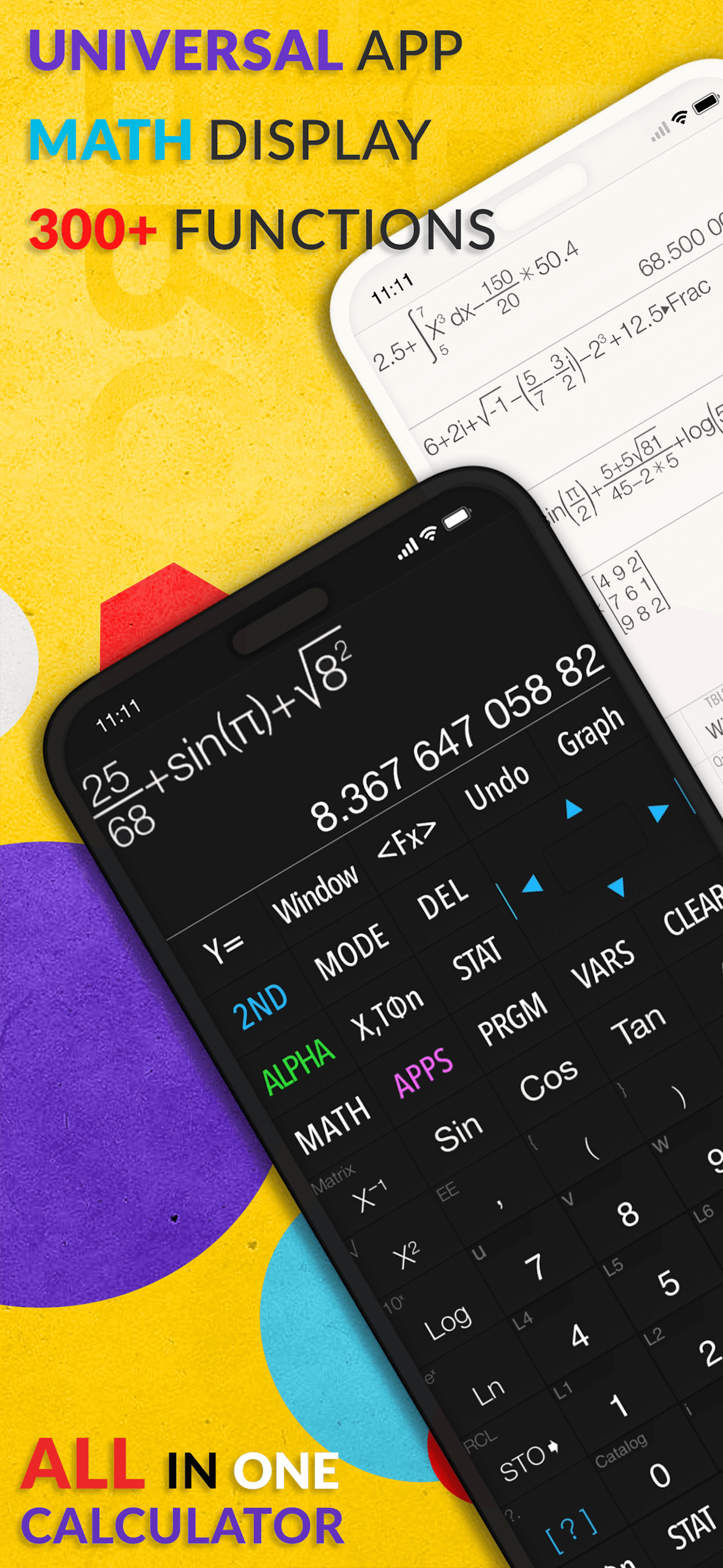
NCalc Scientific Calculator Plus 991 is the best calculator app for iPhone users who want a natural-display scientific calculator that mirrors a Casio fx-991 layout. The 4.68 average across 11,939 U.S. ratings reflects a STEM student and engineering audience that values keyboard parity with the hardware calculator most schools already issue. Core features include natural display for fractions, roots, and exponents, keyboard layouts that match 115 ES Plus, 991 ES Plus, 300 ES Plus, and 991 EX, symbolic and numeric modes, arbitrary-precision integers, calculus (derivatives, integrals, limits), complex numbers, equation and inequality solvers, matrices, vectors, statistics with regression, multiple probability distributions, Base-N mode for binary through hexadecimal, a table generator, user-defined functions, an extensive math and physics formula collection, a unit converter with 1,000-plus units, currency conversion, and a graphing module that emulates the TI-83 and TI-84. NCalc differs from Apple Calculator by being a full scientific-and-graphing tool, and from Graphing Calculator Plus AI by mirroring Casio keyboards rather than TI keyboards. A real scenario: you walk into an engineering exam reviewing fluids and need to compute a complex-number reactance — NCalc handles it the way your Casio 991 ES would.
Pros
- Natural display matches Casio 991 ES Plus keyboard layout exactly
- Calculus, matrices, statistics, distributions, and graphing in one app
- Symbolic and numeric modes plus arbitrary-precision integer support
Cons
- Power-user features live behind the auto-renewing subscription tier
- Graphing module trails dedicated TI-84 emulators on advanced plots
- 5
 Get on App Store
#5Graphing Calculator Plus AIBest Graphing
Incpt.Mobis
Scientific Graphing Calculator
- Rating
- 4.6
- Reviews
- 12K
- Price
- Paid
- 90-day trend
- —
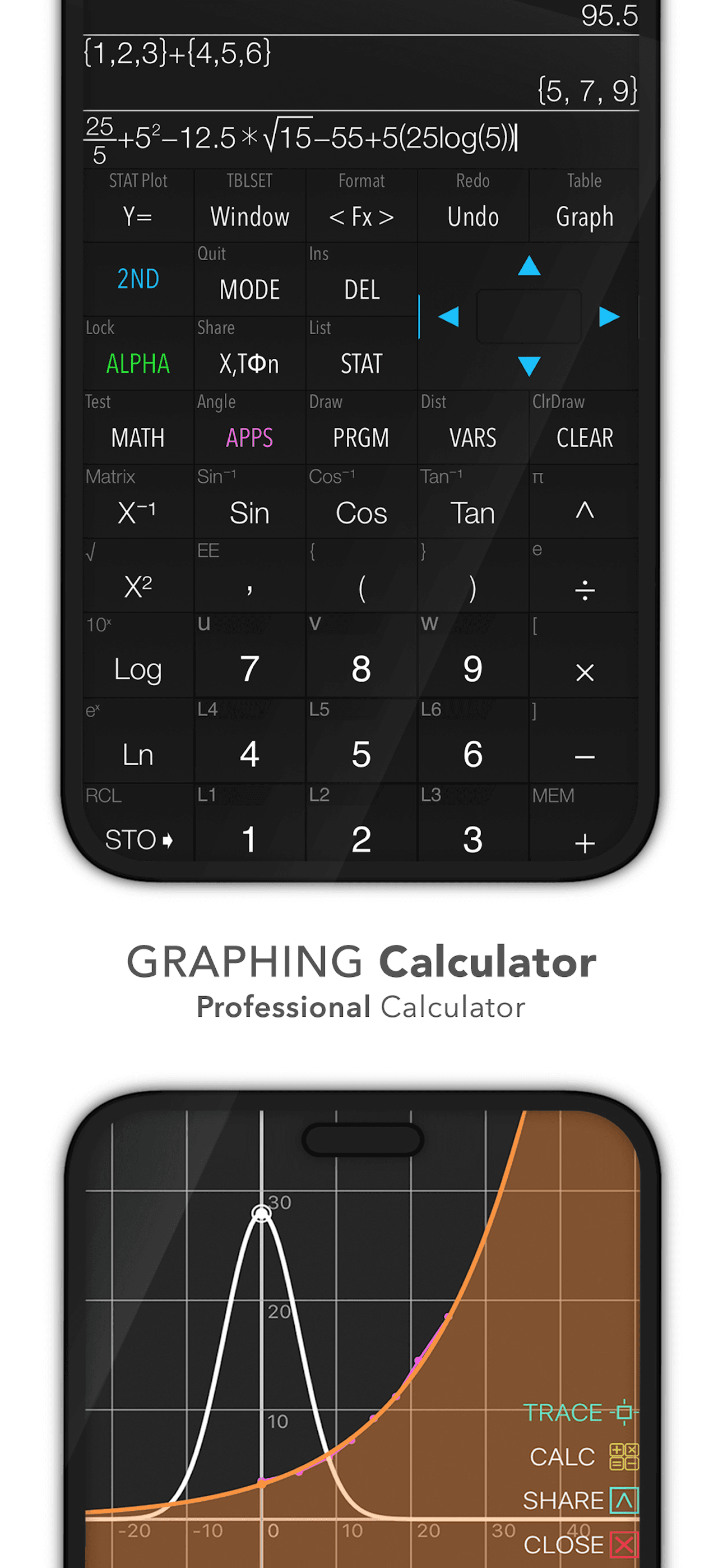
Graphing Calculator Plus AI is the best calculator app for iPhone users who want a TI-84-style graphing experience plus a Math GPT layer for natural-language math questions. The 4.63 average across 11,958 U.S. ratings reflects a STEM audience that wants on-iPhone graphing without buying a separate handheld. Core features include mathematical display with complex numbers, equation solvers, edit and export of expressions and results, history tape, Y-Var and customizable functions, a unit converter with 50 categories and 1,000-plus units, 2D graphing with simultaneous plots and smooth zoom, parametric and polar support, intersections and special-point tracing, statistics and regression including box plots, full matrix operations, programming mode with control commands, Base-N math up to 64 bits with bitwise operations, financial calculation via TVM solver, and an integrated Math GPT that lets you chat about scientific topics or solve problems in natural language. Graphing Calculator Plus AI differs from NCalc by leading TI-and-AI-first rather than Casio-natural-display-first. A real scenario: you need to plot a Cartesian function, find its inflection point, and ask the AI for an integration approach — all in one app. The tradeoff is the paid upgrade tier for Math GPT and graphing depth.
Pros
- TI-84-style graphing including parametric, polar, and 2D simultaneous plots
- Math GPT layer answers natural-language math questions on the fly
- Programming mode with control commands and 15 number bases supported
Cons
- Math GPT and graphing depth sit behind paid upgrade tiers
- Interface complexity feels heavy for users who only need basic math
- Rating
- 4.7
- Reviews
- 3.2K
- Price
- Paid
- 90-day trend
- —
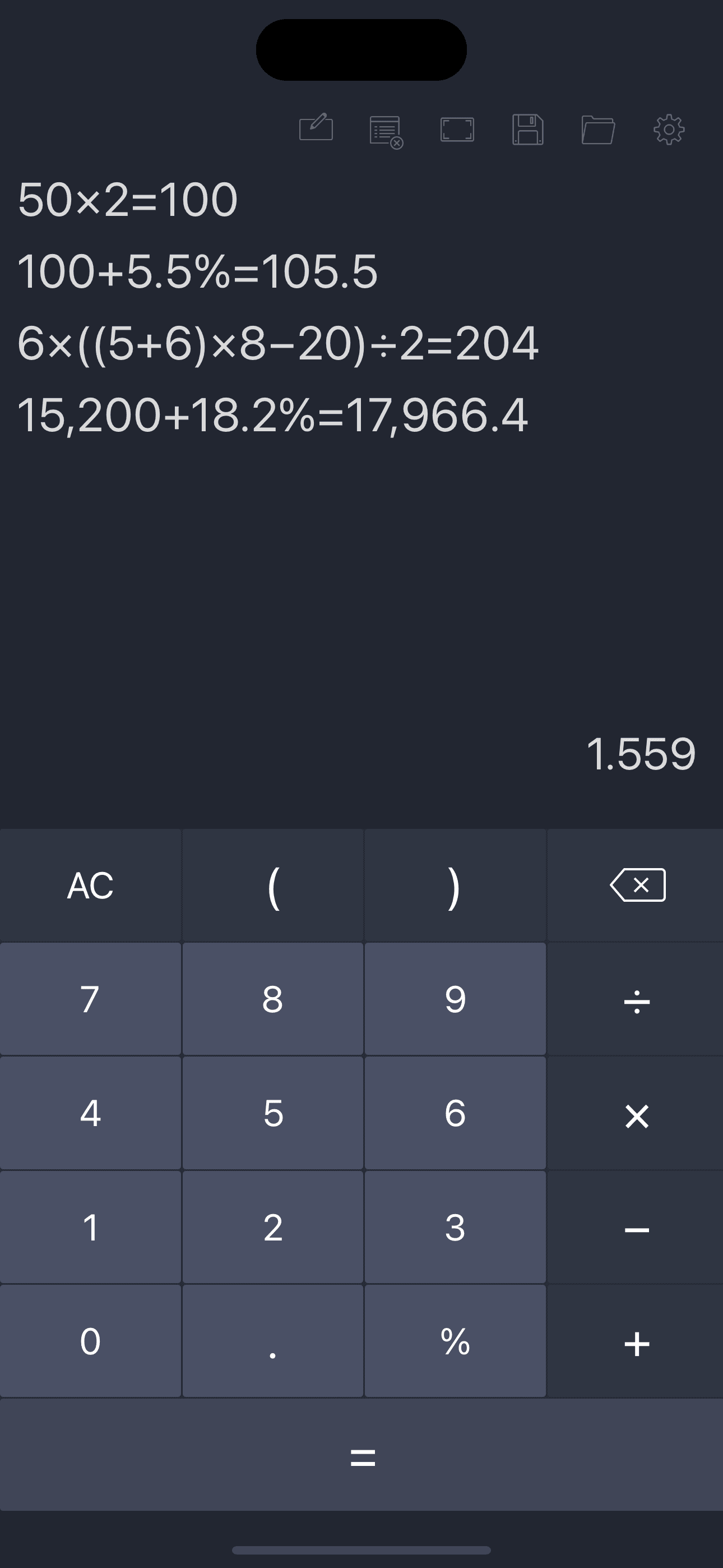
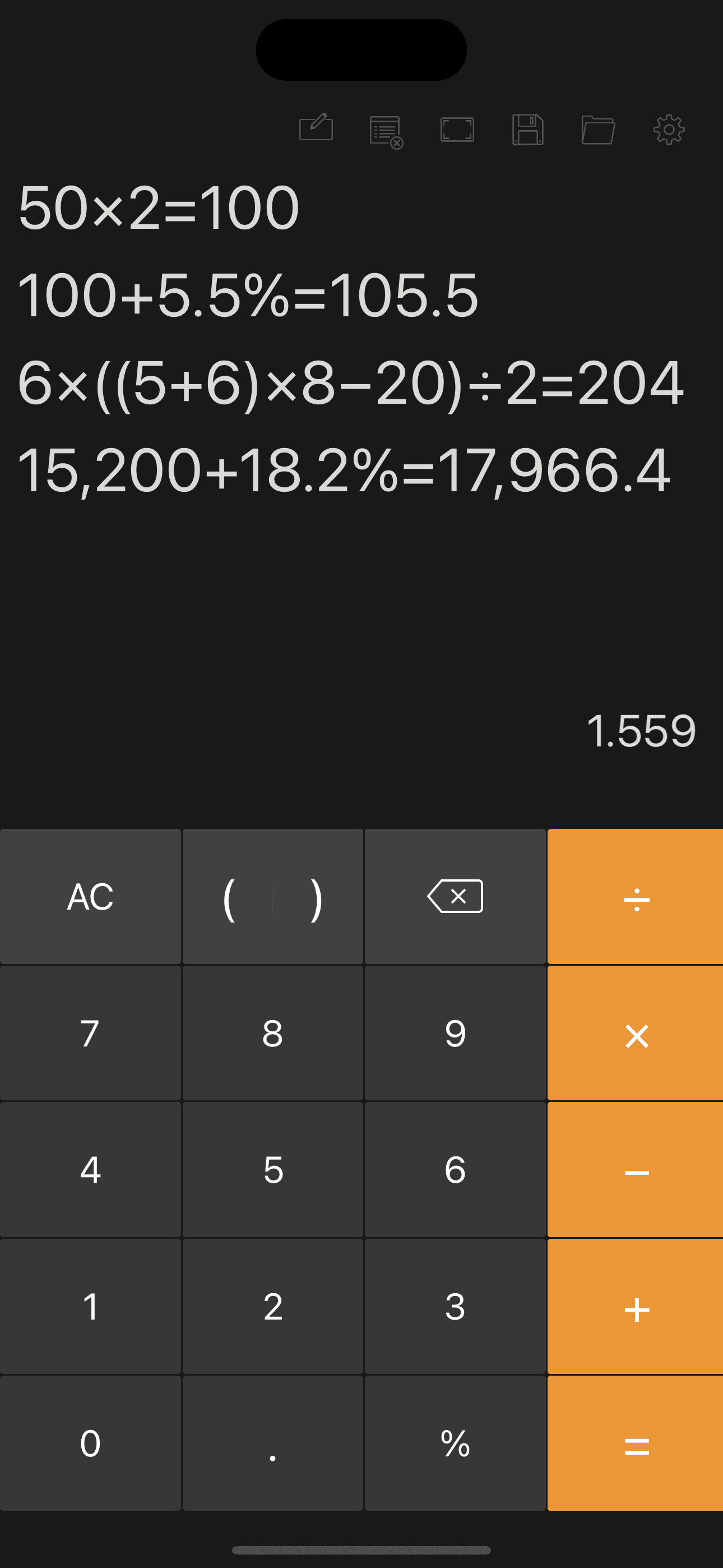
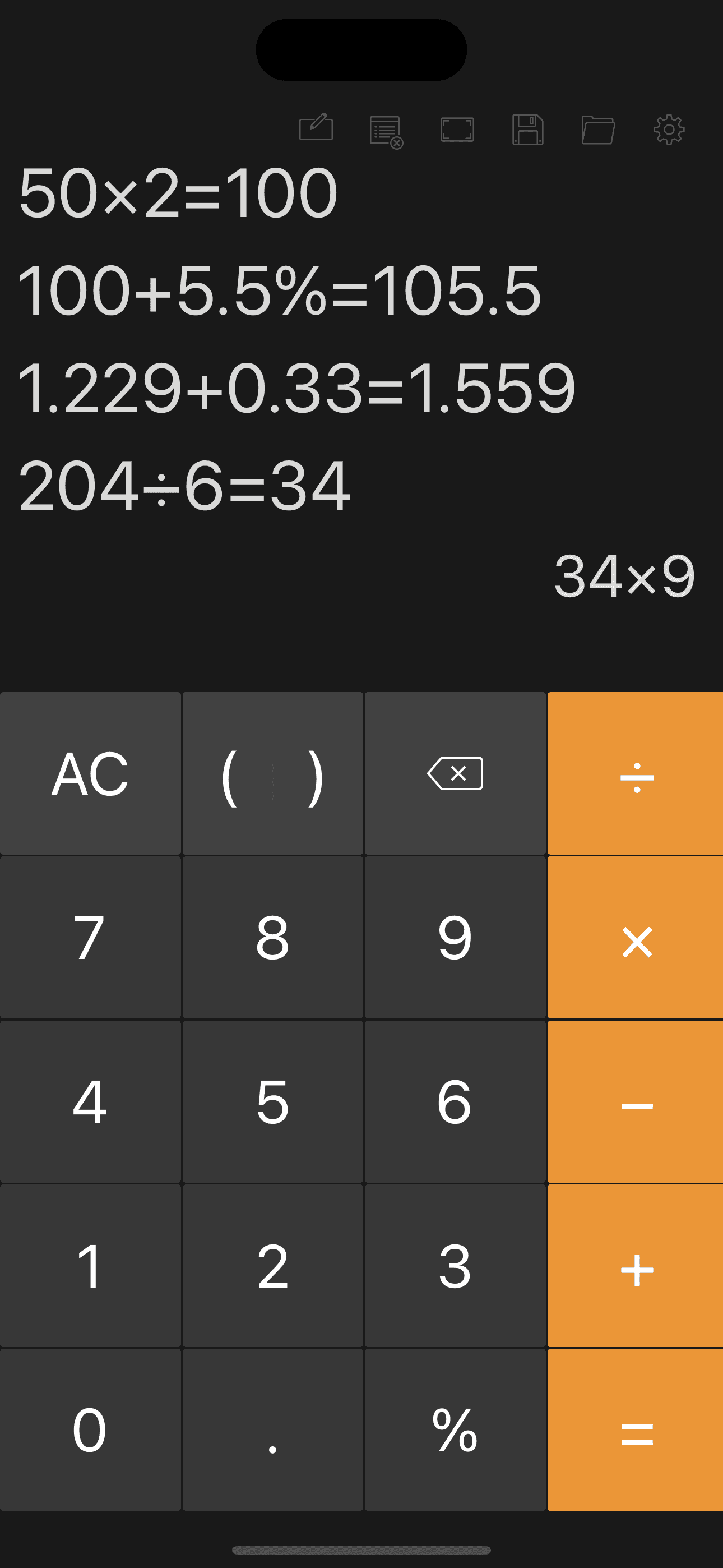
Calculator with History Tape is the best calculator app for iPhone users who want an ad-free standard calculator with a clean, scrollable tape view. The 4.69 average across 3,172 U.S. ratings reflects an audience that picked the app specifically for the tape and the No Ads promise. Core features include a backspace button, full calculation-history record, on-screen display of the current input equation, adjustable keyboard size and number font, adjustable decimal places, adjustable history font size and display format, thousand separator, annotations and titles on equations in history, creation date display, and one-tap copy of results. Calculator with History Tape differs from Apple Calculator by leading history-tape-first rather than minimalist-first, and from Color Calculator by being ad-free rather than themed. A real scenario: you are reconciling a stack of receipts — every total appears on the tape with a date stamp and an optional title, and you copy a single result with one tap. The tradeoff is the paid in-app purchase tier for the full ad-free and customization experience and the lack of scientific functions. Best for users who want a calculator that doubles as a quiet running ledger.
Pros
- Scrollable history tape with adjustable font, annotations, and titles
- Ad-free experience available with adjustable keyboard sizing
- Thousand separator and adjustable decimal places aid bookkeeping work
Cons
- Standard calculator only, no scientific or graphing functions onboard
- Premium customization gated behind in-app purchase tier on free plan
- 7
 Get on App Store
#7Card Centering CalculatorBest Notes Calculator
Jade Lizard Software LLC
TCG & Sports Card Grading Tool
- Rating
- 4.7
- Reviews
- 2.2K
- Price
- Free
- 90-day trend
- —
Card Centering Calculator is the best calculator app for iPhone users in the trading-card grading hobby — Pokemon, One Piece, Lorcana, Magic: The Gathering, Yu-Gi-Oh, baseball, basketball, football, and any card you send to PSA, BGS, CGC, SGC, TAG, or ACE. The 4.72 average across 1,927 U.S. ratings reflects a focused hobby audience that values centering math more than any other technical metric. Core features include an AI scanner with auto centering detection, precise manual ratio measurements with zoom, instant grade comparisons across all six major grading companies, front-and-back grading because standards differ per side, an in-app handbook with each company's official centering tolerances, advanced customization, an off-center visualization guide that previews ratios from 55/45 to 75/25 before you scan, and compatibility with every TCG and sports card format. Card Centering Calculator differs from every other entry on this list by being a calculator built for one specific number that determines hundreds of dollars in card value. A real scenario: you pull a chase Pokemon card — scan once and Card Centering Calculator tells you whether it grades a 10 at PSA or only a 9 at BGS.
Pros
- AI auto-detects centering ratios from a single card scan
- Compares grades across PSA, BGS, CGC, SGC, TAG, and ACE instantly
- Front-and-back grading reflects how each company actually evaluates cards
Cons
- Single-purpose tool with no value outside trading card grading work
- Surface, edge, and corner condition still require manual grading judgment
- Rating
- 4.7
- Reviews
- 919
- Price
- Paid
- 90-day trend
- —
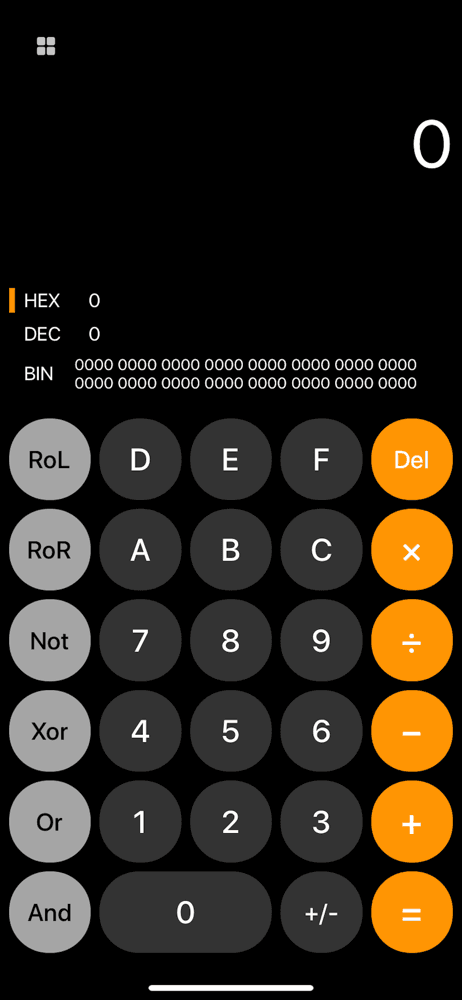
Programmer's Calculator is the best calculator app for iPhone users who write code and need to convert between binary, decimal, and hexadecimal numbers quickly. The 4.74 average across 911 U.S. ratings reflects a small but committed developer audience that picked the app for its clean, iOS-native interface and free-tier accessibility. Core features include binary number support, decimal number support, hexadecimal number support, and a layout designed specifically for bit-level work — exactly the math a software engineer needs when reading a memory dump, decoding flags, or computing color values. Programmer's Calculator differs from NCalc Base-N mode by being a single-purpose tool rather than a scientific calculator with a base toggle, and from Graphing Calculator Plus AI by being free and lightweight rather than feature-loaded. A real scenario: you are debugging an embedded system and need to convert 0x3F to its 10-bit binary representation — Programmer's Calculator does it in three taps. The tradeoff is the December 2020 last-update date (the app has not been refreshed in years), the absence of operations beyond core base conversion, and the small rating sample. Best for developers who want a focused, free hex calculator on iPhone.
Pros
- Free dedicated binary, decimal, and hexadecimal calculator for developers
- Clean iOS-native interface keeps focus on the core base conversion work
- Small footprint launches instantly without scientific-calculator overhead
Cons
- Last updated in December 2020 with no recent feature improvements
- Lacks bitwise operators like XOR, NOT, and shift beyond basic conversion
- Rating
- 4.7
- Reviews
- 669
- Price
- Paid
- 90-day trend
- —
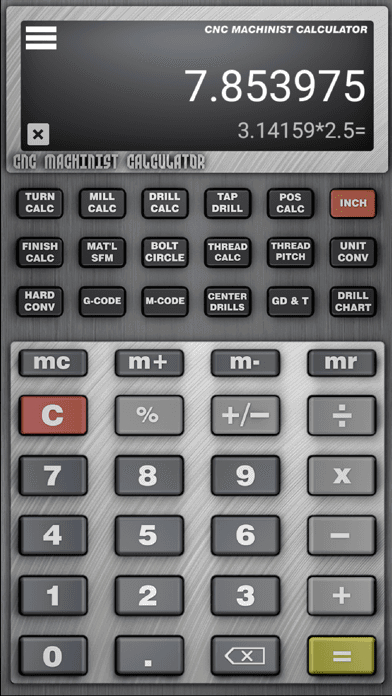
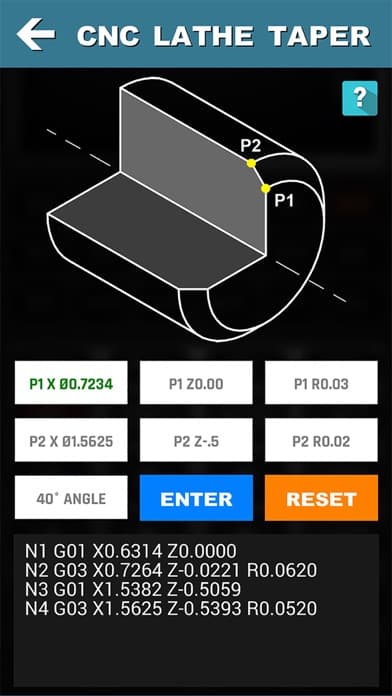
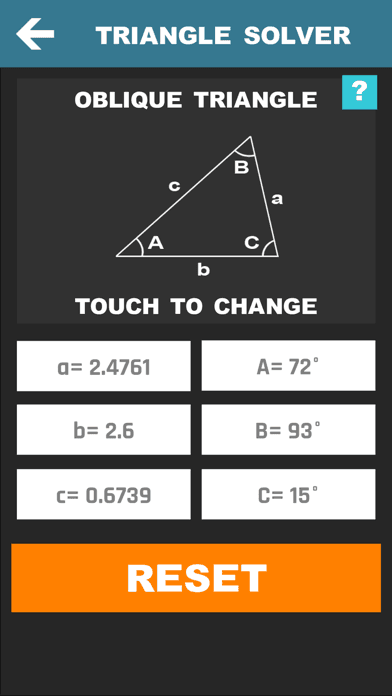
CNC Machinist Calculator Pro is the best calculator app for iPhone users who run a lathe, mill, drill, or grinder and need shop-floor math at hand. The 4.71 average across 666 U.S. ratings reflects a niche but loyal machinist audience built since 2015 by an industry developer at cncdirt.com. The app ships an enormous feature set: turning calculators (cutting speed by material, grooving and rough-turn cycle time, feed conversions), milling calculators (cutting speed and feed by material, chip thinning, metal removal rate, circle and thread milling), drilling and gun-drilling calculators, thread calculators including 60-degree, NPT, Acme, and STI, true position, bolt pattern, and surface finish calculators, drill-and-tap charts, hardness conversions, G-codes, M-codes, GD&T descriptors, SFM calculator across 170-plus materials, a material weight calculator for 170-plus materials and 10 shapes, a tool wear reference, a machinist test, and a scientific calculator for general math. CNC Machinist Calculator Pro differs from every other entry by being the deepest specialty calculator for a single trade. A real scenario: you are setting up a tap on an unfamiliar material — the app gives you the SFM, the RPM, the feed rate, and the chip-thinning correction in seconds.
Pros
- Deepest specialty math for machinists across turning, milling, and drilling
- SFM and material weight calculators cover 170-plus materials and 10 shapes
- G-code and M-code references plus GD&T descriptors at your fingertips
Cons
- Steep learning curve outside the CNC and manufacturing trade context
- Interface density makes casual use uncomfortable for non-machinist users


How we picked
### Data sources We combine live App Store data (ratings, recent reviews, version cadence, pricing, screenshot history) with our own ranking tracker, which logs U.S. Utilities and Productivity positions daily for every calculator on this list. Review themes come from the most recent U.S. reviews per app, weighted toward the last 90 days so a recent regression or pricing change surfaces quickly.
### How we score Four weighted axes: math accuracy (does it handle order of operations, fractions, and long expressions without dropping digits), history visibility (can you scroll back, copy a result, and reuse a previous expression), task fit (does the app actually solve the specific job — hours, grades, scientific, graphing, programming, machining), and pricing transparency (do users feel surprised by ad placement or weekly auto-renew subscriptions). We did not run formal precision tests; we relied on consistent themes in recent user reviews and on engine claims that hold up under scrutiny.
### Refresh cadence The top set is re-scored quarterly. Ratings, ranks, and review-theme analysis refresh daily on the page. When a vendor changes pricing, removes a free-tier feature, or ships a new math core, the pick gets re-evaluated within the week.
### What we exclude Apps with an average below 4.5 stars, fewer than 500 ratings, or no update in fifteen months. We dropped pure tip-calculator wrappers, calorie counters, and currency converters that masquerade as calculators. Calculators with aggressive ad models that interrupt long calculations are flagged but only excluded when the pattern dominates recent reviews.
### What we don't do No affiliate-driven ordering. Referral commissions do not bump apps. We don't take sponsorship or paid placement from listed apps. If a pick shifts, it's because the data shifted — ratings, review themes, pricing, or engine quality.