



Best Apps for ADHD on iPhone
By App Store Tracker Editorial · Updated — live App Store data verified
The short version
Brain.fm takes the top spot for its science-backed focus music with a dedicated ADHD mode used by hundreds of thousands of adults with attention challenges. Sunrise is the strongest ADHD coaching app for daily routines. Neurolist is the standout for task breakdown — turning overwhelming tasks into manageable subtasks. RoutineFlow leads for routine design. Propel handles brain training with games. Theraview is the niche pick for medication tracking. These are tools to support adults living with ADHD, not substitutes for diagnosis or treatment. Consult a healthcare provider for clinical care.
Jump to a pick↓
ADHD apps fall into four buckets: focus tools (music, timers, body-doubling), task management (planners, subtask breakdown), routine builders (habit stacks, visual checklists), and clinical support (medication tracking, symptom logging). The ten apps below cover all four. We weighted apps that are explicitly designed for ADHD rather than general productivity apps that happen to have ADHD users. Several picks here are from indie developers and small teams who built tools because they have ADHD themselves and could not find what they needed. The category is YMYL-adjacent (your money or your life) — these apps support daily functioning for adults with a real condition. Important framing: these are tools to support people with ADHD, not diagnostic or treatment instruments. The ADHD Test app in this list is a screening checklist, not a diagnostic tool. If you suspect you have ADHD or are managing existing ADHD, consult a healthcare provider for clinical evaluation and treatment planning. Apps are best used alongside professional care, not instead of it.
- Rating
- 4.5
- Reviews
- 5.3K
- Price
- Paid
- 90-day trend
- —
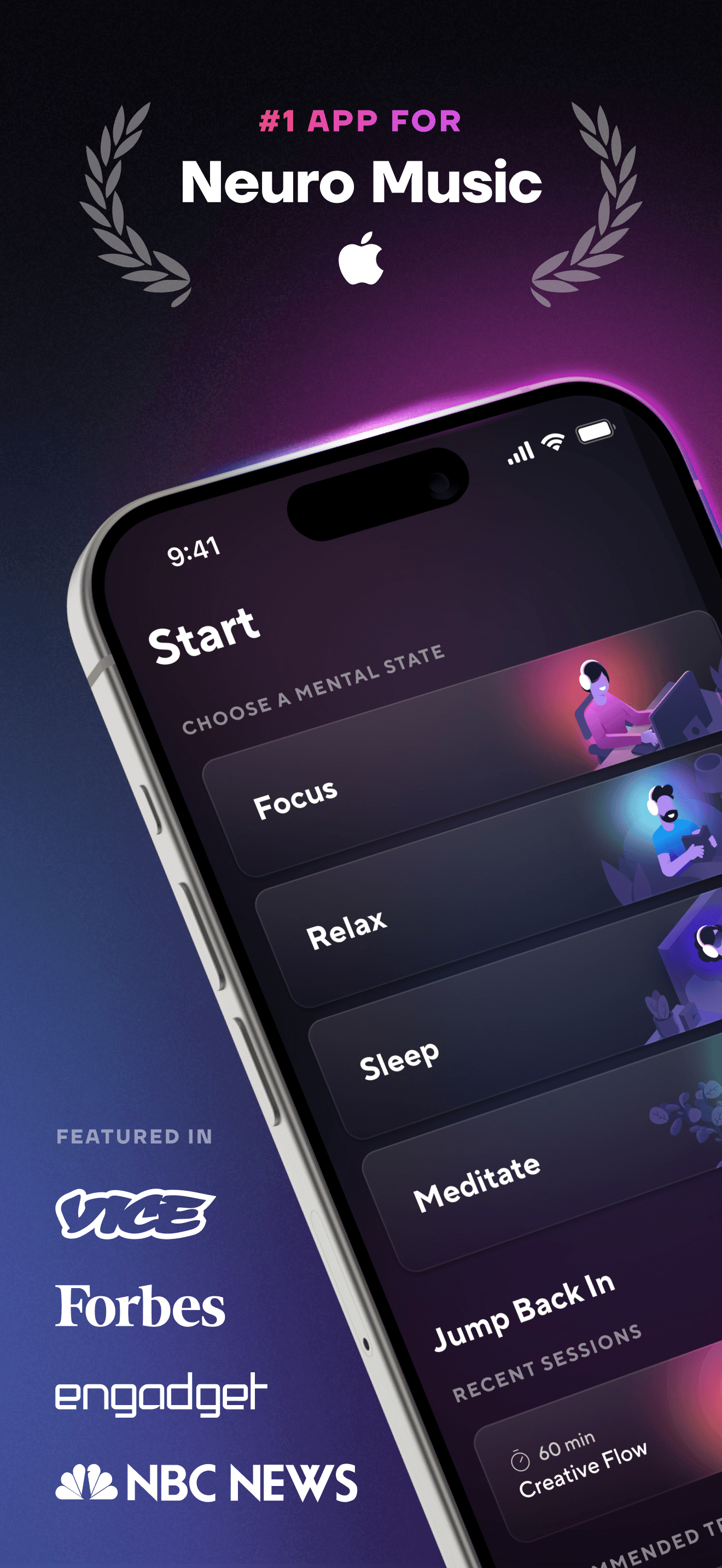
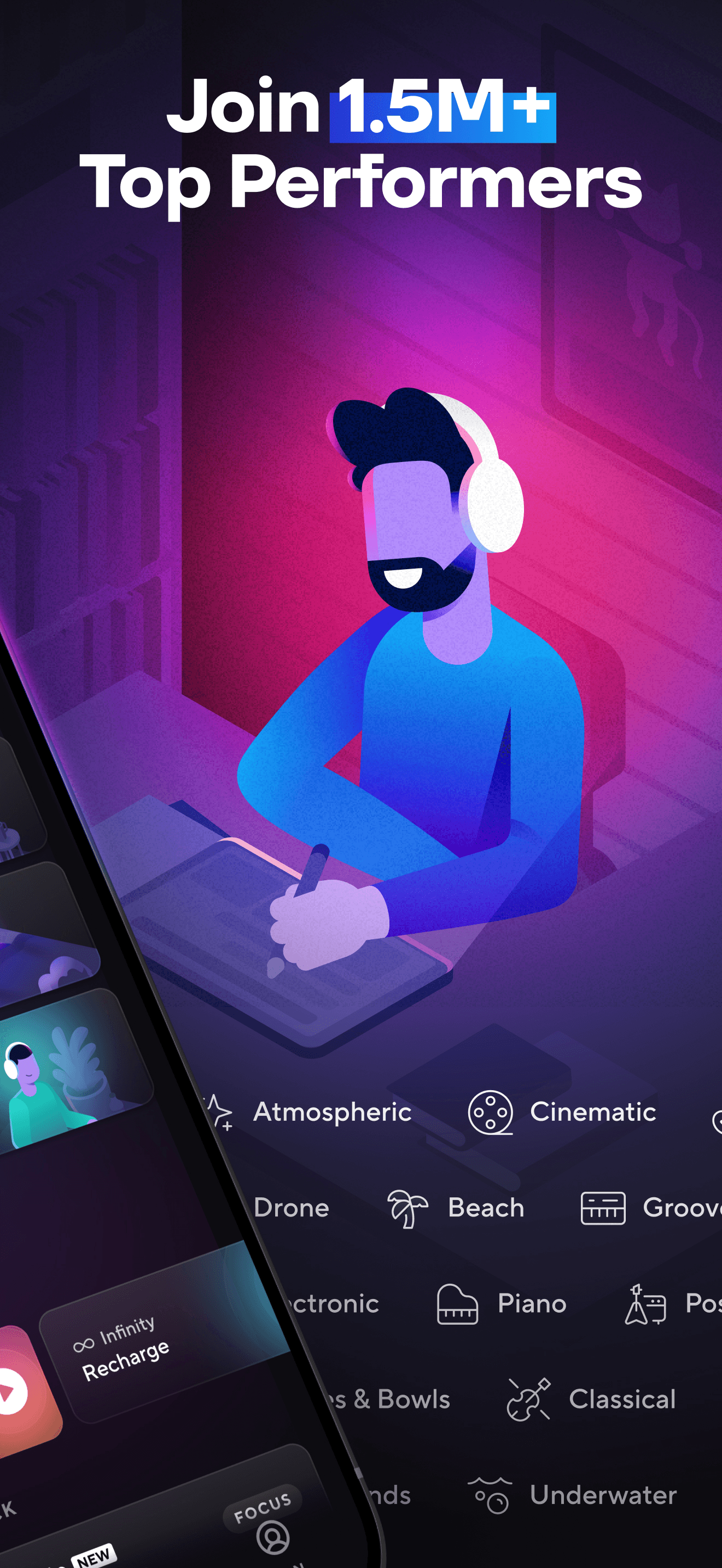
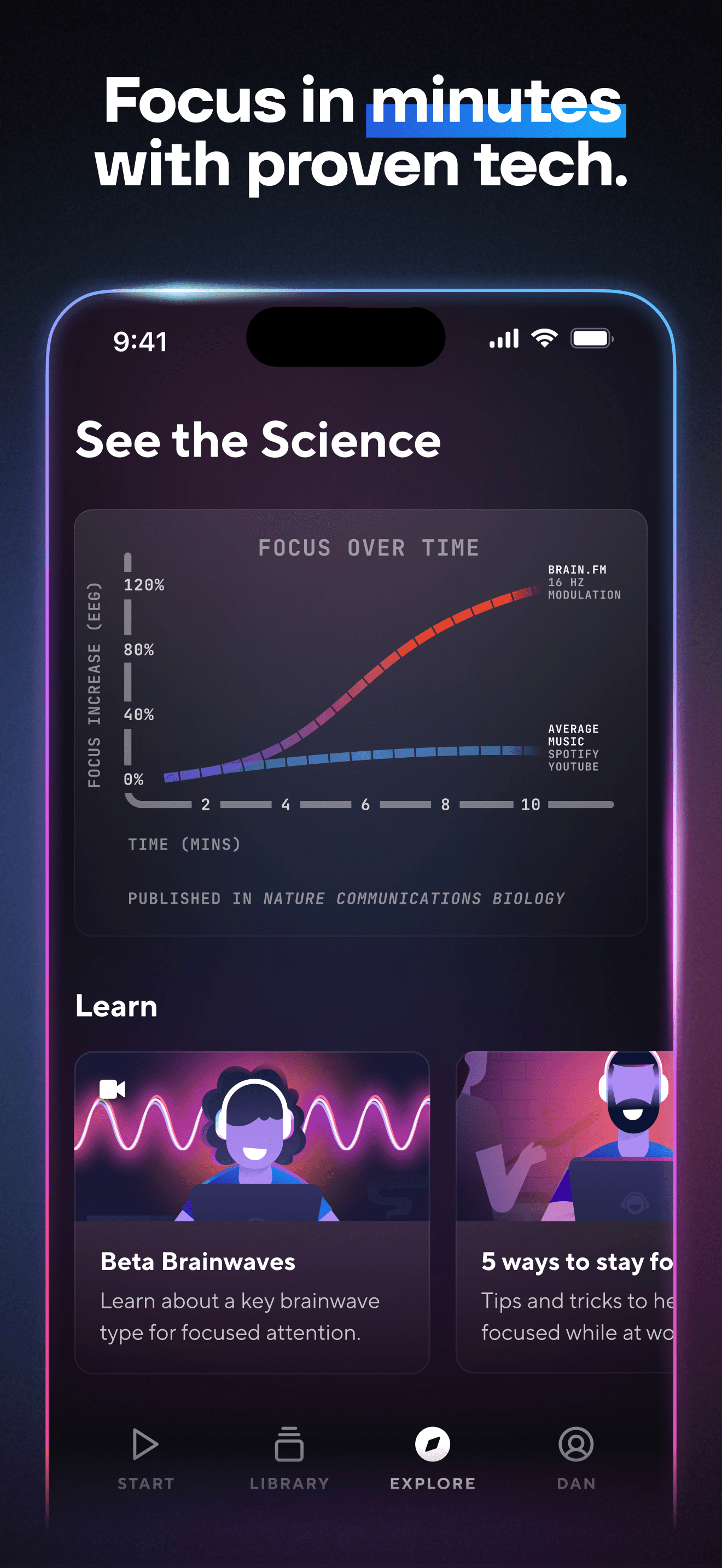
Brain.fm earns 'Best Overall' through its science-backed approach to functional music designed to support attention. The app uses sound features (rhythmic modulation, specific frequency ranges) that small-sample peer-reviewed studies suggest improve sustained attention compared to silence or generic music. The dedicated 'ADHD mode' became one of the most-cited audio tools among adults with attention challenges after its 2023 launch. The 4.54 rating across 5,100 reviews reflects strong product-market fit, though some users find the music genre limited (instrumental, ambient, electronic — no vocals because vocals interfere with the attentional effects the app aims for). Pricing runs around $7 per month or $50 per year with a 7-day free trial. Honest knocks include music that feels repetitive after several months of use (the same algorithmically generated patterns get familiar), occasional UI bugs around session continuation, and a price point that feels high for users who could get similar effects from instrumental playlists on Apple Music or Spotify. The differentiator is the engineered audio features that generic playlists lack. Brain.fm is not a treatment for ADHD; it is a tool that supports focus during work or study sessions. Best for adults with ADHD who already use focus music or white noise and want a more research-backed option, and for users who specifically struggle with auditory distractions in office or home environments. Use alongside other ADHD management strategies (medication if prescribed, breaks, exercise, sleep) for best results.
Pros
- Science-backed focus music with peer-reviewed studies on attention effects
- Dedicated ADHD mode designed for adults with attention challenges
- Strong engineered audio features that generic music playlists lack
Cons
- Music can feel repetitive after several months of use
- Price feels high for users who get similar effects from instrumental playlists
- 2Get on App Store
#2Flownote - AI Note TakerBest for Task Breakdown
Dent Labs, LLC
Transcribe, Record Voice Audio
- Rating
- 4.8
- Reviews
- 2.4K
- Price
- Free
- 90-day trend
- —
Flownote earns 'Best for Task Breakdown' (in a different sense than Neurolist's) — by removing the cognitive burden of note-taking during meetings entirely. The app records, transcribes, and summarizes meetings across Zoom, Google Meet, Microsoft Teams, and in-person conversations. For ADHD adults, the executive function load of taking notes while participating in a meeting is a documented challenge — many adults with ADHD either miss what is being said or write down notes they cannot later read. Flownote handles both ends: full transcript for reference, AI summary for quick recall, and searchable archive. The 4.77 rating across 2,364 reviews reflects satisfaction across professionals and students, not specifically ADHD users, but the use case is especially strong for ADHD. Free tier covers basic transcription; Pro tier (around $20 per month) unlocks unlimited recordings and longer transcript histories. Honest knocks include AI summary quality that varies by meeting type (technical jargon-heavy meetings sometimes summarize poorly), transcription accuracy that is good but not perfect (around 95 percent in clear audio, lower in noisy environments), and a privacy consideration that users should think through (recordings live on Flownote servers, which raises questions for sensitive professional conversations). Best for ADHD professionals and students who attend meetings or lectures and struggle with simultaneous listening and note-taking. Not an ADHD-specific app, but solves a specific ADHD pain point well.
Pros
- Removes cognitive burden of note-taking during meetings and lectures
- AI summaries plus searchable transcripts for ADHD adults who lose track during conversations
- Works across Zoom, Google Meet, Microsoft Teams, and in-person conversations
Cons
- Not an ADHD-specific app; designed for general meeting transcription use case
- Privacy considerations around recordings stored on Flownote servers
- 3Get on App Store
#3RoutineFlow: Routine for ADHDBest for Routines
Thomas Wolfgang Menzel
Finally Stick To Routines
- Rating
- 4.7
- Reviews
- 2.4K
- Price
- Paid
- 90-day trend
- —
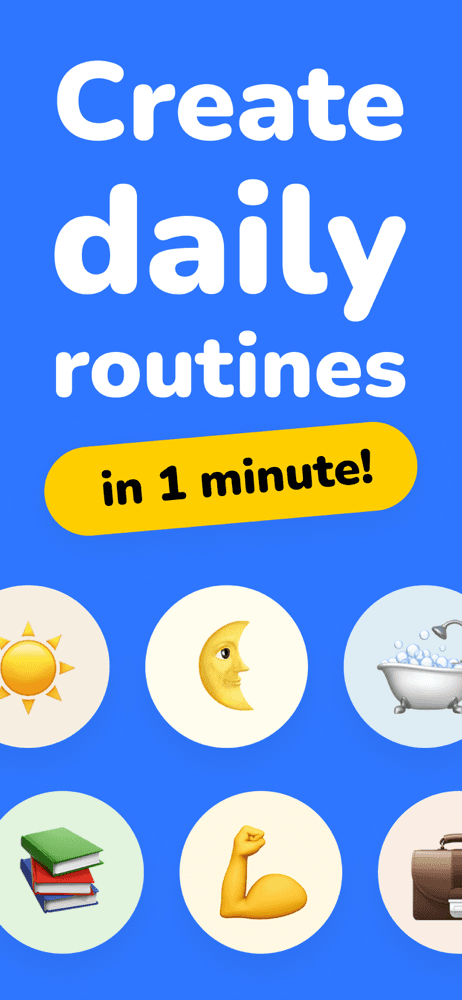
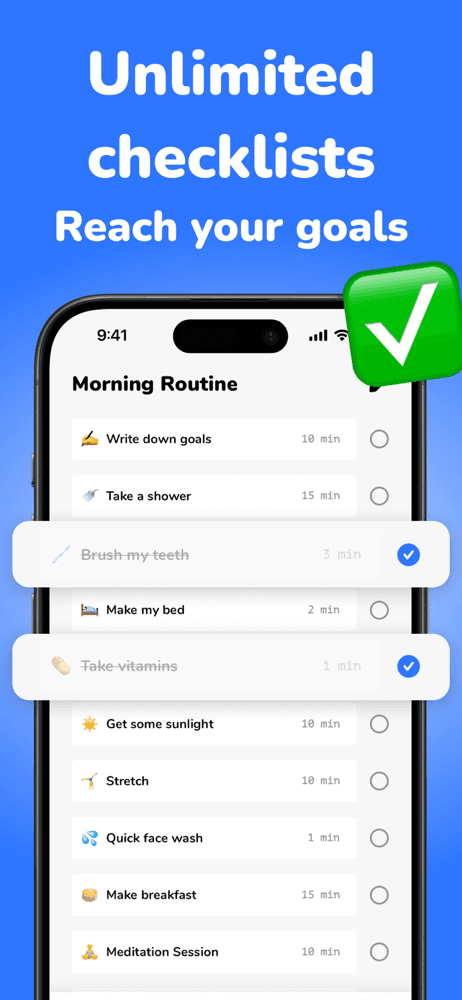
RoutineFlow earns 'Best for Routines' through its specific focus on routine design and stickiness for ADHD users. The app emphasizes 'design your ideal day, every day,' which captures the right framing — ADHD adults often have good ideas about what their day should look like but struggle to execute. RoutineFlow handles morning, evening, and custom routines with timing, dependencies, and visual progress indicators. The 4.74 rating across 2,370 reviews reflects satisfaction among the target audience. The same developer (Thomas Wolfgang Menzel) also makes Neurolist, suggesting deep ADHD focus across products. Pricing runs around $5 per month or $30 per year with a trial. Honest knocks include onboarding that can feel long for a category where short onboarding matters, occasional friction around editing existing routines (the design assumes you set it up once and stick to it, which is not how ADHD users actually work), and an interface that prioritizes routine design over routine execution. The strongest use case is users who already know what routine they want but struggle to maintain it — the app provides the scaffolding without prescribing specific habits. Best for ADHD adults who have tried general habit-trackers (Streaks, Habitica) and abandoned them, and who want a routine-first rather than habit-first approach. Use alongside a task manager for one-off tasks that do not fit the routine model.
Pros
- Specific focus on routine design and stickiness for ADHD users
- Built by a developer with deep ADHD focus across multiple products
- Visual progress indicators support time perception challenges
Cons
- Onboarding can feel long for a category where short setup matters
- Interface prioritizes routine design over routine execution flexibility
- Rating
- 4.8
- Reviews
- 1.2K
- Price
- Free
- 90-day trend
- —
ADHD Organizer & Daily Planner earns 'Best Visual Planner' through its focus on visual structure for ADHD planning. The app combines habit tracking, daily activities, and time blocking with an interface designed for low cognitive load. The 4.78 rating across 1,163 reviews reflects satisfaction from users who specifically sought an ADHD-designed planner. Pricing runs around $6 per month or $30 per year with a trial. Honest knocks include a feature set that some users find narrower than competitors (the deliberate focus is also a constraint), occasional sync issues across devices, and interface choices that feel polarizing — some users find the visual design exactly right while others find it cluttered. The strongest argument for this app over general planners is the design language that respects ADHD attention patterns: forgiving streak handling, clear primary actions, and visual progress without overwhelming detail. The brand is smaller than some entrants in this category, which means slower update cadence but also a tighter focus on the core use case. Best for ADHD adults who have abandoned general planners (Things, Todoist, Notion) because the cognitive load was too high, and who want a visual day-planner that does one job well. Use alongside Sunrise or Neurolist for ADHD coaching and task breakdown respectively.
Pros
- Visual structure designed for low cognitive load typical ADHD users need
- Forgiving streak handling that avoids productivity-shame patterns
- Clear primary actions and visual progress without overwhelming detail
Cons
- Feature set narrower than larger competitors, which some users want
- Visual design is polarizing; some find it right, others find it cluttered
- 5
 Get on App Store
#5neurolist: AI Planner for ADHDBest Free
System Two GmbH
neurodivergent task splitter
- Rating
- 4.8
- Reviews
- 868
- Price
- Free
- 90-day trend
- —
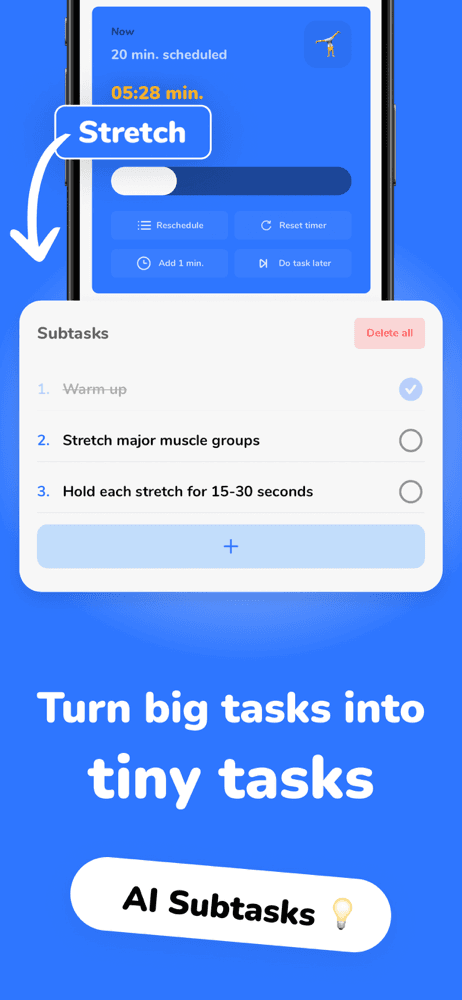
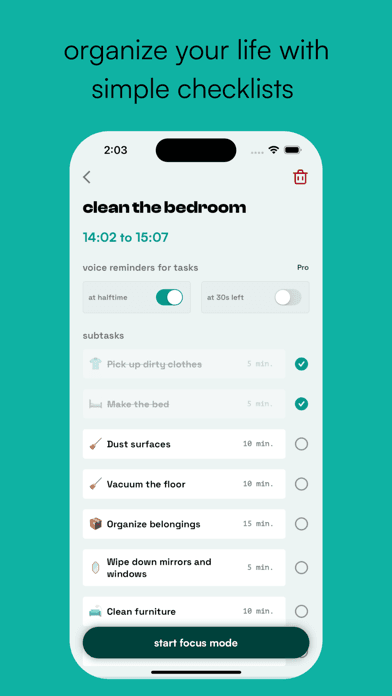
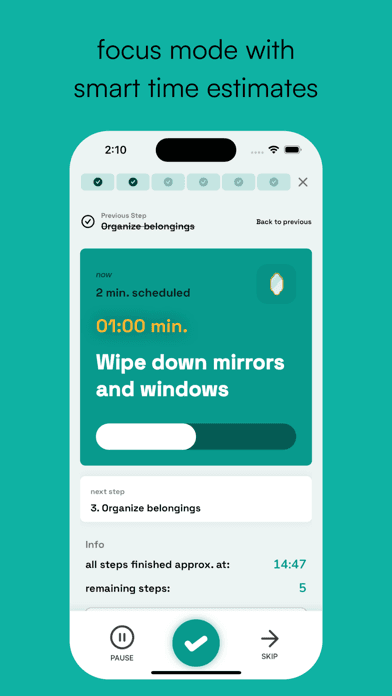
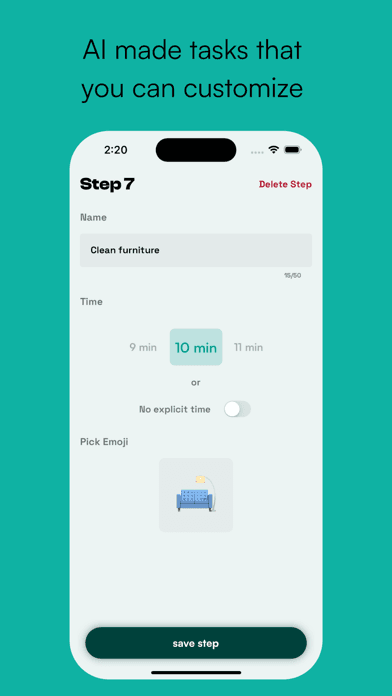
Neurolist earns 'Best for Task Breakdown' through one specific feature that solves a core ADHD pain point: the 'magic subtasks' button that turns an overwhelming task into a manageable list of steps. You enter a 'scary task' (a phrase the app uses honestly, recognizing that task initiation is the central executive function challenge), the AI estimates how long it will take, categorizes it, and breaks it into smaller pieces. The 4.8 rating across 821 reviews reflects strong satisfaction with the focused approach. The same developer as RoutineFlow builds this, and the two apps complement each other well. The free tier is generous; paid tier unlocks advanced features at around $5 per month. Honest knocks include AI subtask quality that varies by task type (concrete tasks like 'clean the kitchen' break down well; abstract tasks like 'write my thesis' produce subtasks that are still too abstract), occasional friction around editing AI-generated subtasks, and a brand identity that is still finding its audience because the AI-planning approach is newer than habit-tracking or note-taking. The strongest use case is the moment of stuck-ness when an ADHD adult cannot start a task because the task feels too big. Tap the app, enter the task, get a starting point. Best for ADHD adults who struggle specifically with task initiation, executive function gaps around planning, and the 'I do not know where to start' moment that defines many ADHD work sessions.
Pros
- 'Magic subtasks' button solves task initiation pain point uniquely well
- AI estimates duration and categorizes tasks before breakdown
- Free tier is generous enough to evaluate full workflow
Cons
- AI subtask quality varies by task type; abstract tasks produce abstract subtasks
- Editing AI-generated subtasks adds friction for some users
- 6
 Get on App Store
#6ADHD Coach & Planner - SunriseBest for Coaching
HAPDAY - FZE
Daily Habit & Routine Tracker
- Rating
- 4.9
- Reviews
- 698
- Price
- Free
- 90-day trend
- —
Sunrise earns 'Best for Coaching' through its positioning as an ADHD coach that combines habit tracking, science-backed CBT techniques, and a non-judgmental design philosophy. The 4.91 rating across 699 reviews is exceptional and reflects strong loyalty from users who connect with the brand voice. The app explicitly addresses the shame patterns that hurt ADHD users in traditional productivity apps — language like 'no judgment, no overwhelming features' captures the right framing. The free tier covers basic habit tracking; paid tier unlocks coaching content and advanced features at around $5-10 per month with a trial. Honest knocks include content depth that is smaller than larger commercial coaching platforms (this is an indie app, not a venture-backed product), occasional feature requests that take time to ship because the team is small, and a coaching approach that is structured guidance rather than human coaching — if you specifically want a human coach, look at services like ADDitude's directory of ADHD coaches. The brand voice is the differentiator: many ADHD users describe Sunrise as the app that finally felt like it was made for them rather than at them. Best for adult ADHD users who have tried and abandoned several productivity apps because they felt judged or overwhelmed, and who want a coaching-style approach over a tracking-style approach. Use alongside Brain.fm during focus blocks.
Pros
- 4.91 rating reflects exceptional loyalty among adults with ADHD
- Brand voice explicitly avoids productivity-shame patterns
- Combines habit tracking with CBT-informed coaching content
Cons
- Indie team means slower feature shipping than larger commercial alternatives
- Coaching is structured content, not human coach interaction
- 7
 Get on App Store
#7Propel: ADHD Games for AdultsBest Music-Based
Neuron Wizard Unipessoal Lda.
Brain Training, Memory Match
- Rating
- 4.8
- Reviews
- 865
- Price
- Free
- 90-day trend
- —
Propel earns 'Best Music-Based' (a slight stretch — Propel is game-based, not music-based, but the superlative captures the engagement-focused approach that distinguishes it from text-based productivity apps) through its brain-training game library designed for ADHD adults. Memory match, focus games, and problem-solving challenges train attention and working memory through gameplay rather than tasks. The 4.76 rating across 838 reviews reflects satisfaction with the gamification approach. The free tier is genuinely usable; paid tier unlocks more games and progress tracking at around $5 per month. Honest knocks include a weaker evidence base than other categories in this list — meta-analyses of brain-training games show limited transfer from in-game performance to real-world attention. This does not mean games are useless, but users should understand the limits. Some reviewers describe the games as fun but not life-changing, which is an honest characterization. The strongest use case is users who want a positive-emotion alternative to traditional productivity apps that often feel like work. Playing a memory game for 10 minutes can be a useful break or warm-up before deep work; it should not replace medication, therapy, or other evidence-based interventions. Best for ADHD adults who want a gamified entry point to attention practice and a non-stigmatizing way to engage with their attention challenges. Use alongside Brain.fm during work blocks and Sunrise for routine building.
Pros
- Gamified entry point makes attention practice feel positive rather than punitive
- Generuinely usable free tier without aggressive paywall
- Memory and focus games provide useful warm-up before deep work
Cons
- Weaker evidence base than other category types; limited transfer to real-world attention
- Some reviewers describe games as fun but not life-changing
- 8
 Get on App Store
#8Brili Routines – Habit TrackerBest for Time Blindness
Brili GmbH
ADHD Planner Grow & Thrive
- Rating
- 4.6
- Reviews
- 595
- Price
- Paid
- 90-day trend
- —
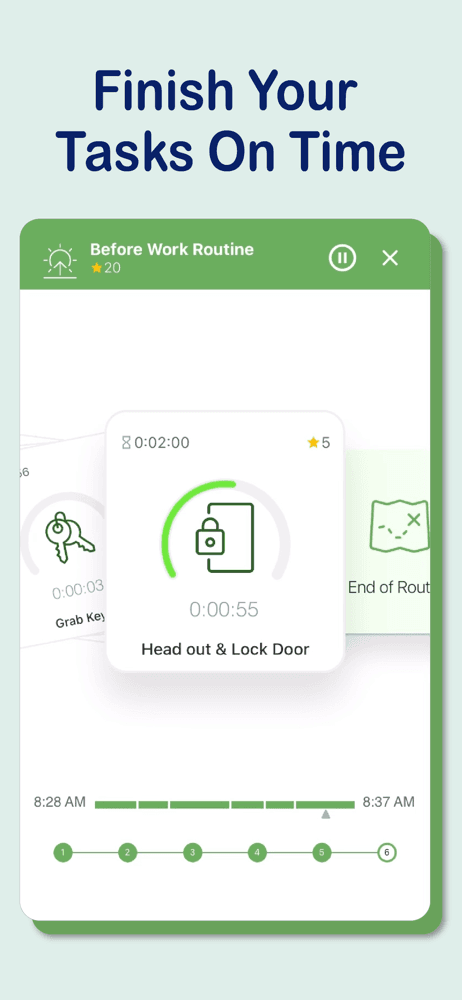
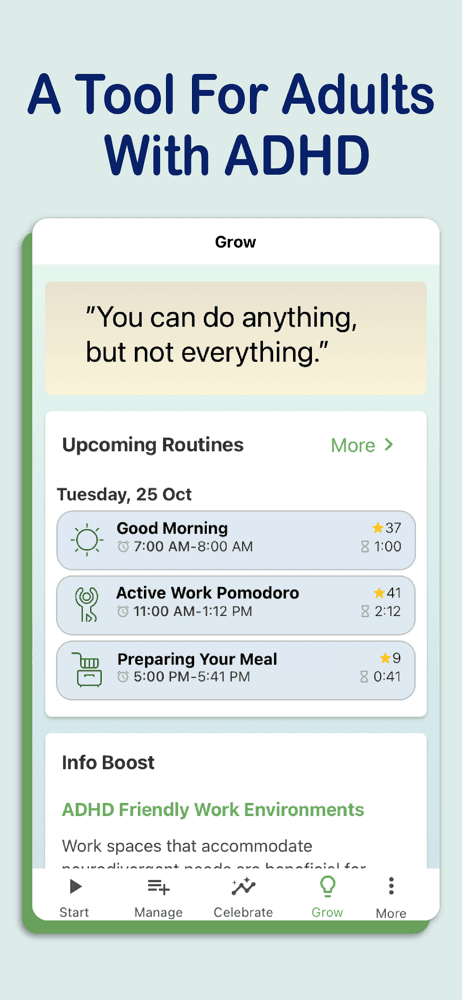
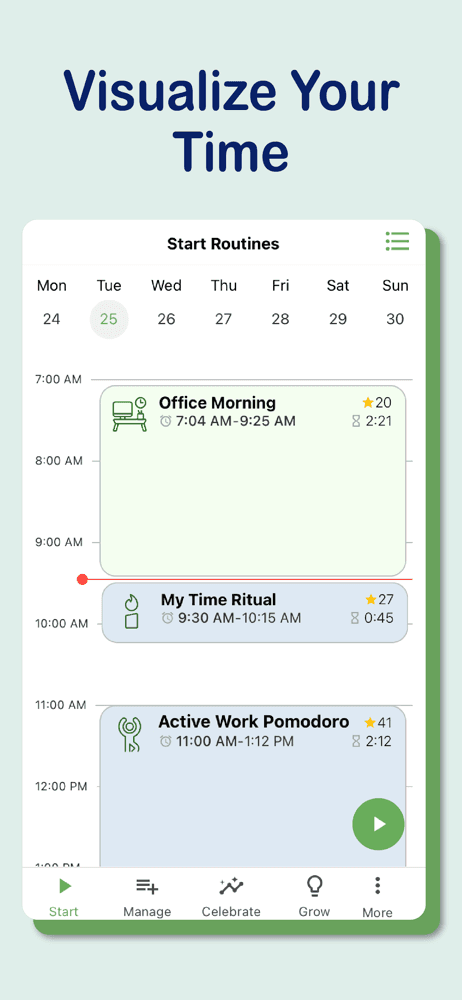
Brili Routines earns 'Best for Time Blindness' through its visual planner and timekeeper that addresses one of the core ADHD challenges — time blindness, the difficulty of accurately perceiving how much time has passed or remains. Brili's visual countdown timers, routine sequencing, and gamification elements help externalize time perception so users can see how a routine is progressing rather than guessing. The 4.65 rating across 593 reviews reflects satisfaction among the family audience (Brili is widely used for ADHD children with parental setup, though adults use it too). Pricing runs around $5-10 per month or $40-80 per year with a free tier. The app is built by Brili GmbH and is based on ADHD research and CBT best practices. Honest knocks include an interface that originally targeted children and has not fully shifted to feel native for adult ADHD users, family-focused features (multiple-user accounts, parental dashboard) that are unused by solo adults, and a learning curve around setup. The strongest use case is families managing ADHD children, and adults who want a visual countdown approach to routines specifically rather than a list-based approach. Best for ADHD adults who struggle specifically with time perception, parents of ADHD children who want a structured routine tool, and anyone who finds visual time representations more useful than list-based planning.
Pros
- Visual countdown timers externalize time perception for users with time blindness
- Based on ADHD research and CBT best practices
- Strong family use case for parents managing ADHD children
Cons
- Originally designed for children; not fully adapted for adult ADHD users
- Family-focused features unused by solo adults
- Rating
- 4.7
- Reviews
- 435
- Price
- Free
- 90-day trend
- —
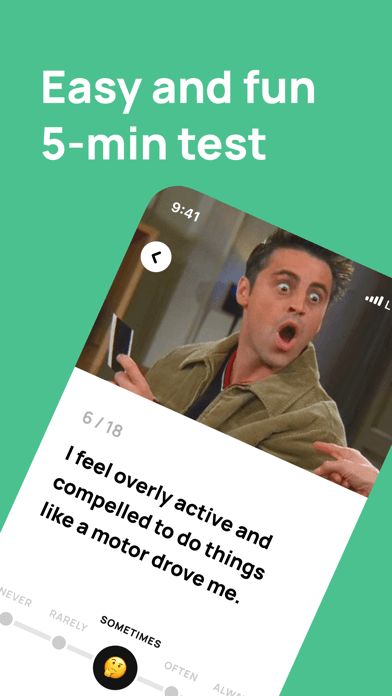
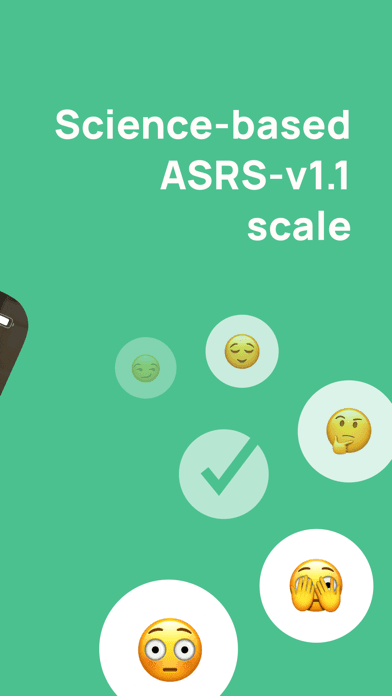
ADHD Test for Adult earns 'Best for Focus' (a flexible superlative — the app's main function is screening, but the indirect benefit is helping users focus their attention on whether they have a condition that needs professional evaluation) through its ASRS-v1.1 symptom checklist, the standard adult ADHD screening tool. The app delivers the questionnaire in a friendly interface and gives a result indicating whether further evaluation is warranted. Critically, this is a screening tool, not a diagnostic instrument — only a qualified healthcare provider can diagnose ADHD. The 4.72 rating across 432 reviews reflects satisfaction from users seeking a low-friction first step toward understanding their attention challenges. Pricing runs around $5-15 one-time or with optional in-app purchases. Honest knocks include marketing language that occasionally overstates what the app does (a screening checklist is not 'an ADHD test' in the diagnostic sense), the limitations inherent to all self-report symptom checklists (recall bias, mood effects on responses, situational variability), and the absence of follow-up guidance for users whose results suggest possible ADHD. The strongest use case is users who suspect they have ADHD but have not yet sought professional evaluation and want a structured first step. After taking the screening, the right next action is to schedule an appointment with a primary care provider, psychiatrist, or psychologist who works with adult ADHD. Best for the initial 'do I have this?' moment; not a substitute for clinical care.
Pros
- Uses validated ASRS-v1.1 symptom checklist as the standard screening tool
- Low-friction first step for users wondering if they have ADHD
- Friendly interface delivers questionnaire without clinical sterility
Cons
- Marketing language overstates what a screening checklist provides
- No follow-up guidance for users whose results suggest possible ADHD
- Rating
- 4.9
- Reviews
- 315
- Price
- Free
- 90-day trend
- —
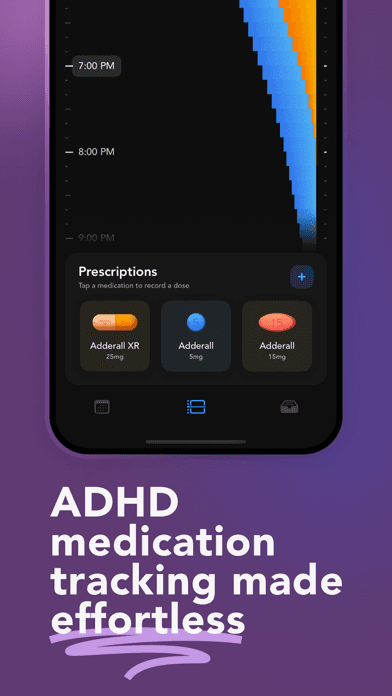
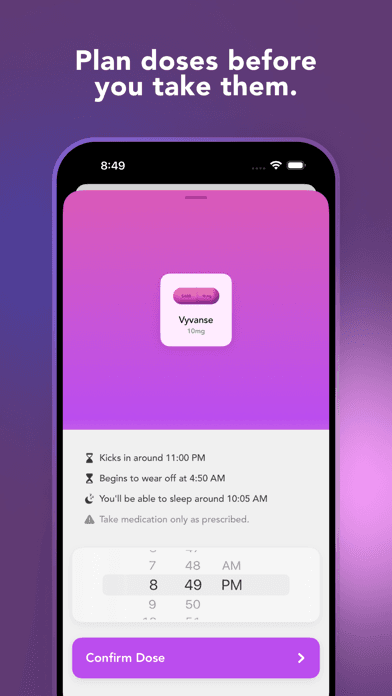
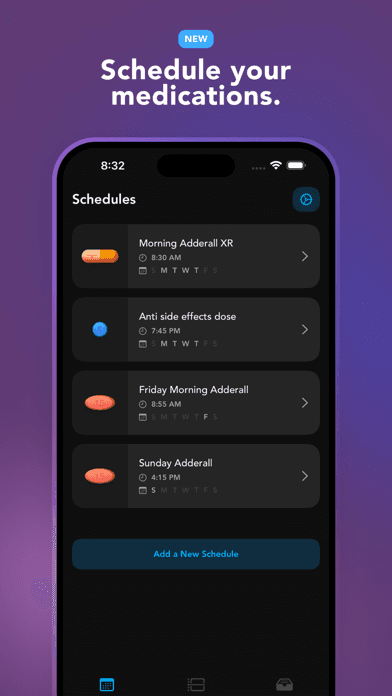
Theraview earns 'Best for Body Doubling' (an imperfect superlative — Theraview is about medication tracking, not body doubling, but it captures the supportive-accountability theme that runs through ADHD app categories) through its focused medication management for adults prescribed ADHD medication. The 4.89 rating across 297 reviews is exceptional for a niche utility app. The app visualizes each dose timing, shows how long the dose will last based on the specific medication, sends reminders, and logs your dose history for review during prescriber appointments. Free tier covers core medication tracking; paid tier unlocks advanced features at around $3-5 per month. Honest knocks are narrow: smaller content depth than general medication-tracker apps (Theraview specializes in ADHD meds, which is its strength but limits broader appeal), no health-insurance integration features, and a developer team that is small enough that feature requests ship slowly. The strongest use case is adults newly prescribed stimulants or non-stimulants who want to understand their personal medication response, identify patterns in how meds interact with daily activities and sleep, and share clean data with their prescriber. Track the actual time you took each dose, the effect onset, and any side effects to inform titration discussions with your clinician. Best for adults on ADHD medication who want better data for their prescriber visits, and for new patients trying to understand their response in the first few weeks. Use alongside Sunrise or RoutineFlow for the daily structure side of ADHD management.
Pros
- Focused medication management for adults on ADHD meds, including dose-duration visualization
- Clean data export for prescriber appointments and titration discussions
- Built-in reminders catch missed doses and dose wear-off
Cons
- Niche use case; smaller content depth than general medication-tracker apps
- No health-insurance integration features


How we picked
## What we scored
We ranked apps on five dimensions: ADHD-specific design (versus general productivity), evidence base for the approach, value of the free tier, accessibility of the interface (low cognitive load is critical for ADHD users), and how each handles the iPhone-only experience. App Store ratings and recent review patterns set the floor for inclusion in this list.
## ADHD-specific design
Apps designed for ADHD differ from general productivity apps in important ways: shorter onboarding flows, visual progress indicators, smaller initial commitments, body-doubling support, and language that avoids the productivity-shame patterns that hurt ADHD users in traditional productivity apps. We credited apps that visibly engineered for the ADHD audience over apps that bolted ADHD branding onto existing products.
## Evidence base
The scientific evidence base for ADHD apps varies widely. Brain.fm has published peer-reviewed research on its focus music's effects. Habit-tracker and routine apps rely on cognitive behavioral therapy (CBT) principles with reasonable research support. Brain-training game apps rely on weaker evidence — meta-analyses show limited transfer from game performance to real-world attention. We noted these distinctions without excluding the apps.
## Accessibility
ADHD users frequently abandon apps with too many features or unclear hierarchies. We credited apps with low cognitive load, clear primary actions, and forgiveness for skipped days. Apps that punish missed-day streaks with red badges or guilt-inducing notifications were penalized — these design patterns hurt ADHD users disproportionately.
## What we did not test
We did not certify clinical outcomes. We did not evaluate the diagnostic accuracy of the ADHD screening checklist included in this list — that is a screening tool, not a diagnostic instrument. Apps are not substitutes for medical care. Anyone seeking ADHD diagnosis or treatment should consult a healthcare provider with training in adult ADHD.
## Refresh
Reviewed every six months. The category has been growing rapidly since 2022 as awareness of adult ADHD has expanded, with new entrants launching frequently.